

Codes for where you build
Vietnam, Ho Chi Minh City, international — the same way of drawing, to the rules where you build; plus Hanoi, Singapore, Malaysia, Taiwan and Hong Kong.
Design · The heart of Home Check
Say what you want — the Home Check Assistant draws three code-aware options, checks the feng shui, lets you refine by voice, then walks you into the 3D home to see the sun and the wind.
Scan with your phone to get Home Check.
You are viewing this page inside another app. Tap ⋯ and choose “Open in browser” to get the app.
Real app screenshots
3
options each time
0–100
score per option
8
plot outline templates
24
compass mountains
Scene 01 · One sentence
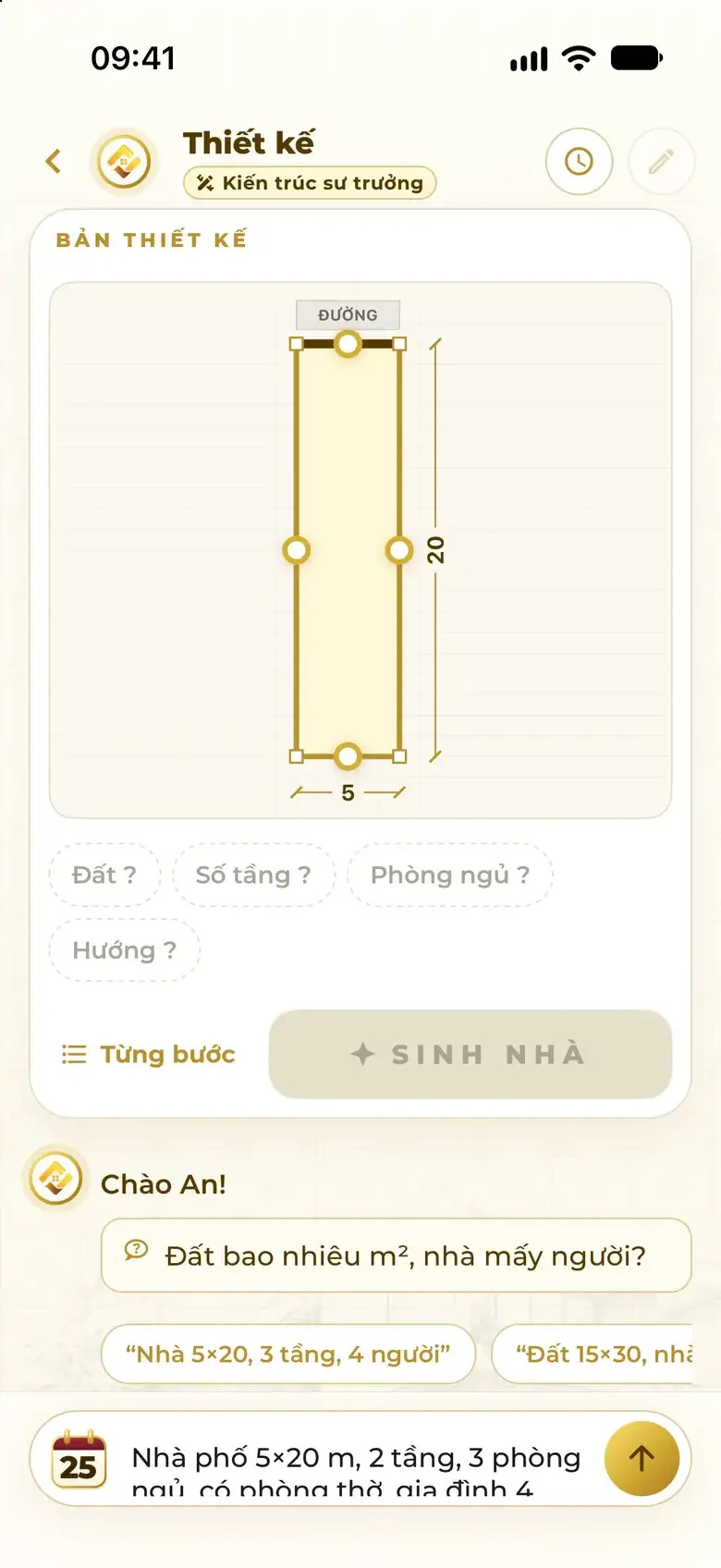
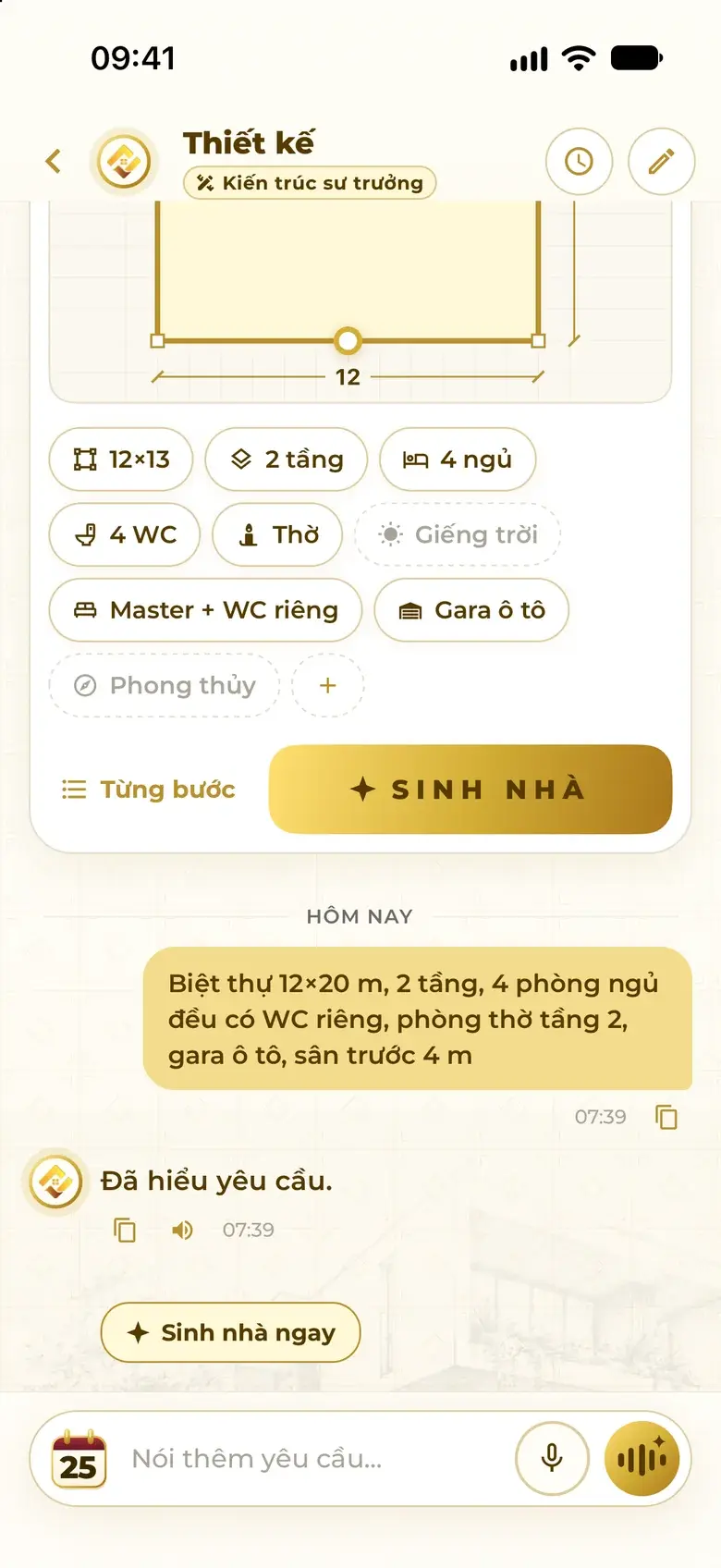
Type, or tap the mic and speak. The assistant picks out plot size, floors, rooms, functions and orientation — filling in the design card for you. Tap “Generate” and it draws.
Type or speak
House 5×20 m, 3 floors, 4 bedrooms, an altar room, facing 135°
What the assistant understood
Building the home
Things people say
Scene 02 · Understands & asks
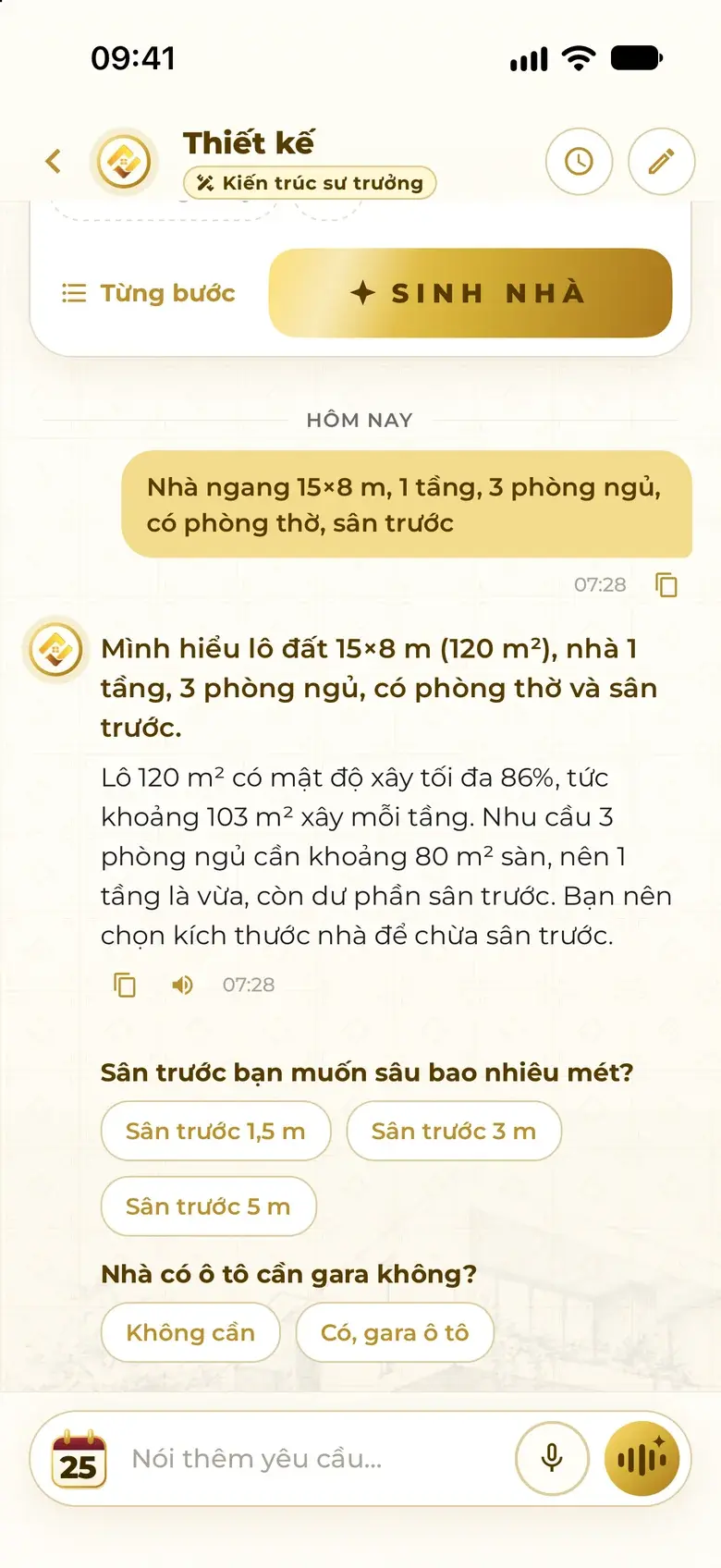
The assistant sums up what it understood, works out the plot's building coverage, then asks a few grouped questions with buttons. One tap to answer — once it has enough, it draws.
Wide house 15×8 m, 1 floor, 3 bedrooms, an altar room, a front yard
I understand a 15×8 m plot (120 m²), a 1-floor house, 3 bedrooms, an altar room and a front yard. A 120 m² plot allows up to 86% coverage — about 103 m² built per floor.
How deep should the front yard be? Do you need a garage for a car?
Front yard 3 m · No garage
With a 3 m front yard the house is only 5 m deep, about 75 m² per floor. Three bedrooms need roughly 80 m² of floor area, so one floor will be tight. Which would you like?
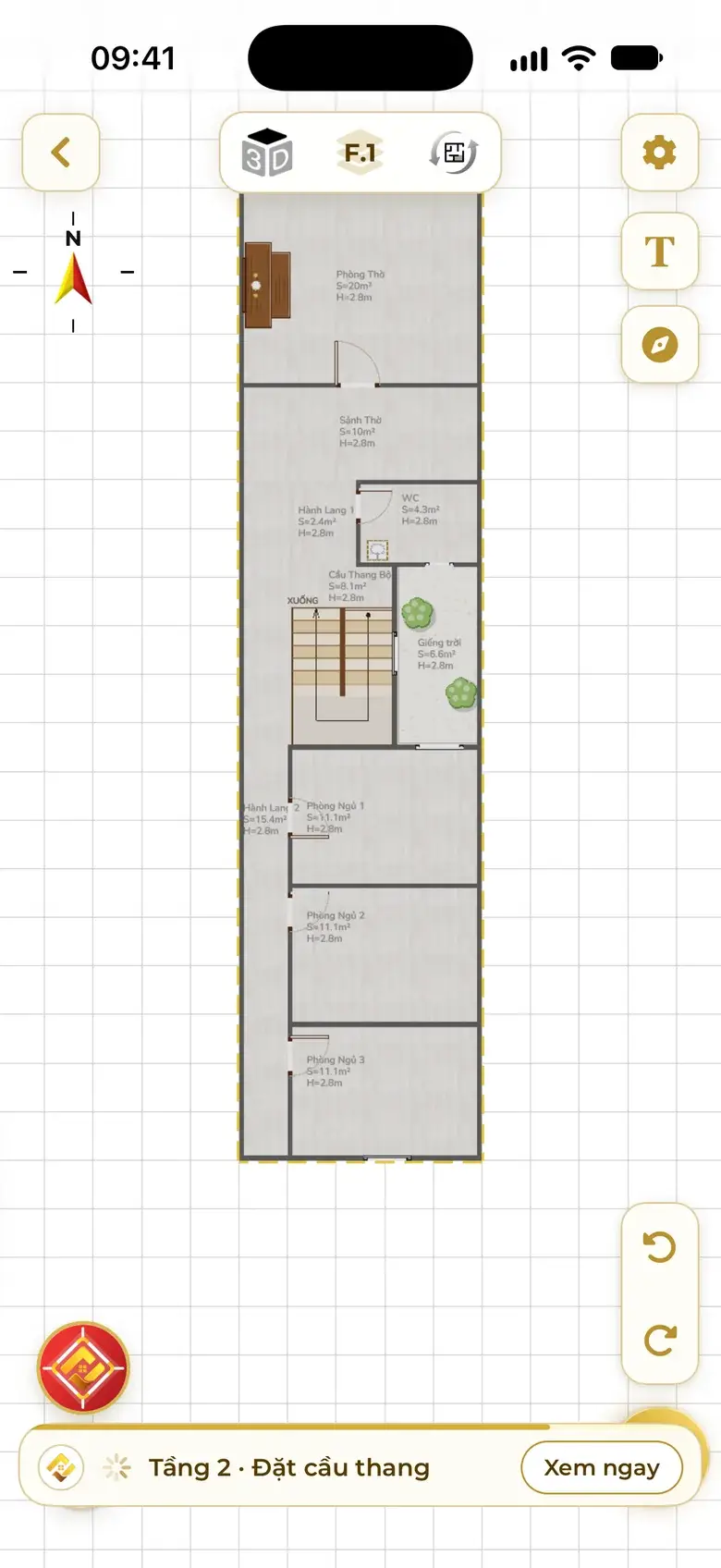
Lines copied word for word from the app screens alongside (translated).

Building coverage, a sensible number of floors, where space tends to be wasted.
A few questions with buttons — no retyping from scratch.
If the plot can't hold the rooms, the assistant says which floor falls short and suggests fewer rooms or another floor.
Scene 03 · Three options
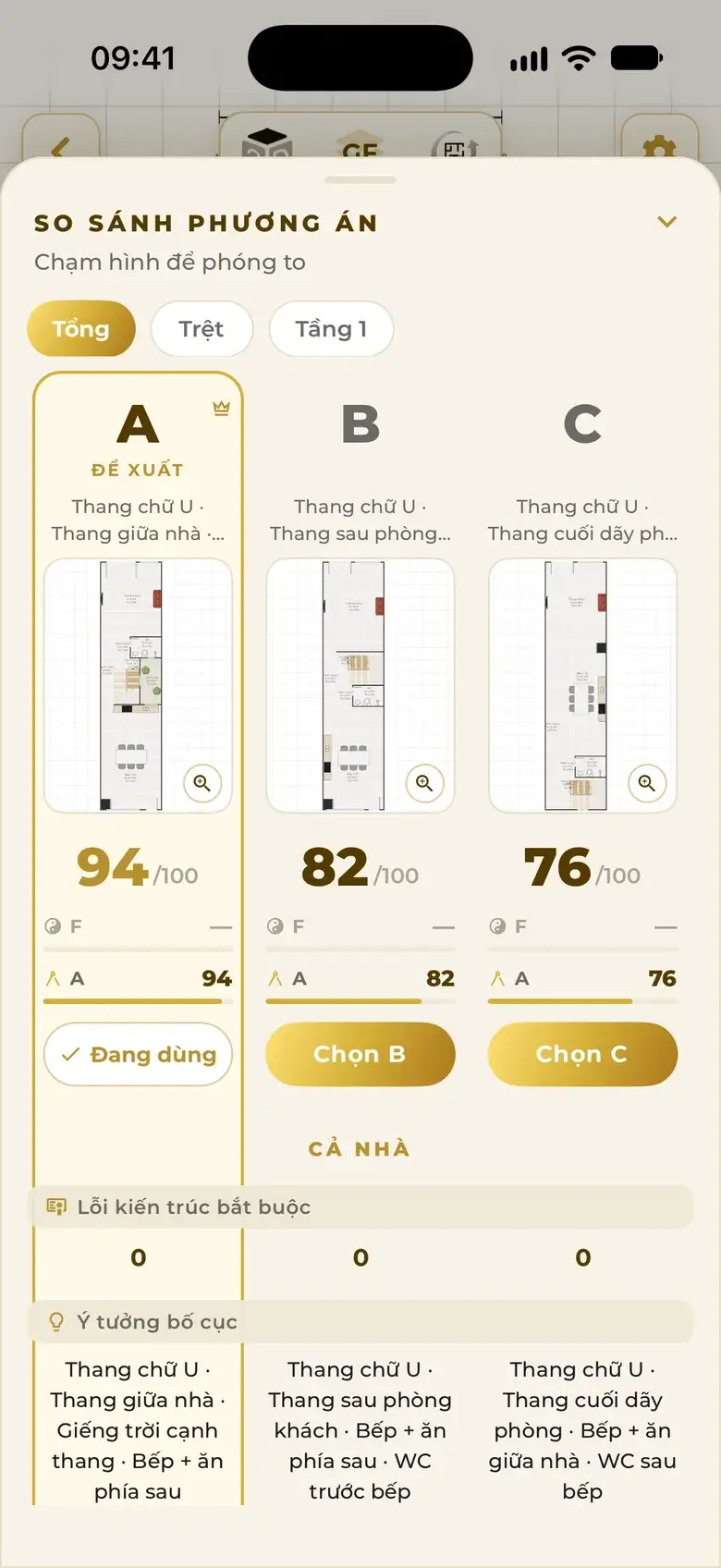
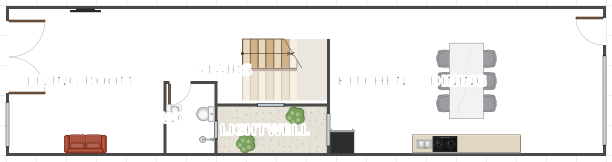
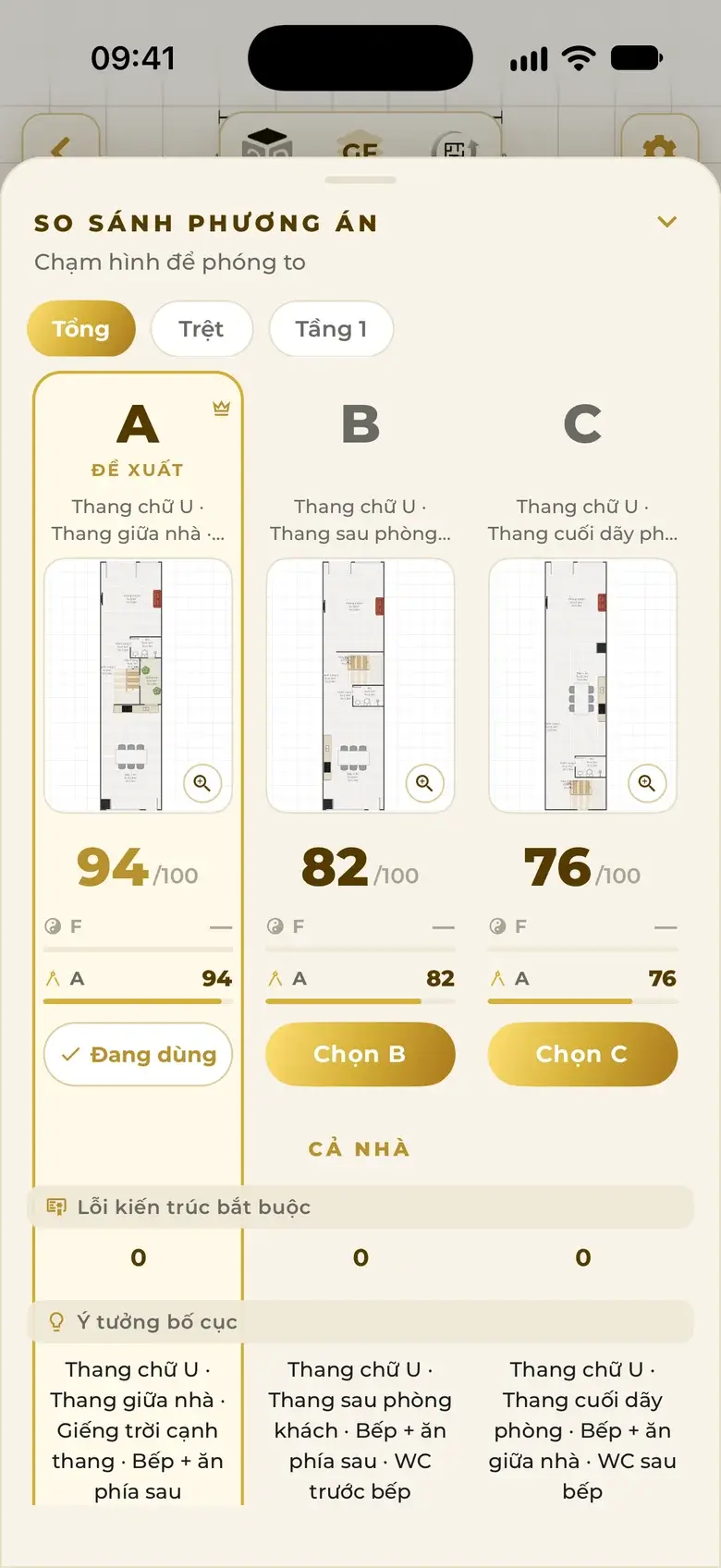
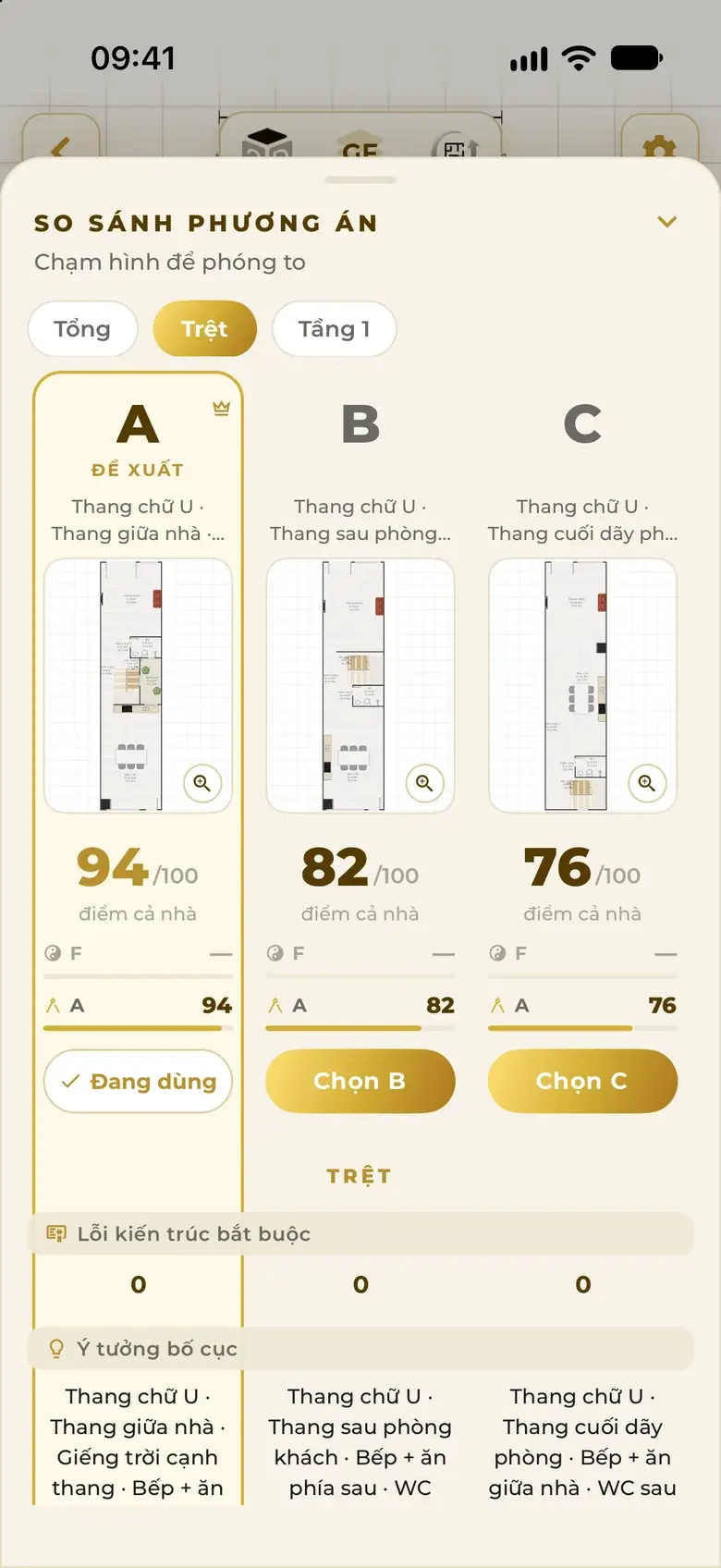
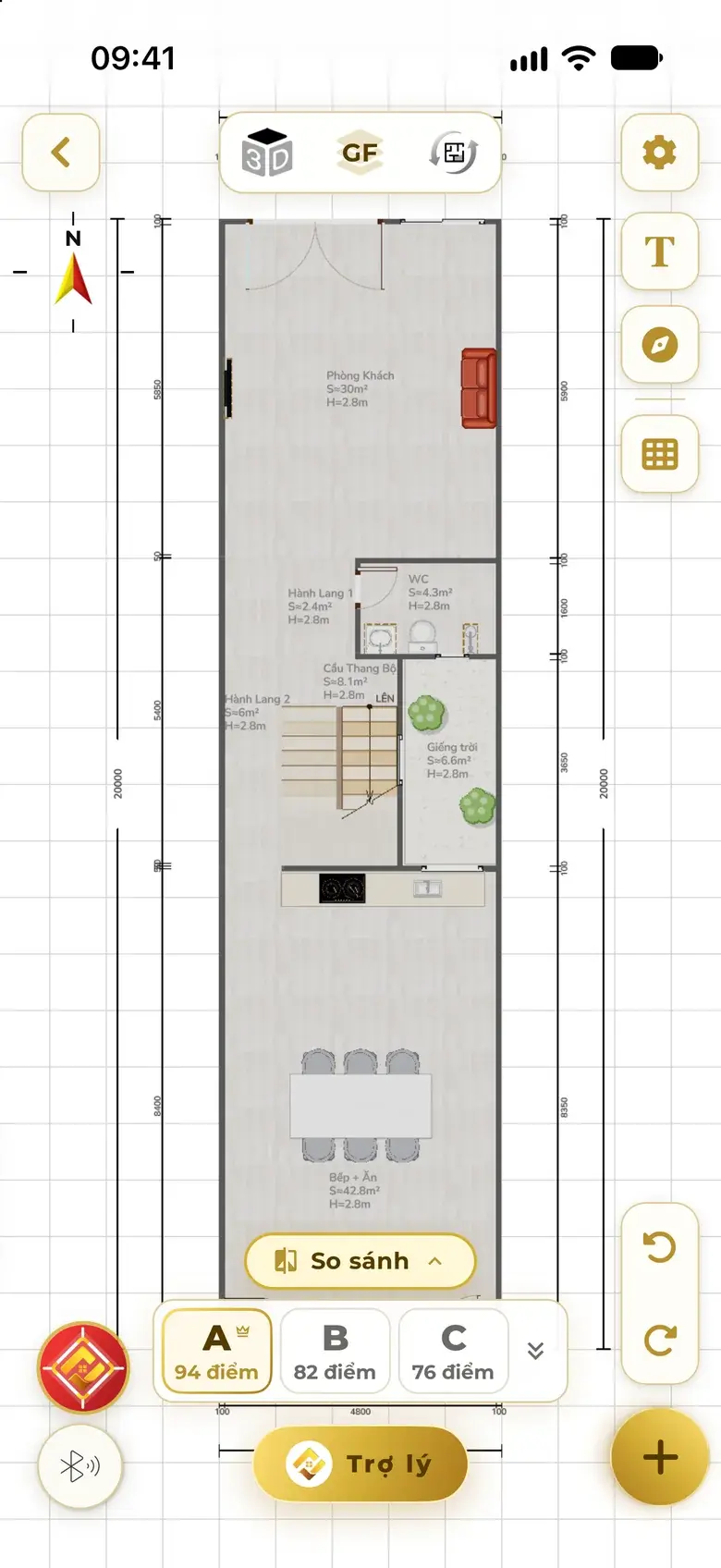
Each option puts the stairs, kitchen and WC somewhere else — not three copies with different sizes. Architecture, feng shui and overall scores on a 0–100 scale; anything not yet met is stated plainly.
Try it right here on the web
5×20 house, 3 bedrooms, an altar room
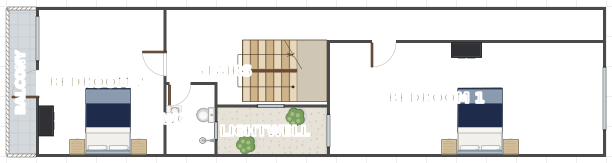
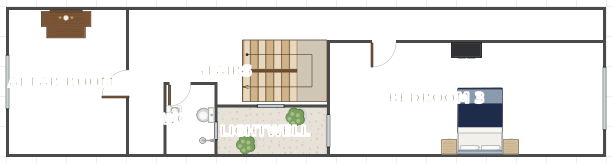
Three options
Architecture 60 Feng shui 88
Total: 77/100
Architecture 74 Feng shui 92
Total: 85/100
Architecture 76 Feng shui 88
Total: 83/100
Layout ideas — as the app labels the three options in the screens below
U-stair mid-house · light well beside the stairs · kitchen-dining at the back
U-stair behind the living room · kitchen-dining at the back · WC before the kitchen
U-stair at the end of the rooms · kitchen-dining mid-house · WC behind the kitchen
Scene 04 · Refine by voice
The assistant sits right under the drawing, in the same conversation you started with. Say one sentence — the plan changes in place, and every turn is a single undo step.
Tap a sentence to watch the plan change
Swapped Kitchen + Dining with the Living room; every other room stays put.
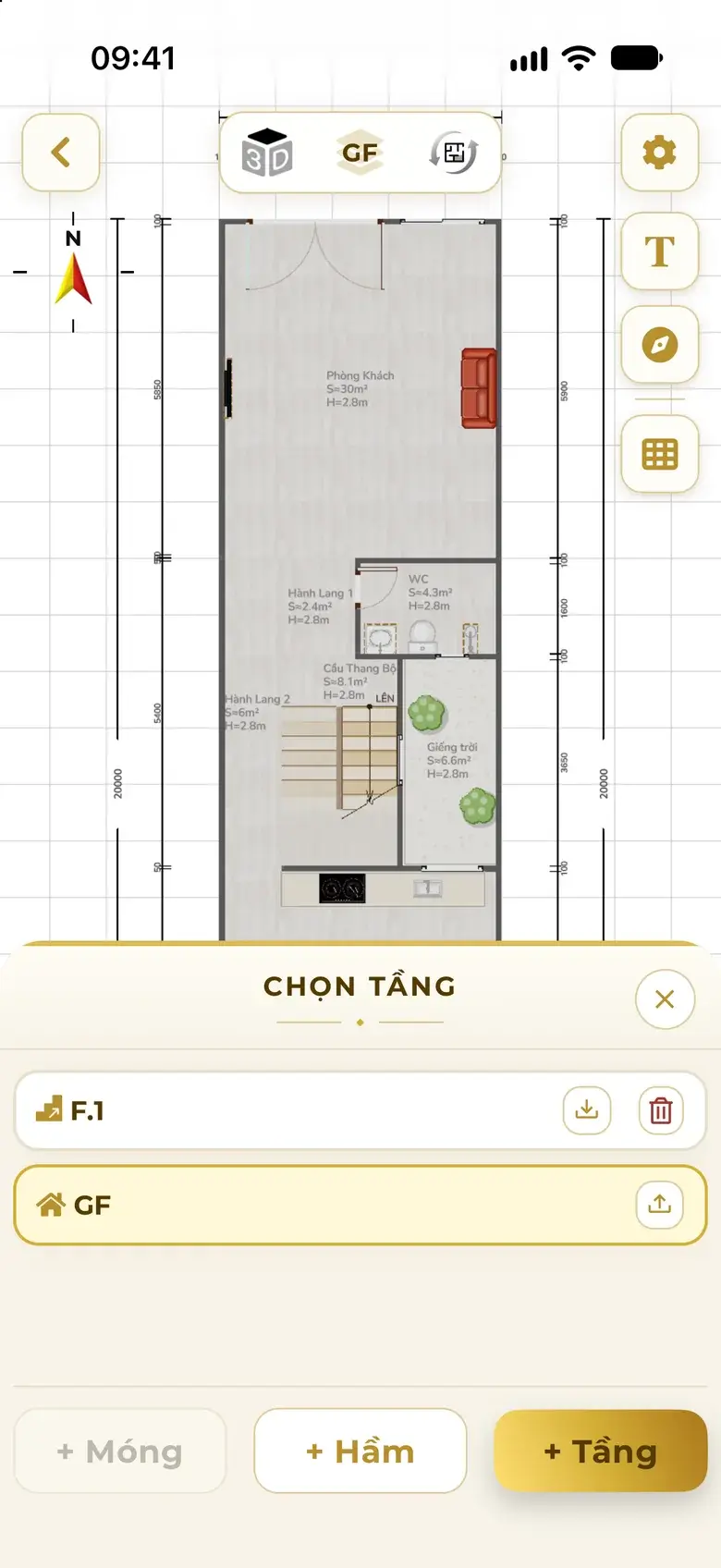
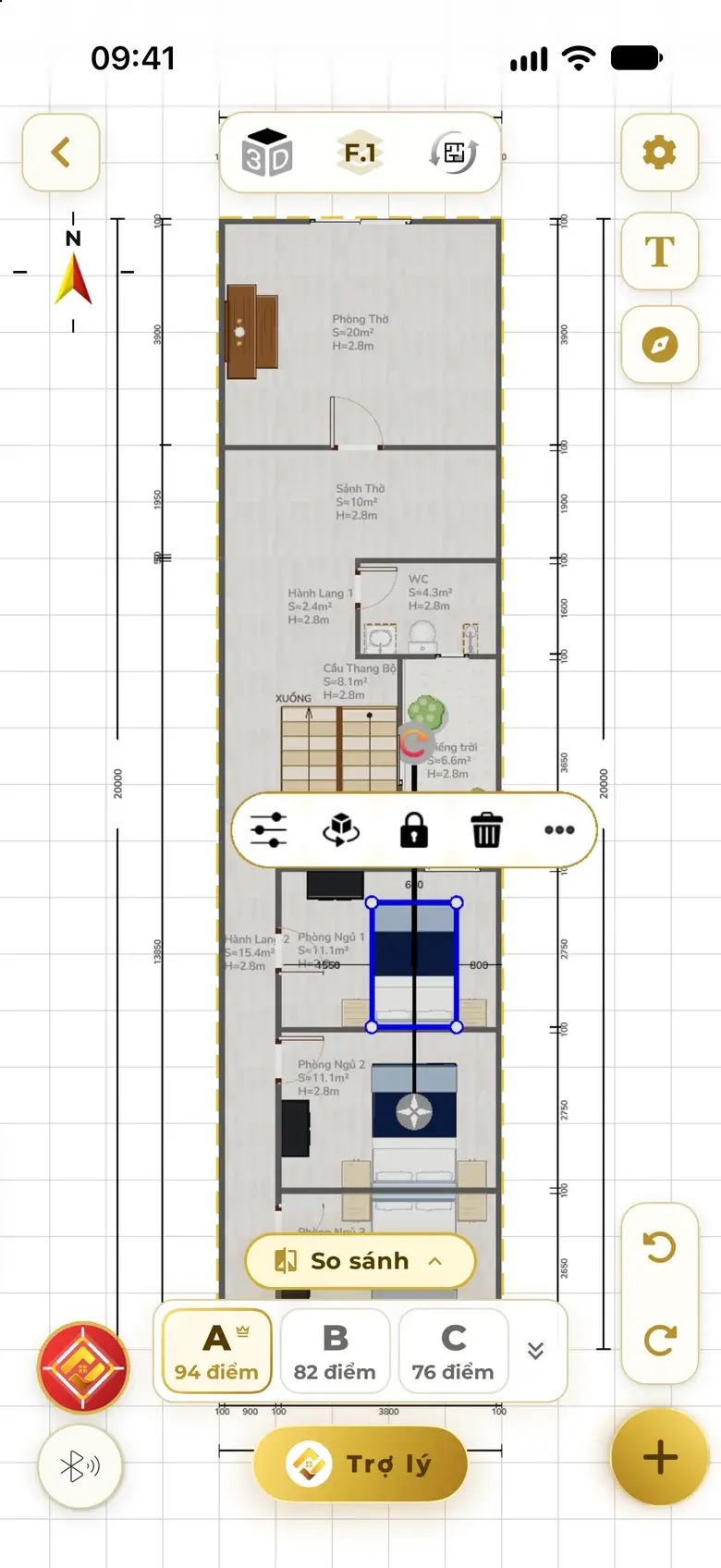
The assistant switches roles with the task: Chief Architect while drawing, Feng Shui Master while checking.
Scene 05 · Building codes
The code set is chosen from the project's location. Room sizes, stairs, circulation and daylight are kept to standard as the plan is drawn — you only see the result.
A stair type that suits the floors and the width of the home, with proper flight width and riser height.
Stairs and light wells on one axis through every floor; bed heads, kitchen, altar and WC kept off each other's axis.
WCs tucked beside the corridor; a single-sided or central corridor depending on the home's width.
Light wells and windows for the deep part of a tube house; bedrooms get ventilation openings.
Works out the buildable area of the plot before dividing rooms.
Never quietly drops a room you asked for; if space runs short it says so and asks.
Illustration A principle diagram, not the drawing of a particular house.
Pick one of 8 outline templates or draw freehand, then drag an edge or type metres to match your land documents.
99.2 m²
Frontage (the edge on the street)
The app also has a freeform outline: tap to add corners and drag each edge, one metre per step.
Vietnamese documents in force
Vietnam, Ho Chi Minh City, international — the same way of drawing, to the rules where you build; plus Hanoi, Singapore, Malaysia, Taiwan and Hong Kong.
The assistant answers building-regulation questions and names the document so you can check it yourself. Results are advisory; a permit application needs a licensed architect.
Scene 06 · Feng shui
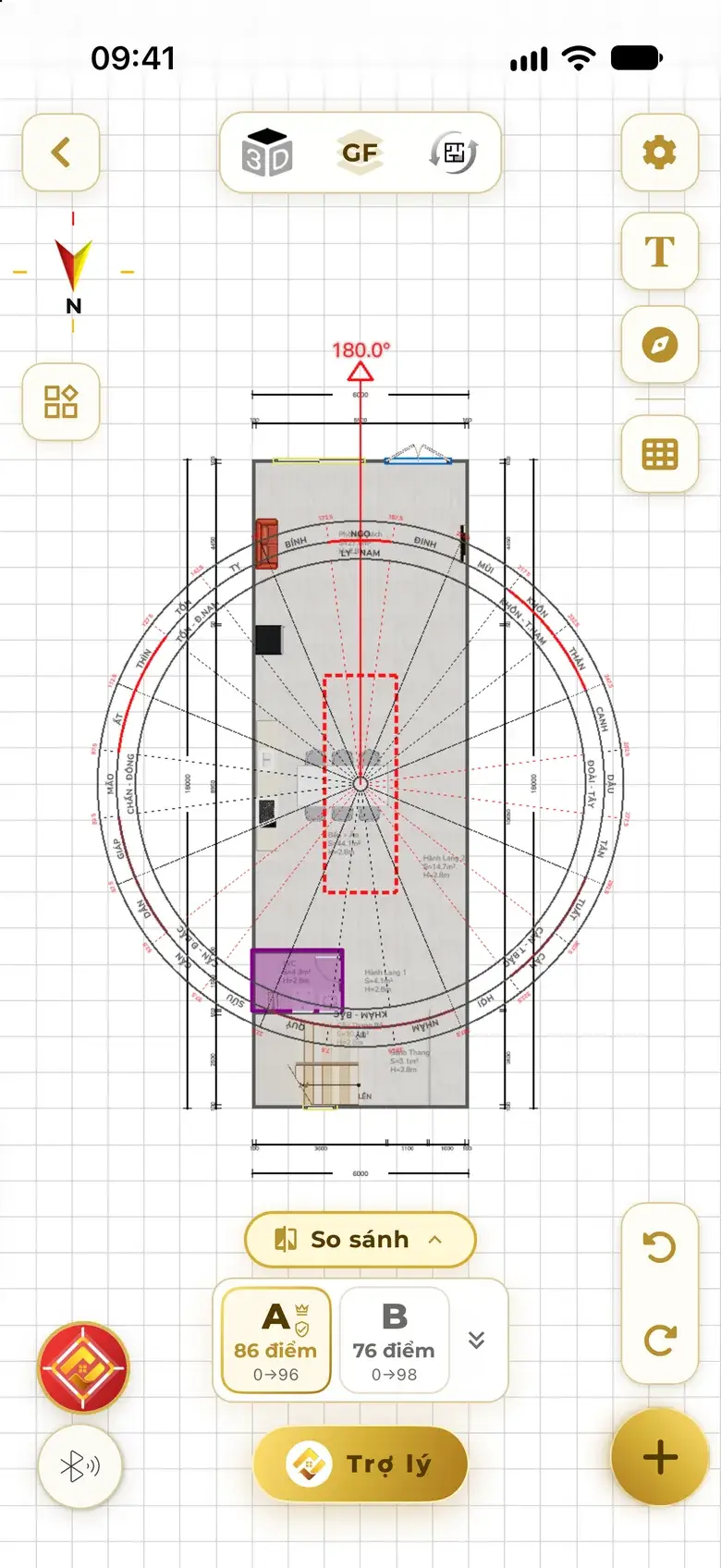
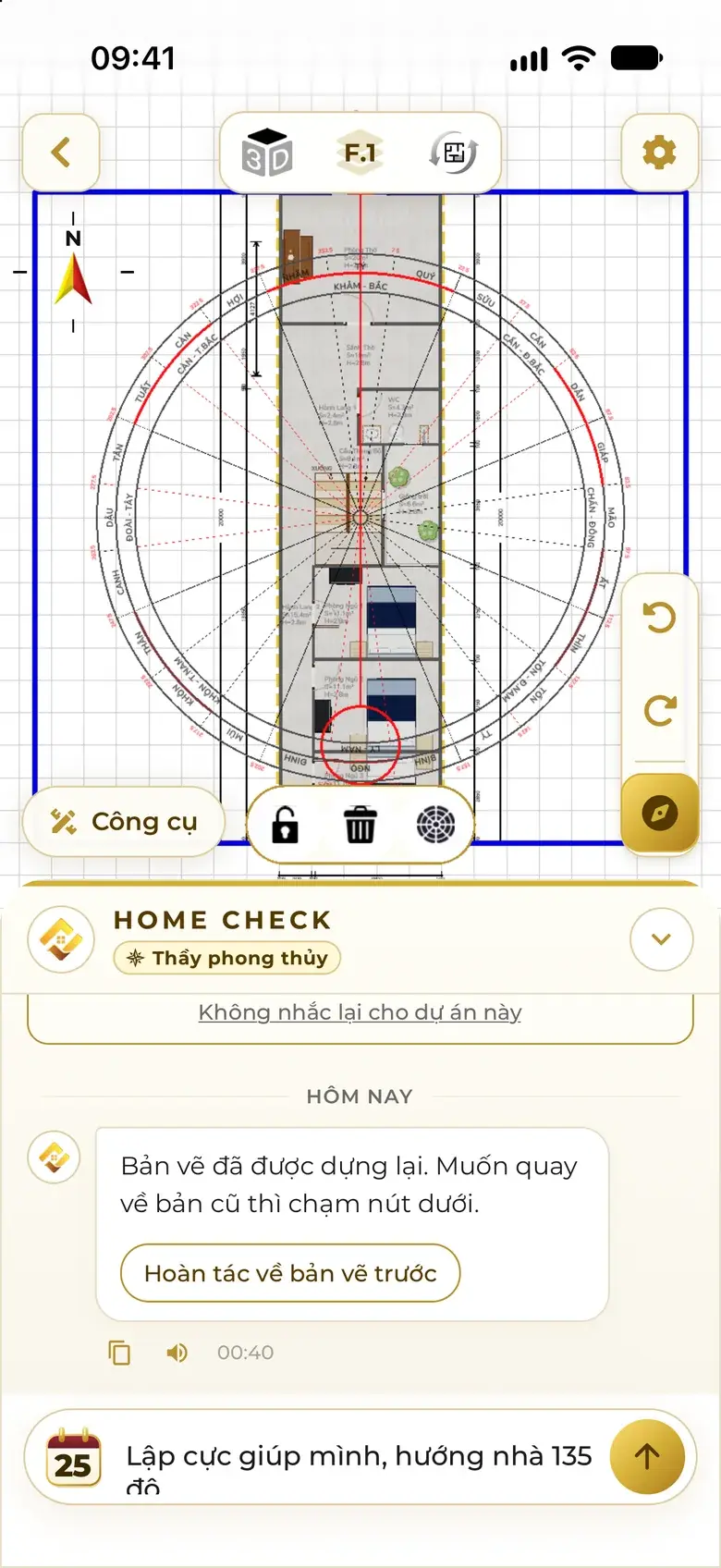
Give the house's orientation in degrees — the app sets the compass, lays the 24 mountains over the plan and shades the problem areas red. Choose a fix that keeps the layout or a thorough re-layout; the plan changes before your eyes.
Three serious issues the assistant flagged on a real plan
Want it right from the start? Add the degrees to your sentence — all three options are scored for feng shui too, and any option with a serious issue carries a warning tag.
For a deeper read: a 9-section Feng Shui Analysis by each household member's birth year — usually 1–2 minutes.
See Feng shui check & fixBefore the fix
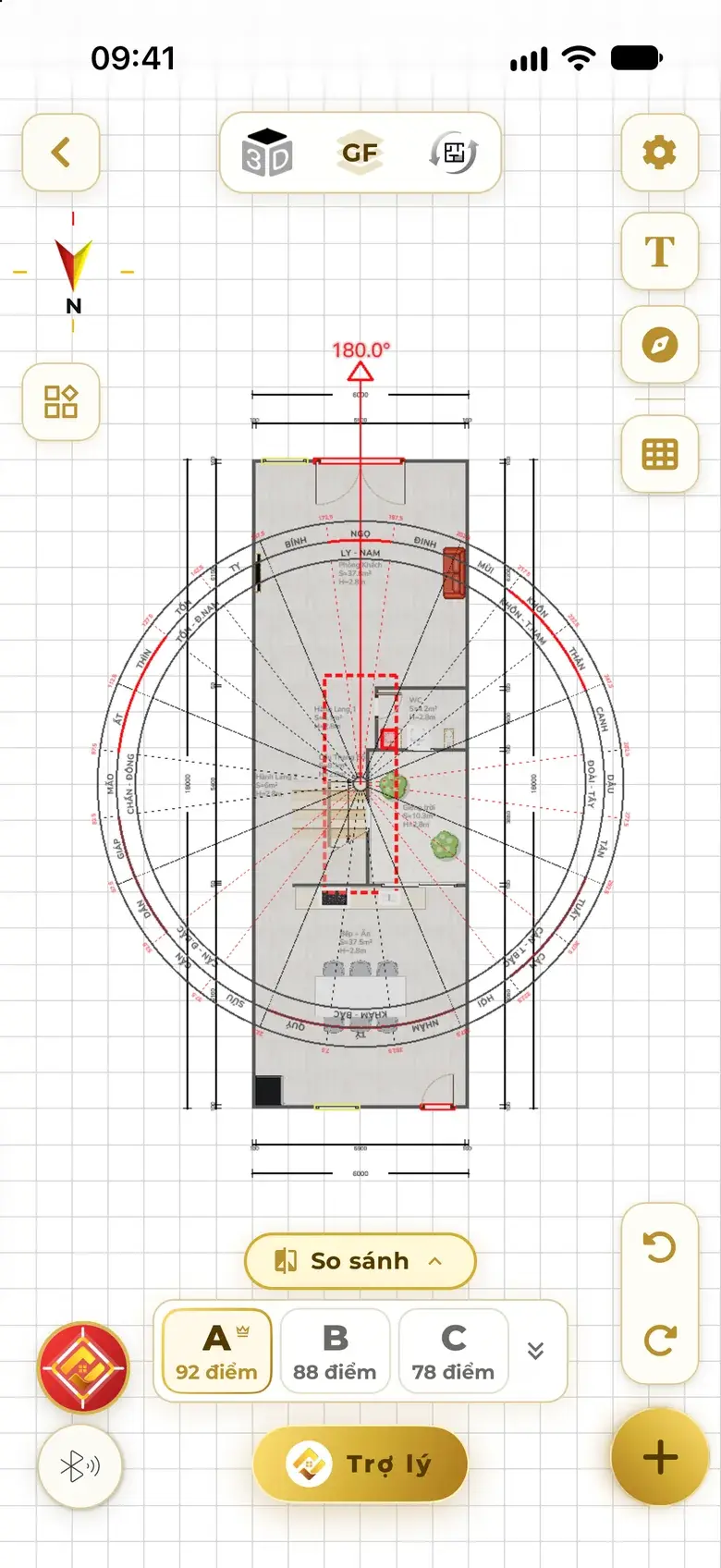
After a thorough fix
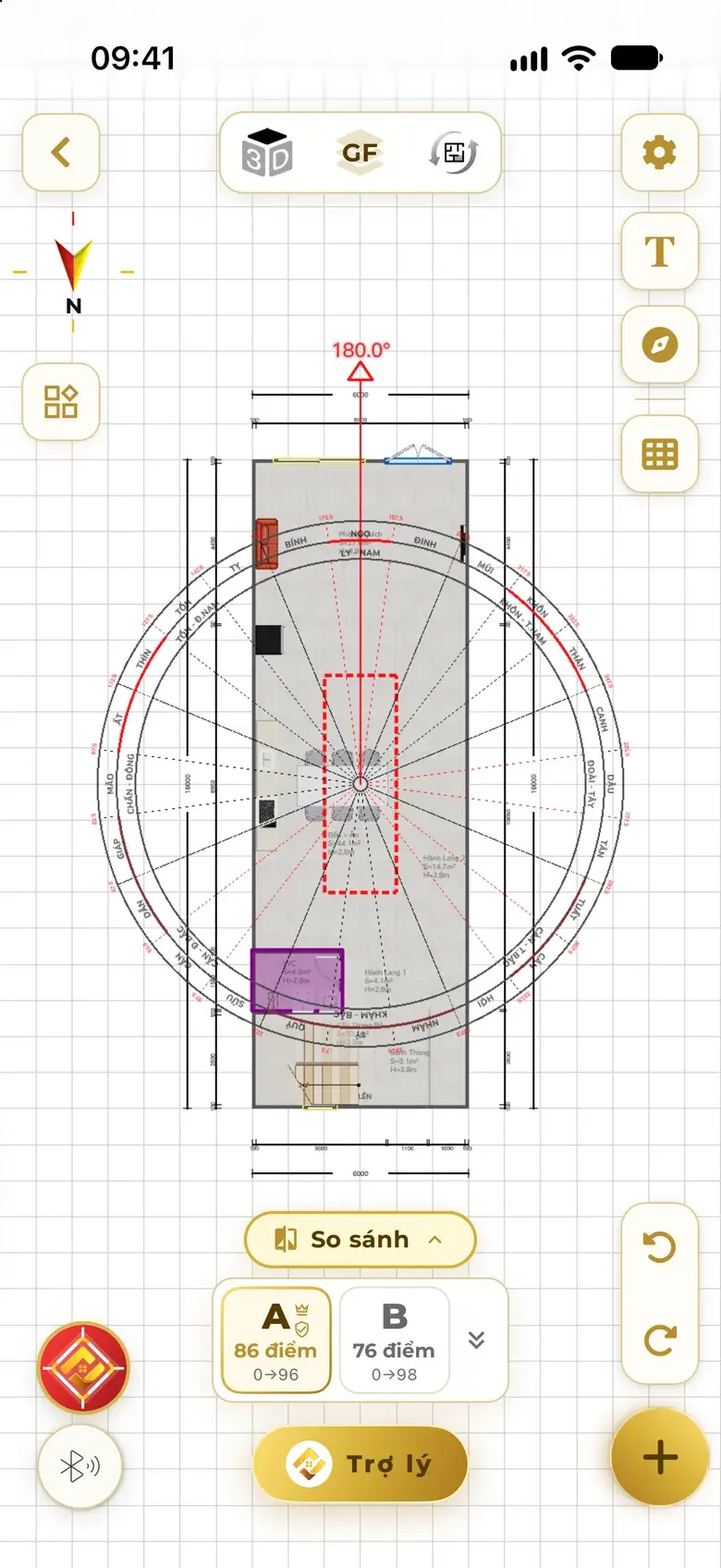
Three taps in the app
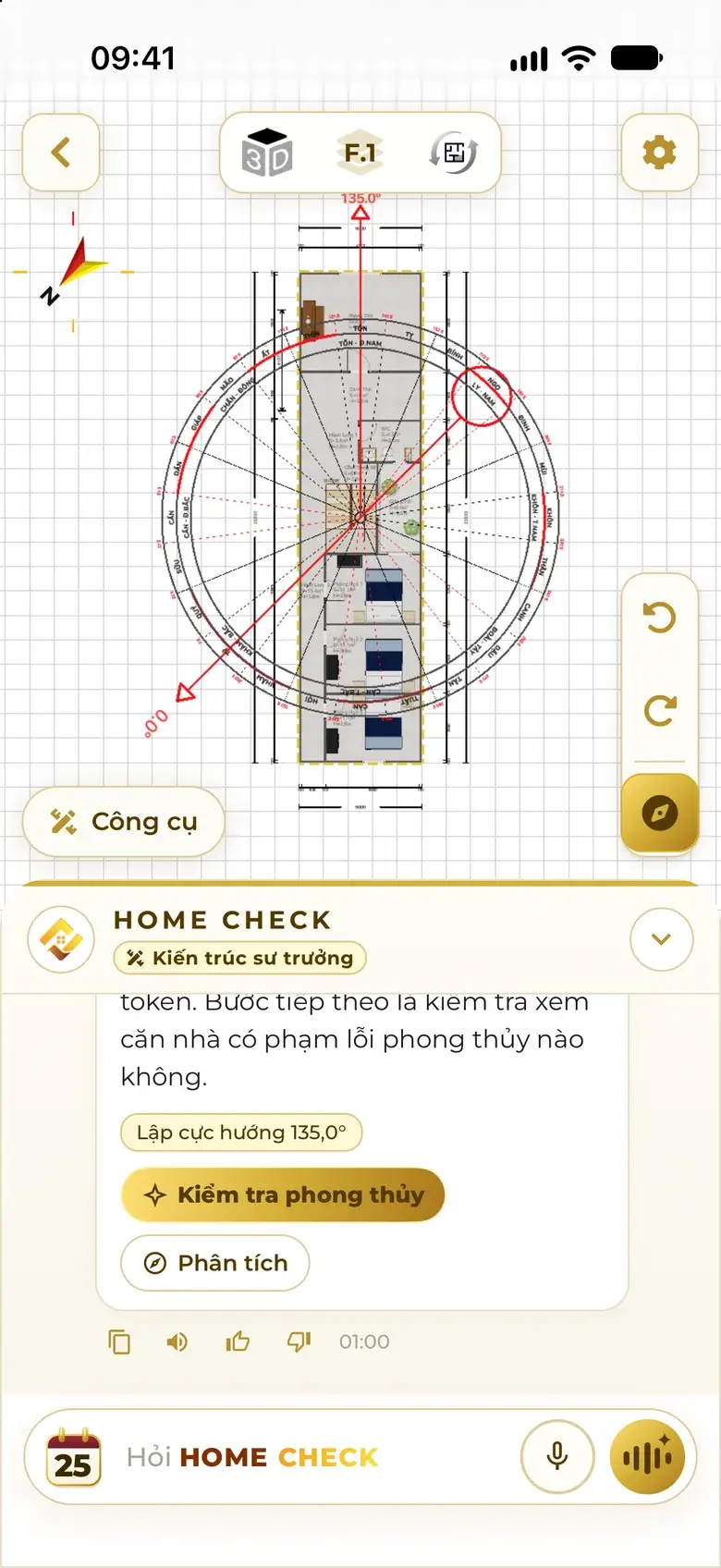
Say the degrees — the compass turns to the house, a red bar points at the main door.
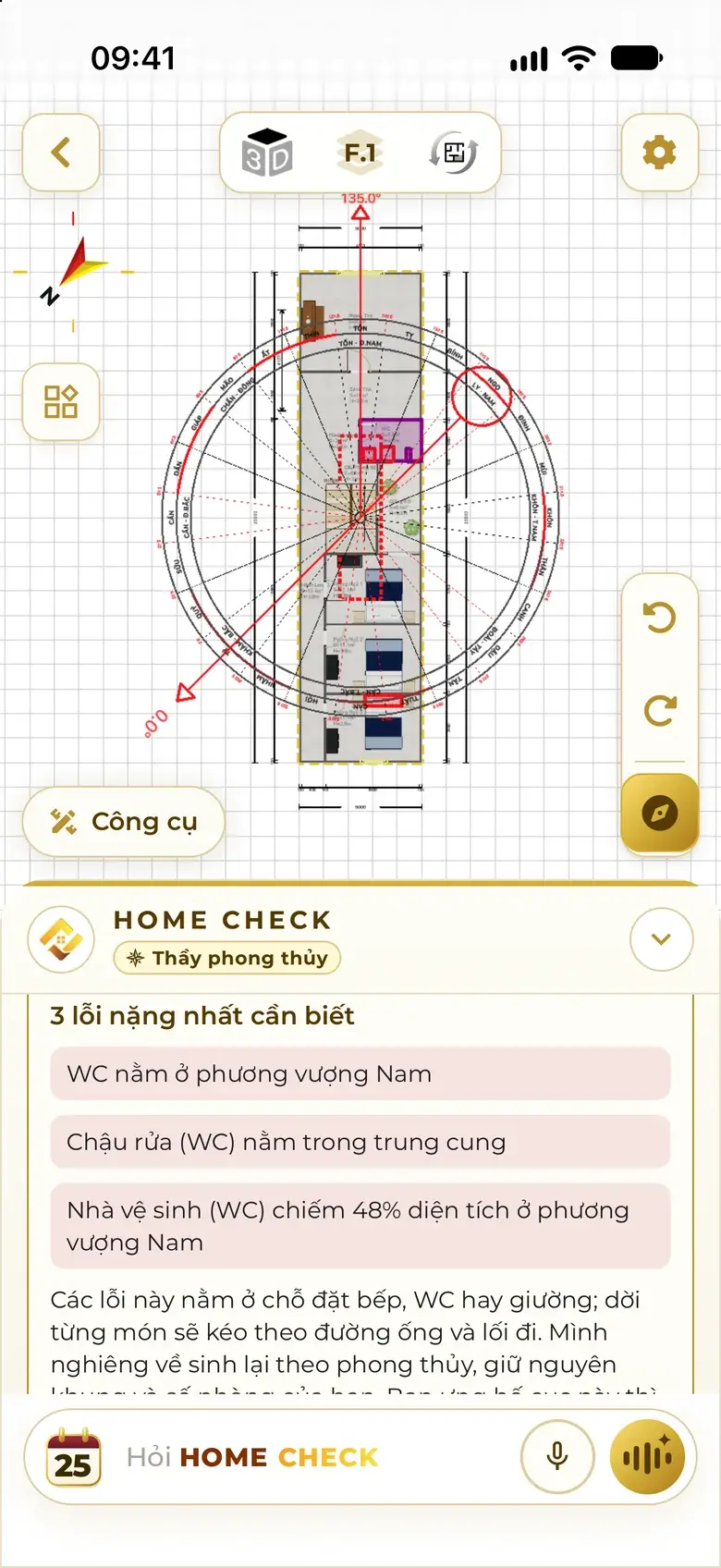
Problem areas turn red; the assistant names the serious ones first.
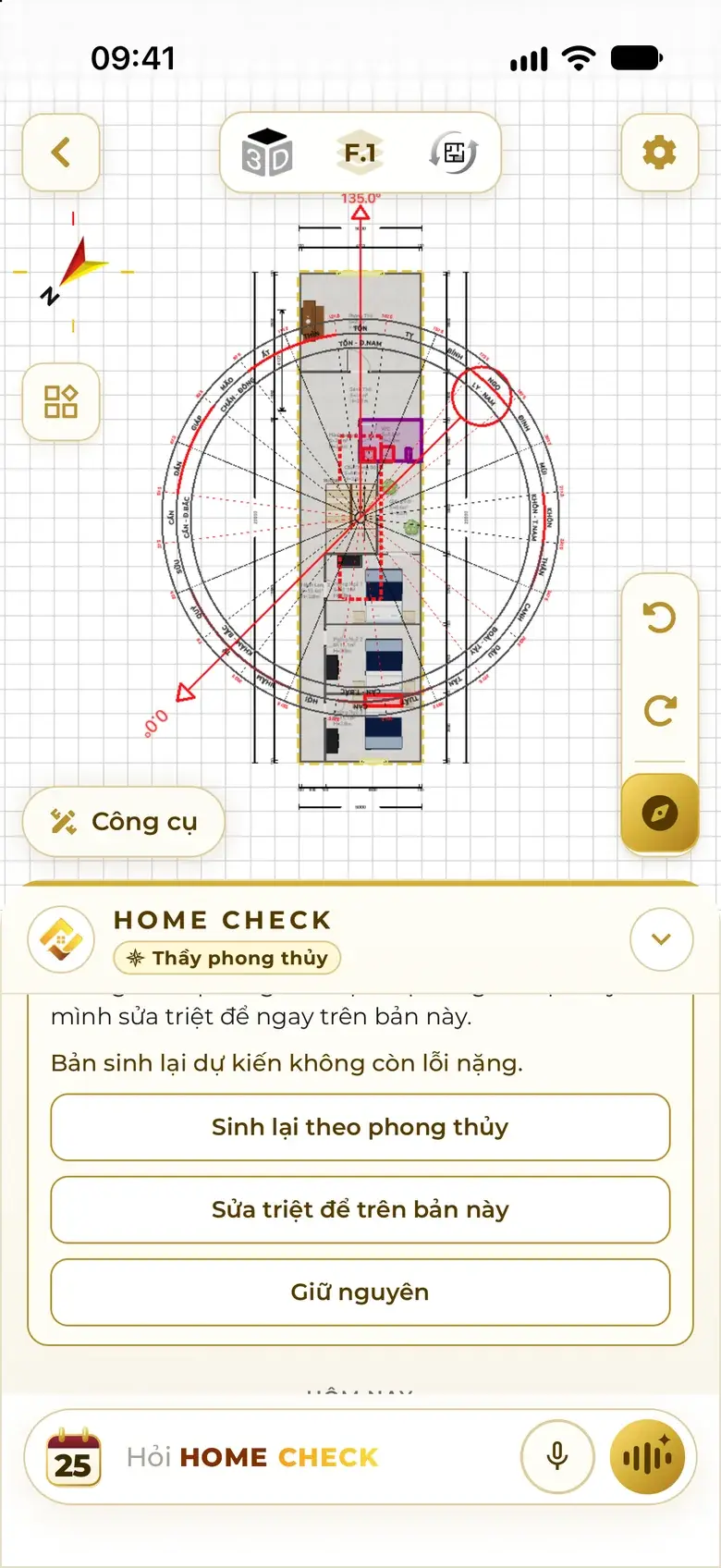
Regenerate to feng shui, a thorough fix on this plan, or keep it as is.
Scene 07 · 3D · walk-through · sun · wind
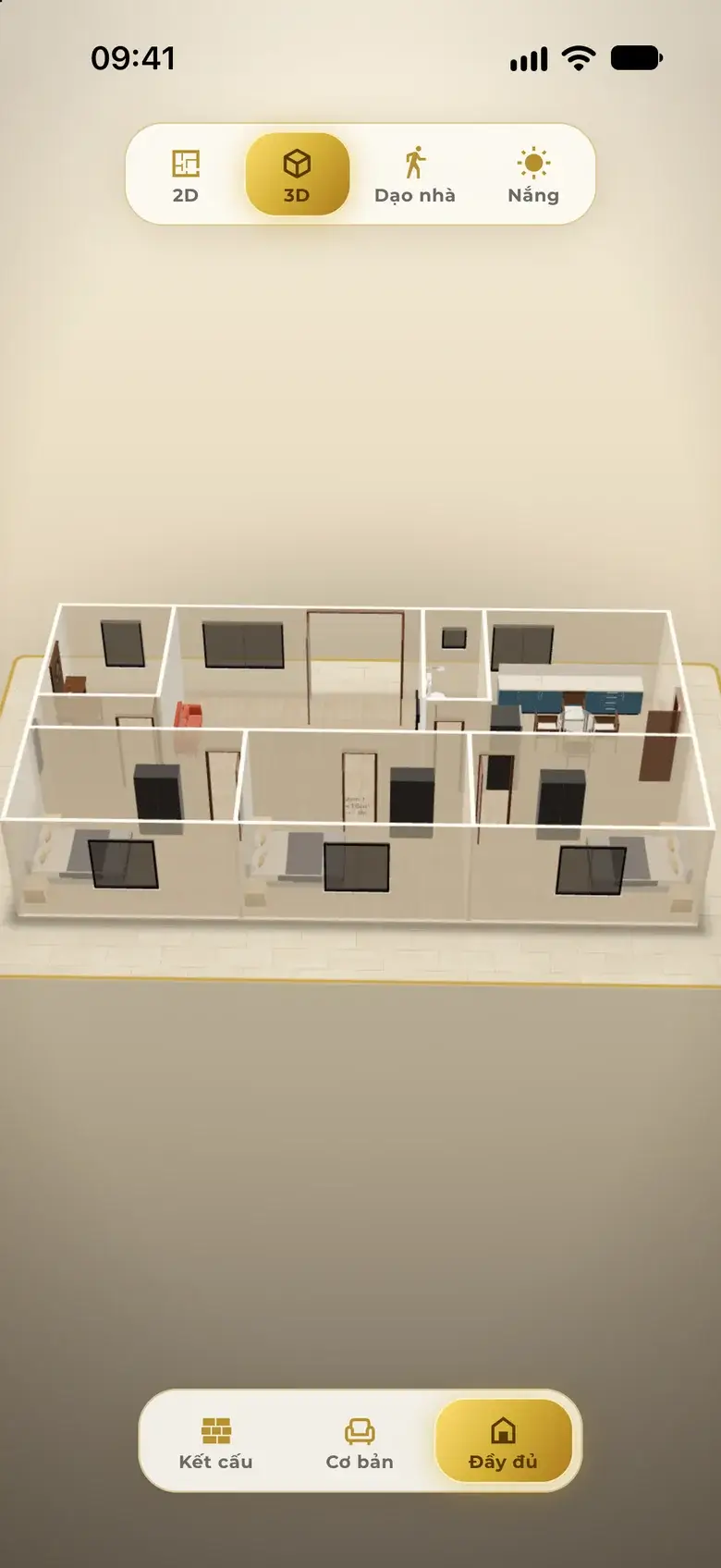
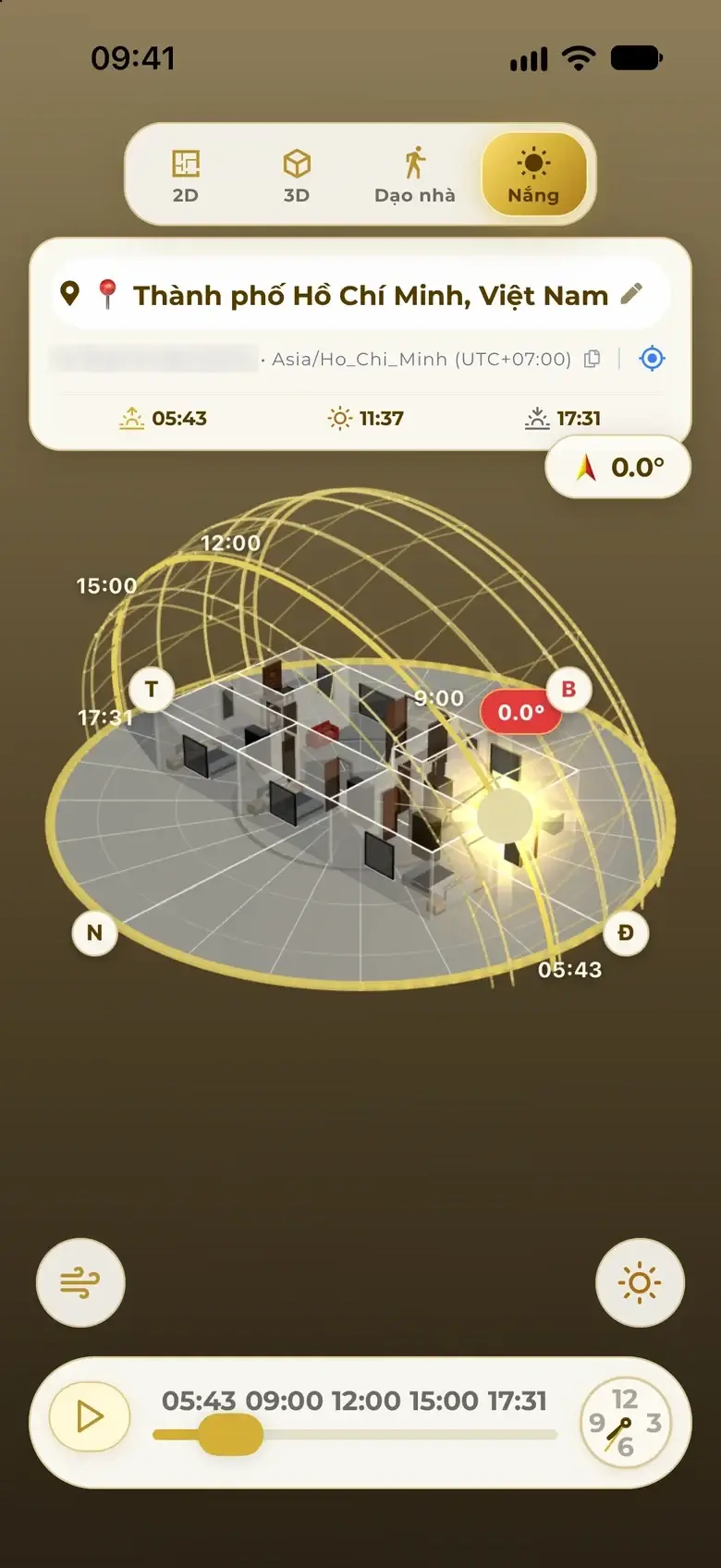
One tap from the drawing into 3D: orbit, zoom, peel back to the structure. Walk through at eye level, watch sunlight hour by hour for the real orientation, and see real wind flow through the door.
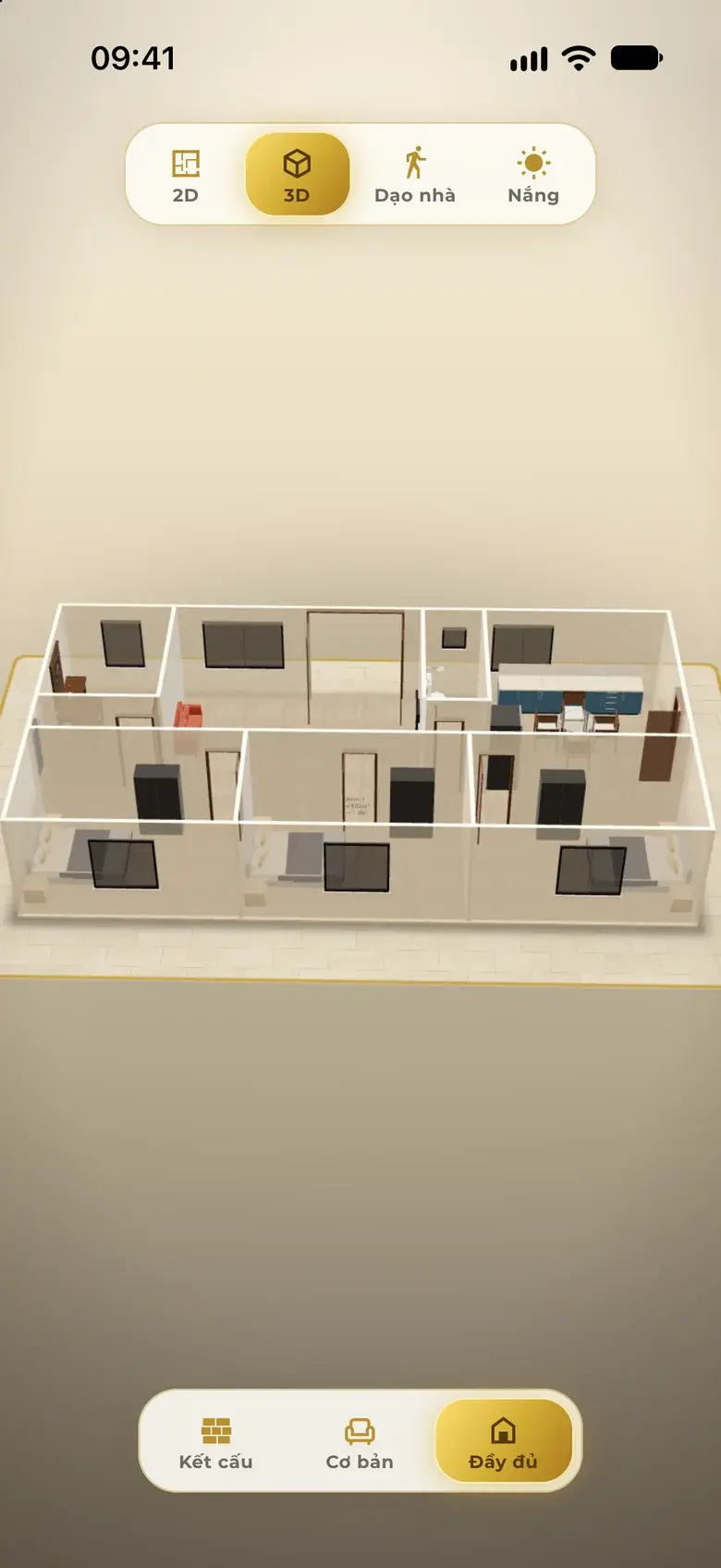
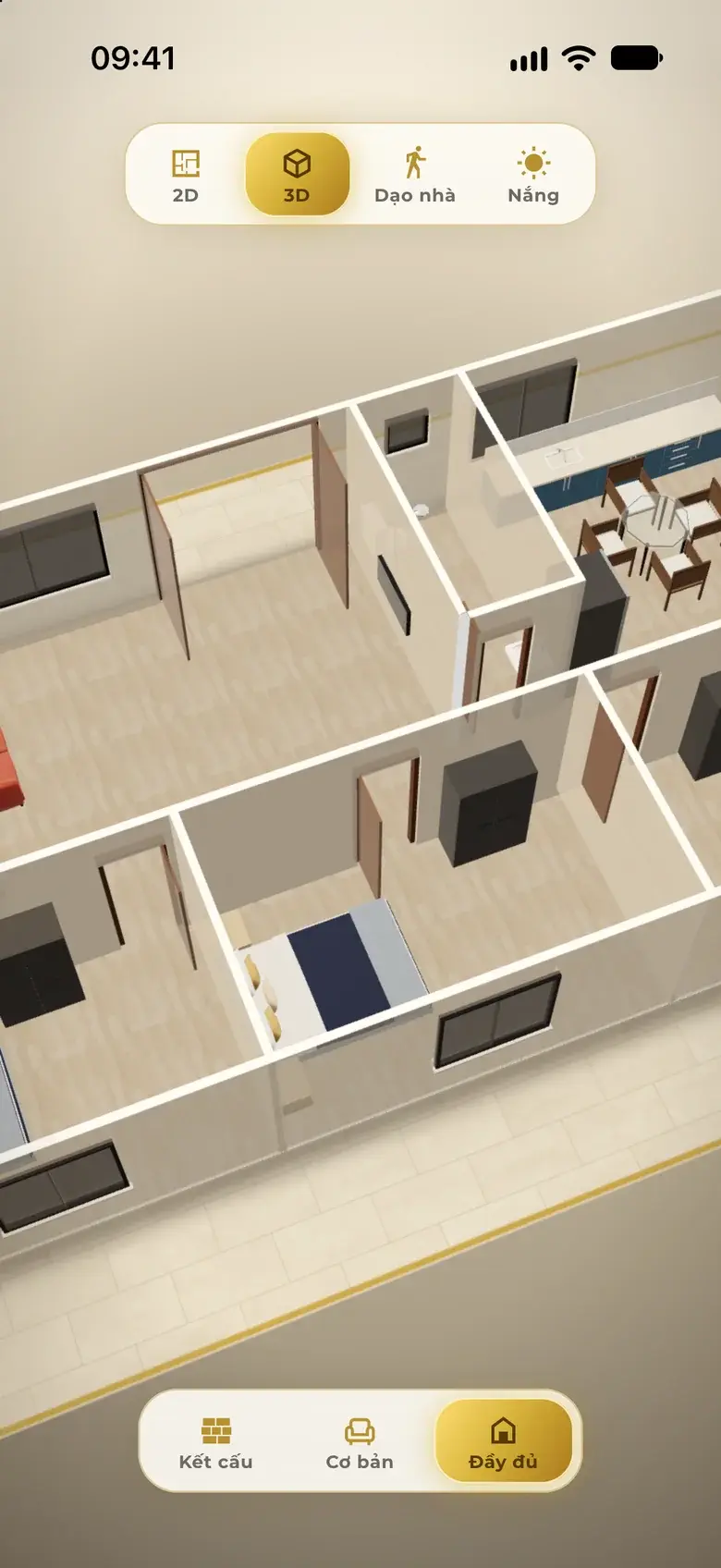
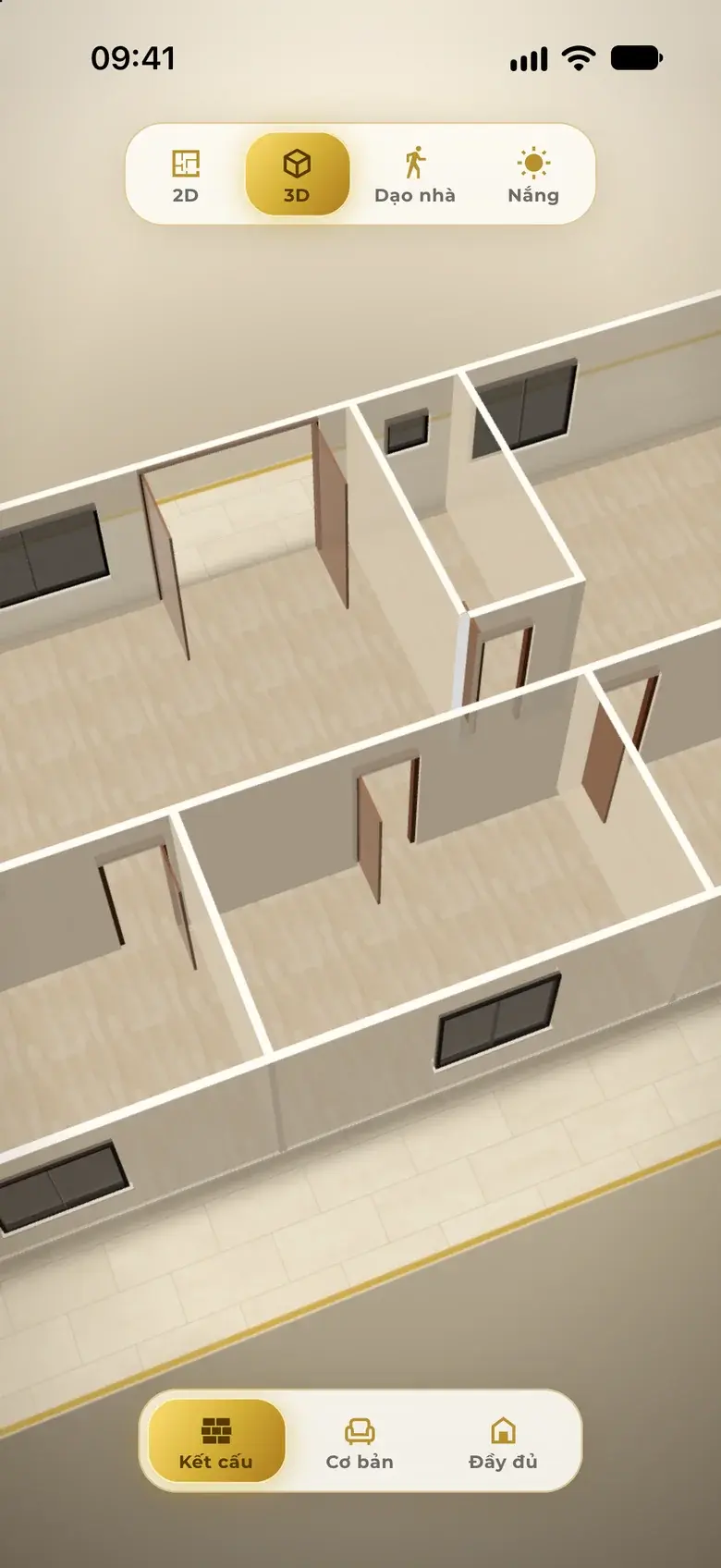
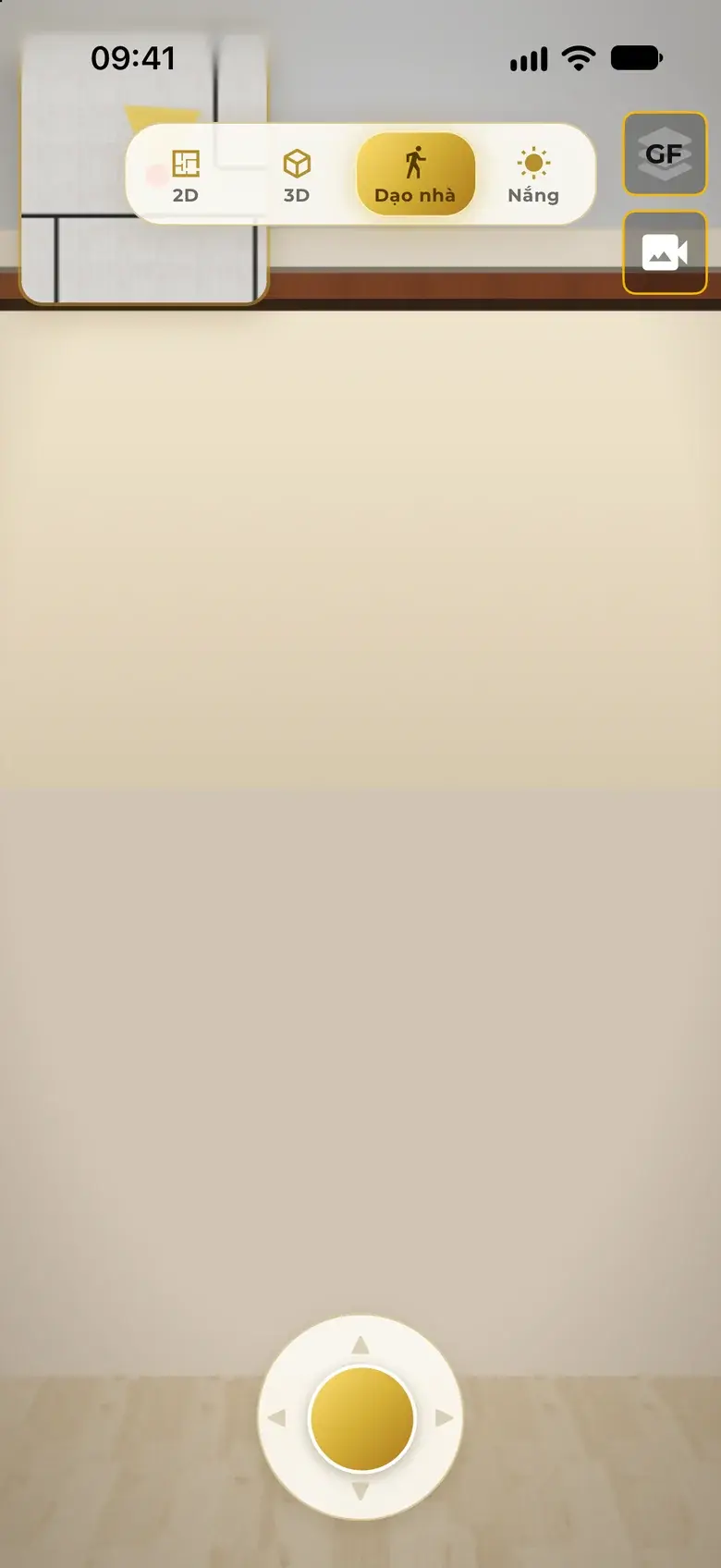
House tour: say “Give me a house tour” — the assistant leads you room by room, floor by floor.
The project location gives sunrise, solar noon and sunset; the sun-path dome sits on the home's real orientation. Drag the time bar or press play to watch light and shadows move through each room.
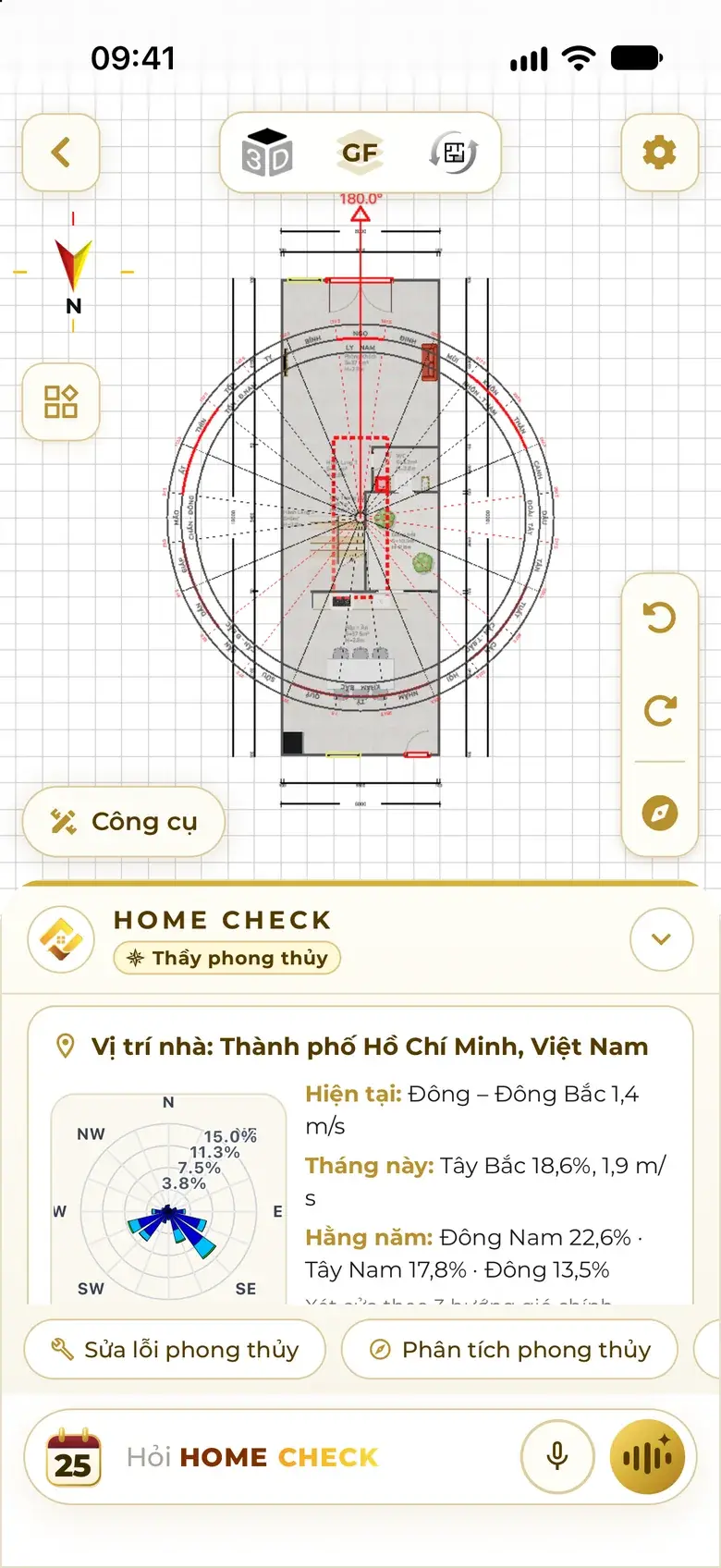
Real wind at the home's location — direction and strength now, this month, across the year — drawn as streams around the plan and in 3D: where wind hits a wall, where it slips in through the door. The main door is assessed against the prevailing winds.
Illustration
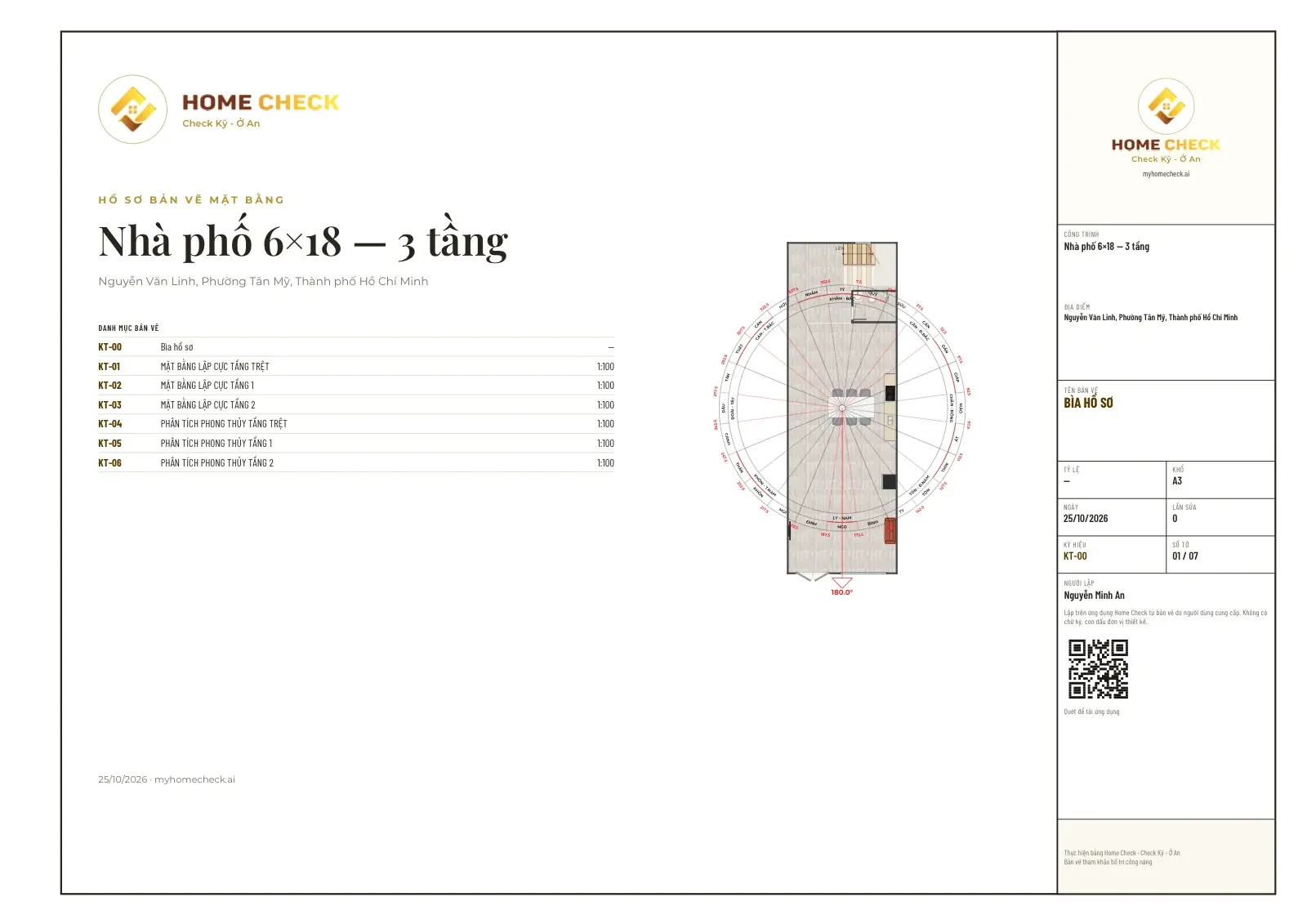
Scene 08 · Export
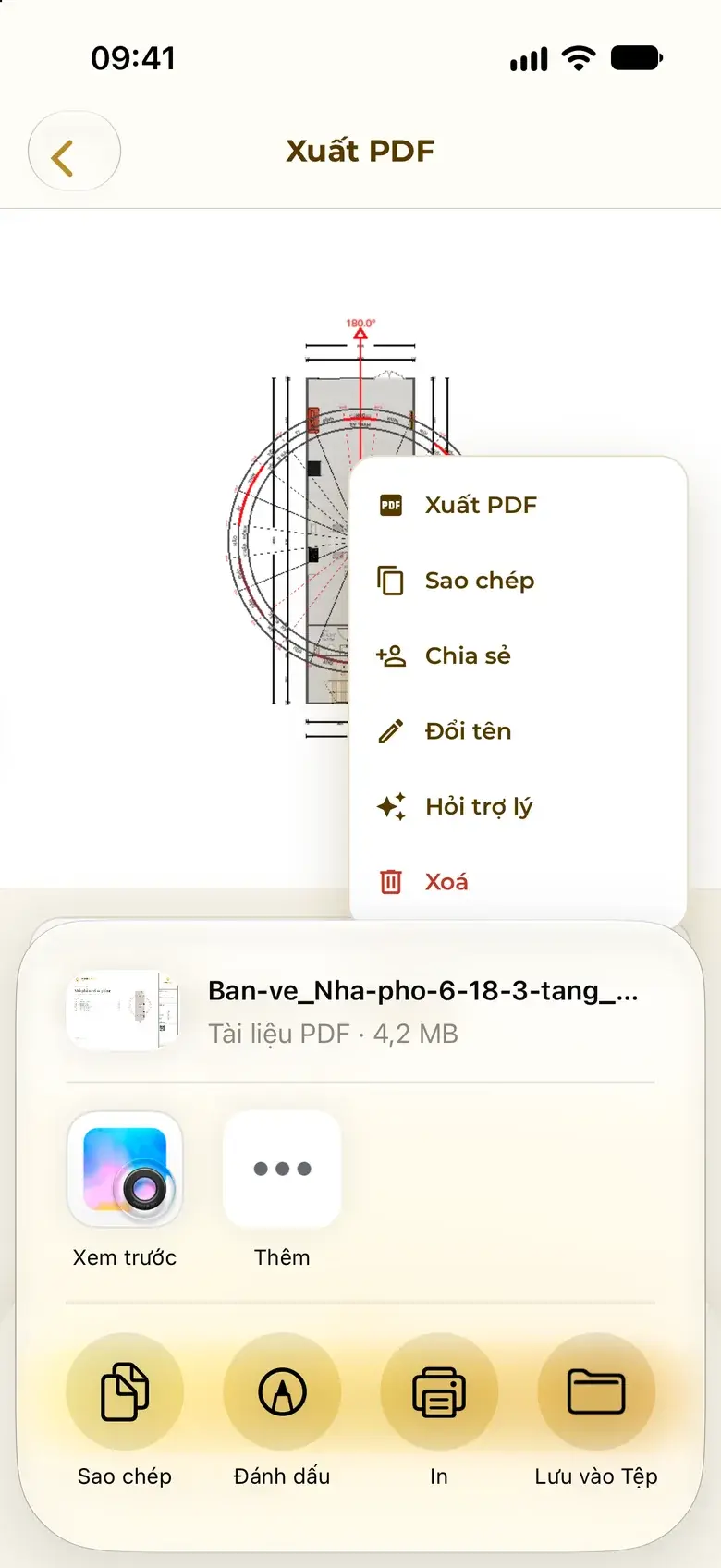
Export an A3 PDF set with title blocks, a drawing list, compass-set plans and feng shui analysis for every floor. Share the project with family, your architect or your builder.
Steps in the app
Seven steps, from one sentence to drawings in hand.
On the home screen tap “Design”, then type or say the plot size, floors, rooms and functions; add the orientation in degrees to design with feng shui.
If anything is missing, the assistant asks grouped questions with buttons; tap to answer, then tap “Generate”.
See the 0–100 scores, compare the whole home or floor by floor; tap A, B or C on the option strip to switch.
Ask the assistant under the drawing: swap rooms, change a room's use, open a door, add a floor — or drag walls and add items by hand.
Tap “Check feng shui”: problem areas turn red on the plan; choose a fix that keeps the layout or a thorough fix.
Tap 3D to orbit, peel back to the structure, walk through at eye level and drag the time bar to watch the sun hour by hour.
On the project card tap “⋯” › Export PDF, choose the floors and export; or share the project with the people you work with.
Quick questions
One sentence is enough: plot size, number of floors, bedrooms, WCs and extras such as an altar room or a garage. Add the orientation in degrees to design with feng shui. If something is missing, the assistant asks a few questions with buttons.
Each option is its own layout idea: stairs, kitchen, WC and light well in different places — not three copies with different sizes. Compare the whole home or floor by floor, then tap A, B or C to switch.
Each option has an architecture score (codes and layout), a feng shui score (when the orientation is given) and an overall score for ranking. Unmet architecture items and serious feng shui issues are stated plainly, never hidden.
Yes. The code set is chosen from the project's location: Vietnam, Ho Chi Minh City, international, plus Hanoi, Singapore, Malaysia, Taiwan and Hong Kong. Results are advisory; a permit application needs a licensed architect.
Give the orientation in degrees: the app sets the compass, lays the 24 mountains over the plan and shades problem areas red. You choose a fix that keeps the layout (moving items one by one) or a thorough fix (a re-layout, with several before-and-after options to choose from).
Yes. From the drawing tap 3D to orbit, zoom and switch between Structure, Basic and Full; Walk moves you through at eye level; Sun gives sunrise, solar noon, sunset and shadows by the hour for the real orientation. Real wind at the location is drawn as streams around the plan.
Yes. Pick one of 8 outline templates — rectangle, L-shape, reverse L, U, T, H, cross, stepped — or draw freehand, then drag edges or type metres to match your land documents.
Pay as you use with tokens, deducted only once there is a result; if the system fails, the tokens are returned.
Knowledge base
Every concept has its own page: a short definition, the Chinese characters, and how Home Check uses it.
Three scored options, refined by voice, to building codes and feng shui — then step into your home in 3D.
Scan with your phone to get Home Check.
You are viewing this page inside another app. Tap ⋯ and choose “Open in browser” to get the app.
Check well, live well