Measure your site and your home's direction — right on satellite imagery.
Arrive, measure the orientation, understand wind, sun, elevation and water, then carry it all straight into Design. Every reading appears right on the map.
Arrive → measure → understand the land → on to Design.
Every tool joins into one flow. What you measure at one stage carries straight into the next — nothing to re-enter.
I
Arrive at the site
Find the right parcel, trace its boundary, take notes on the map.
01
Land certificate lookup
Search by parcel boundary, by map sheet and parcel number, or scan the QR code on the certificate: the boundary appears on the map so you can measure orientation and area on it.
Parcel boundary
Sheet & parcel number
Certificate QR code
Lookup by sheet and parcel number currently covers Ho Chi Minh City.
Parcel boundary
Sheet & parcel number
Certificate QR code
Illustration
02
Notes right on the map
Measure distances, outline areas (m² and perimeter shown live), pin places with photos, place feng shui symbols, draw flow arrows.
Distance
Area · perimeter
Photo pins
Flow arrows
Illustration
1Dragon Entry
2Water Mouth
3Qing Long
4Bai Hu
5An Shan
II
Measure
Read your home's direction, cross-checked against magnetic declination, on a compass ring of your own.
03
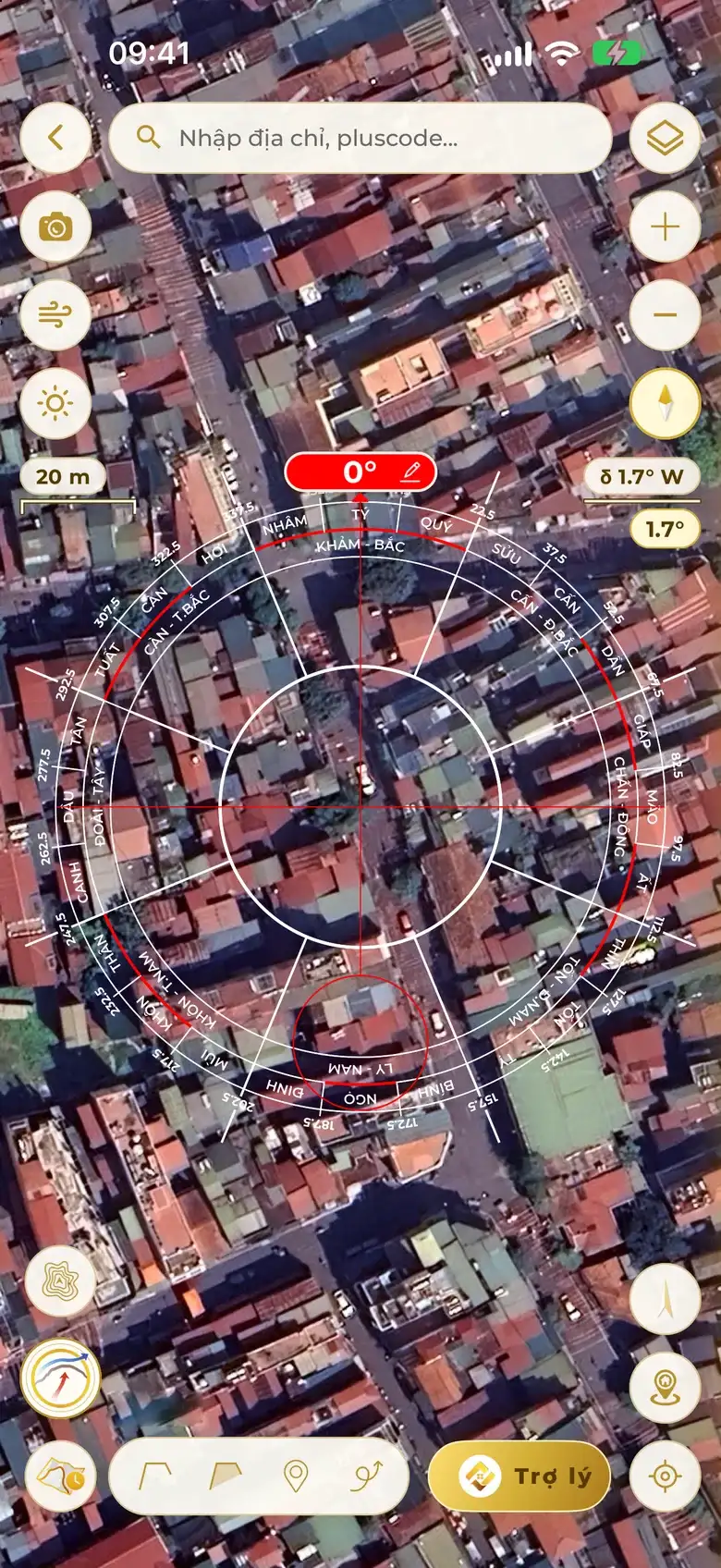
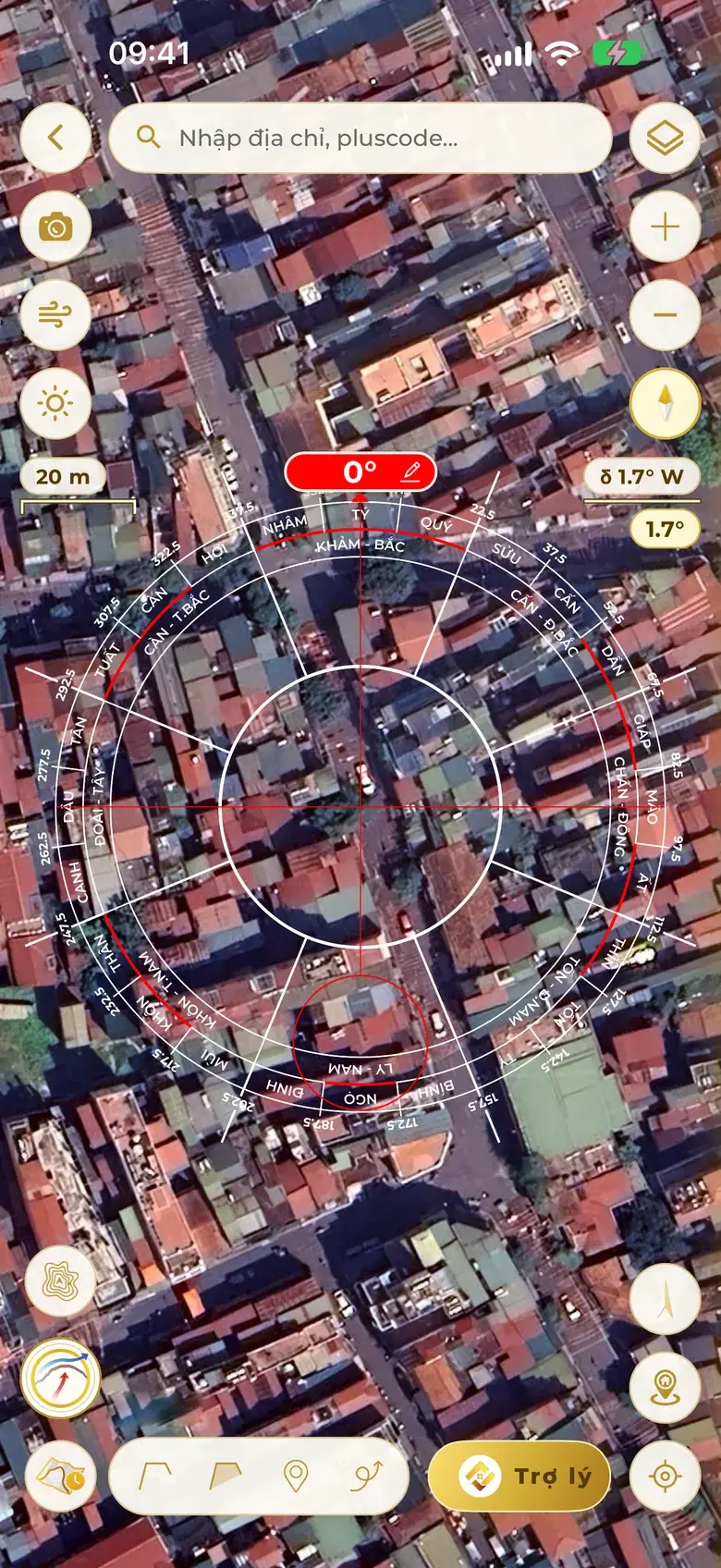
Measure your home's direction right on satellite imagery
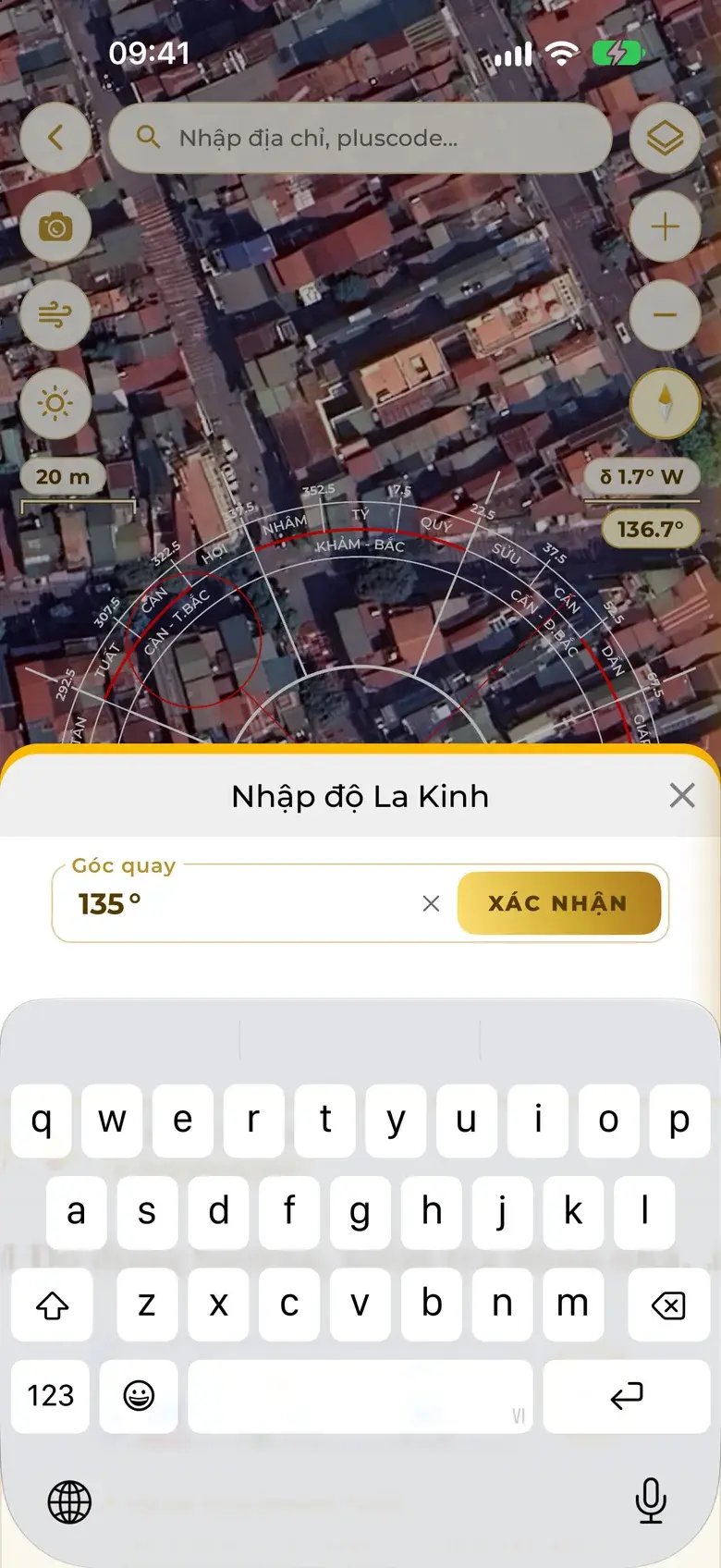
Lay the compass over sharp satellite imagery, turn it to the façade or type the exact degree. Satellite imagery is true north, so cars and steel gates can't pull the needle; the app works out the local declination and also gives the magnetic reading to check against a magnetic compass.
Sharp satellite imagery
Reads the exact degree
No needle pulled by steel gates
135.0°Xun 巽 · Southeast
Illustration
Real app screen
04
Magnetic declination, cross-checked — a doubtful reading gets called out
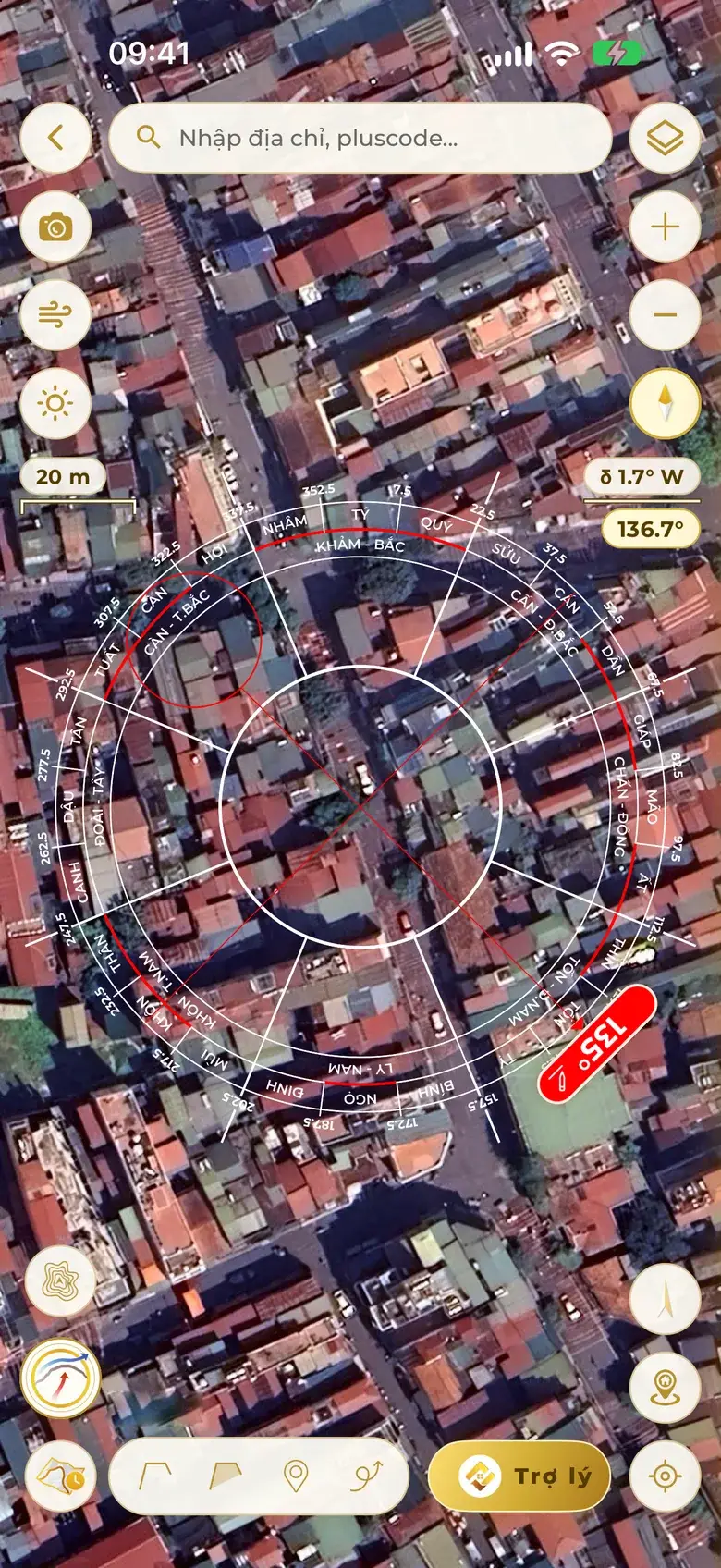
A compass needle points to magnetic north, not true north — and the angle between the two (magnetic declination) differs from place to place and year to year. Home Check works out the declination for the exact spot and date you measure, shows it on screen, then cross-checks against the direction on satellite imagery, which is true north.
For the exact spot
For the measuring date
Shown beside the compass
True north ↔ magnetic north
Pioneering · multi-source measurement review
True north
Magnetic north
δ · Declination
Illustration Angle exaggerated for clarity
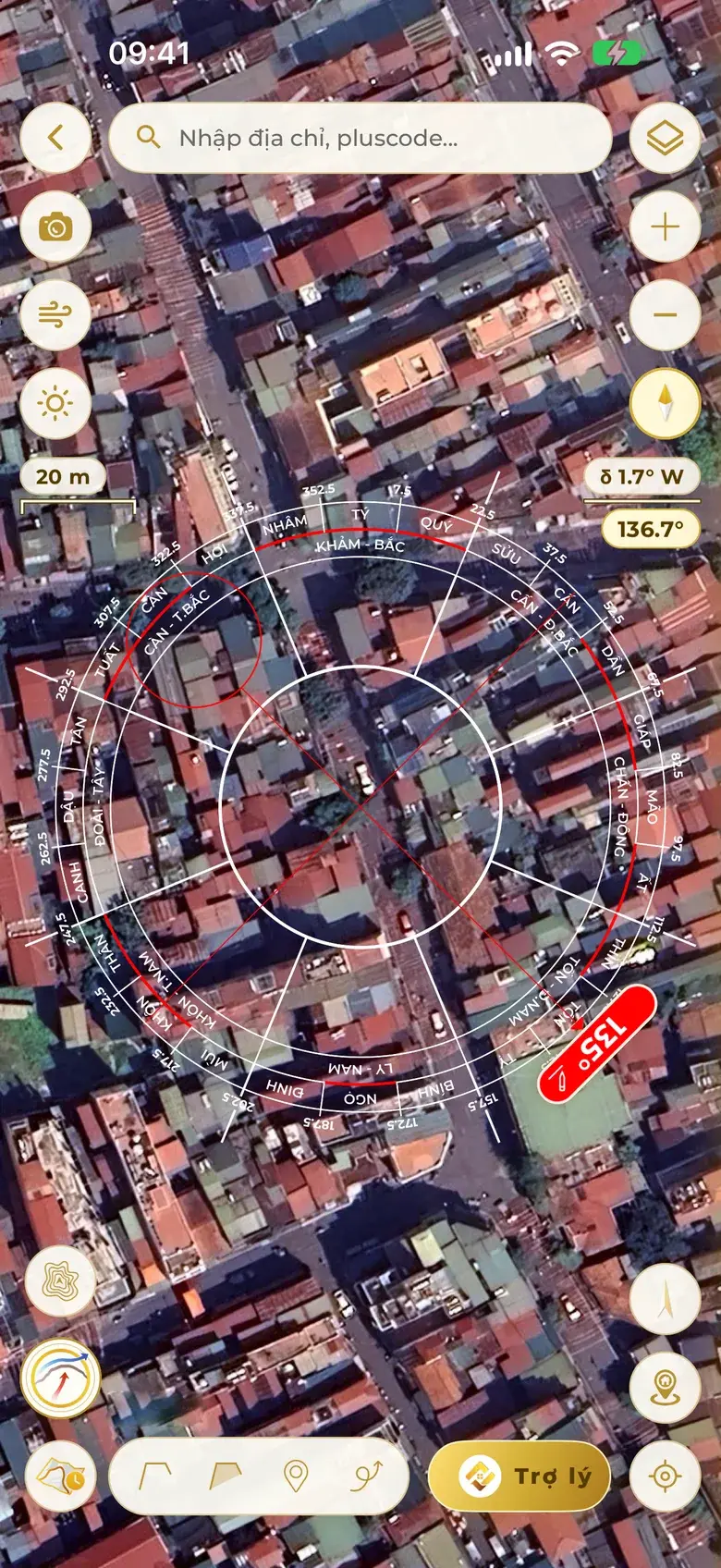
Real app screen · Hanoi, facing 135°
Different everywhere — worked out for the plot's coordinates.
Different every year — worked out for the day you measure.
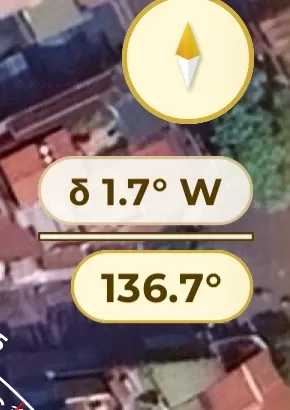
Tap the chip for east (+), west (−) and the conversion formulas; the small number under the bar is the current direction read from magnetic north.
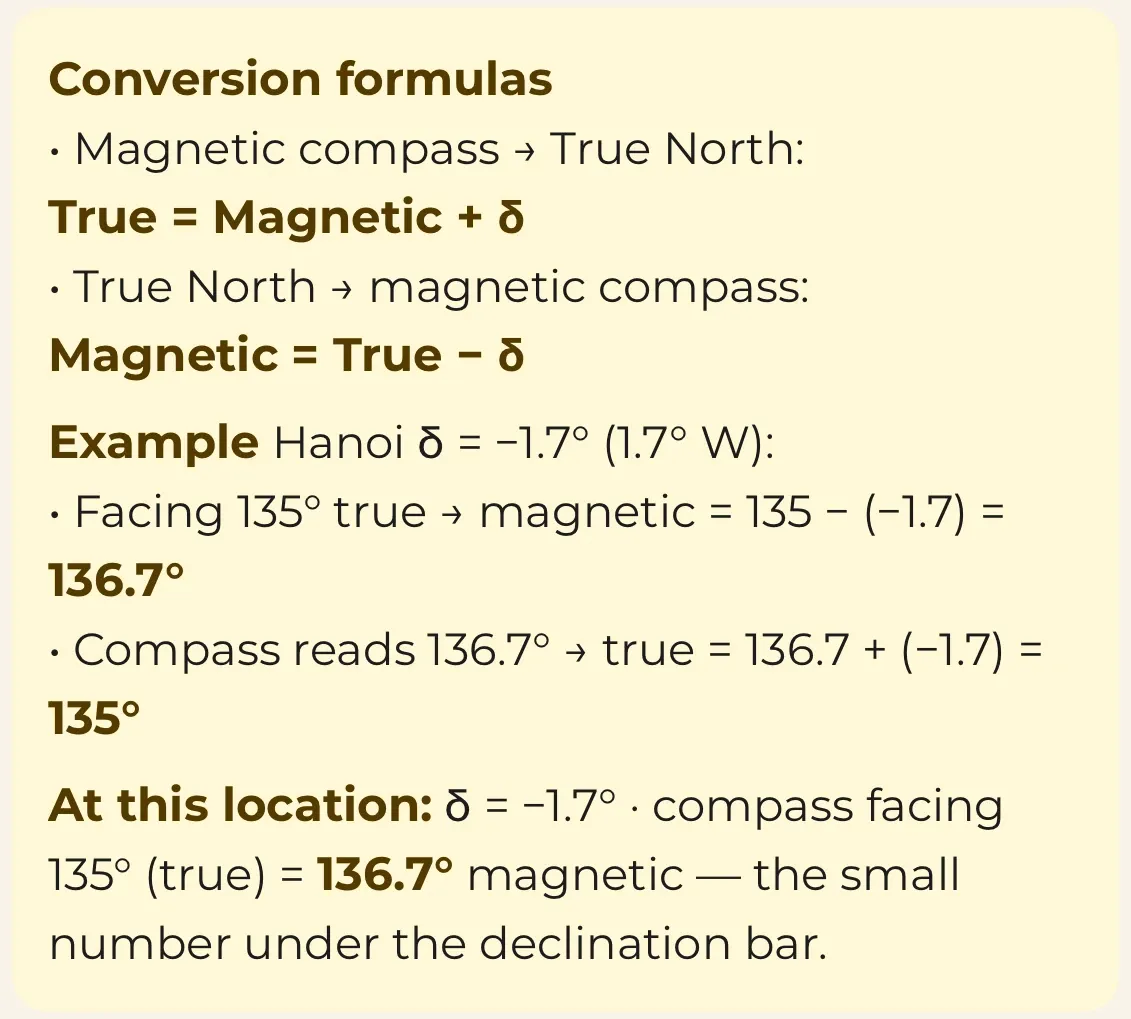
Real app screen · Magnetic declination box
Conversion formulas — as in the app
Magnetic compass → true northTrue = Magnetic + δ
True north → magnetic compassMagnetic = True − δ
East declination is +, west is −. True north is the reference; Vietnam currently has a west declination.
Example: Hanoi, 2026δ = −1.7° (1.7° W)
Facing 135° trueMagnetic = 135 − (−1.7) = 136.7°
Compass reads 136.7°True = 136.7 + (−1.7) = 135°
In the app, the small number under the declination bar is the magnetic reading of the current direction; tap it to open this box.
Many ways to measure → one conclusion
Satellite imagery True north
Drag the needle along the façade or type the degree. Metal can't pull it off; the app warns when the needle sits on the edge between two mountains.
Phone sensor Magnetic → true
Converts to true north with the local declination. Watches the needle for wobble — if it's noisy it shows “Magnetic noise · needle off”, and suggests stepping 1–2 m away from steel gates and motorbikes or switching to the Map.
Camera compass Magnetic → true
Point the phone at the façade, with a spirit level to keep it flat; noise is watched just like the sensor.
Typed degree True north
Type the degree a master has measured. When true and magnetic north fall in different scales, or touch a Void line, the app warns right on the compass with the magnetic reading.
Saved reading for this home Earlier project
Re-measure and differ a lot from the saved number: the app shows both, and you choose the new reading or keep the old project.
Every reading states its source: “True north on the map”, “Sensor · declination removed”, or “Sensor reading, may be off”.
Illustrative exampleA doubtful case
Satellite imagery (true north)
135°
Phone reads (magnetic north)
131°
Declination at the spot
1° W
Phone converted to true north
130°
Still off from satellite
5°
True = Magnetic + δ = 131 + (−1) = 130°
Conclusion
A 5° gap is not declination — the needle wobbles, pointing to magnetic noise from a steel gate near the door. Use 135° from the satellite imagery; to re-measure with the sensor, step 1–2 m away from metal.
05
A compass ring of your own
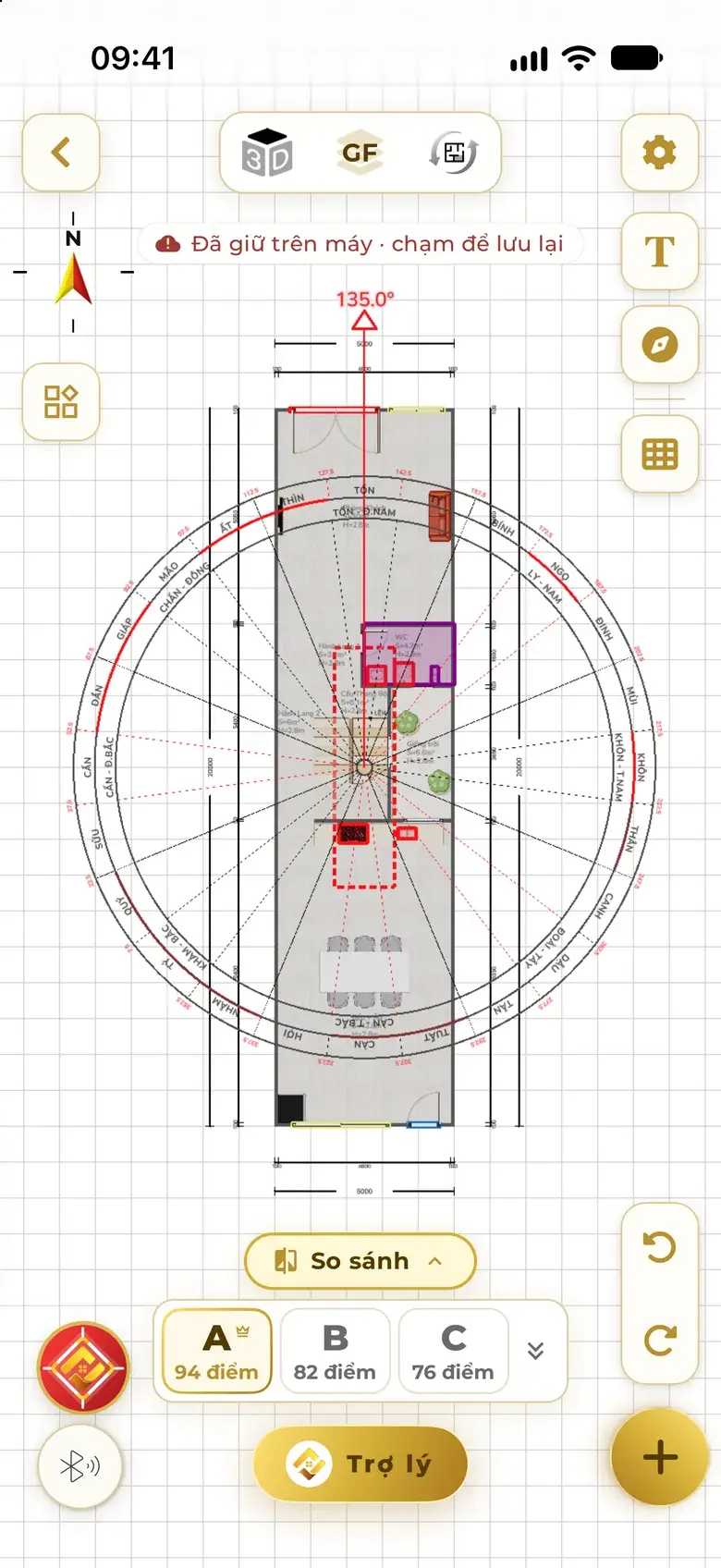
Feng shui masters build their own exclusive compass rings: static or following the sitting, custom divisions, labels, colours, yearly settings — on the map and on plans, as a personal brand.
Illustration
Static · follows sitting
Divisions
Labels
Colours
Yearly
III
Understand the land
Wind, sun, elevation, water method, Water Mouth, dragon veins — right on the spot.
06
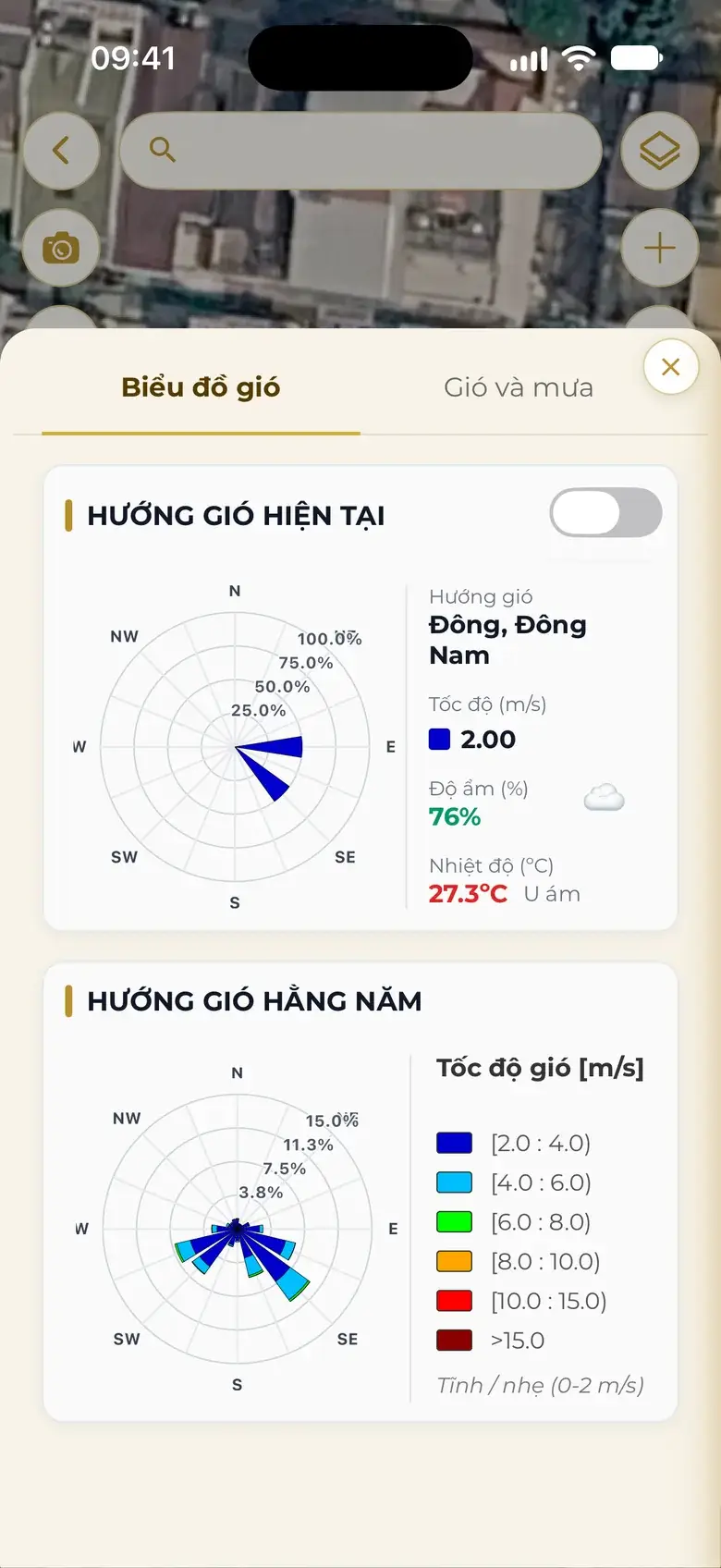
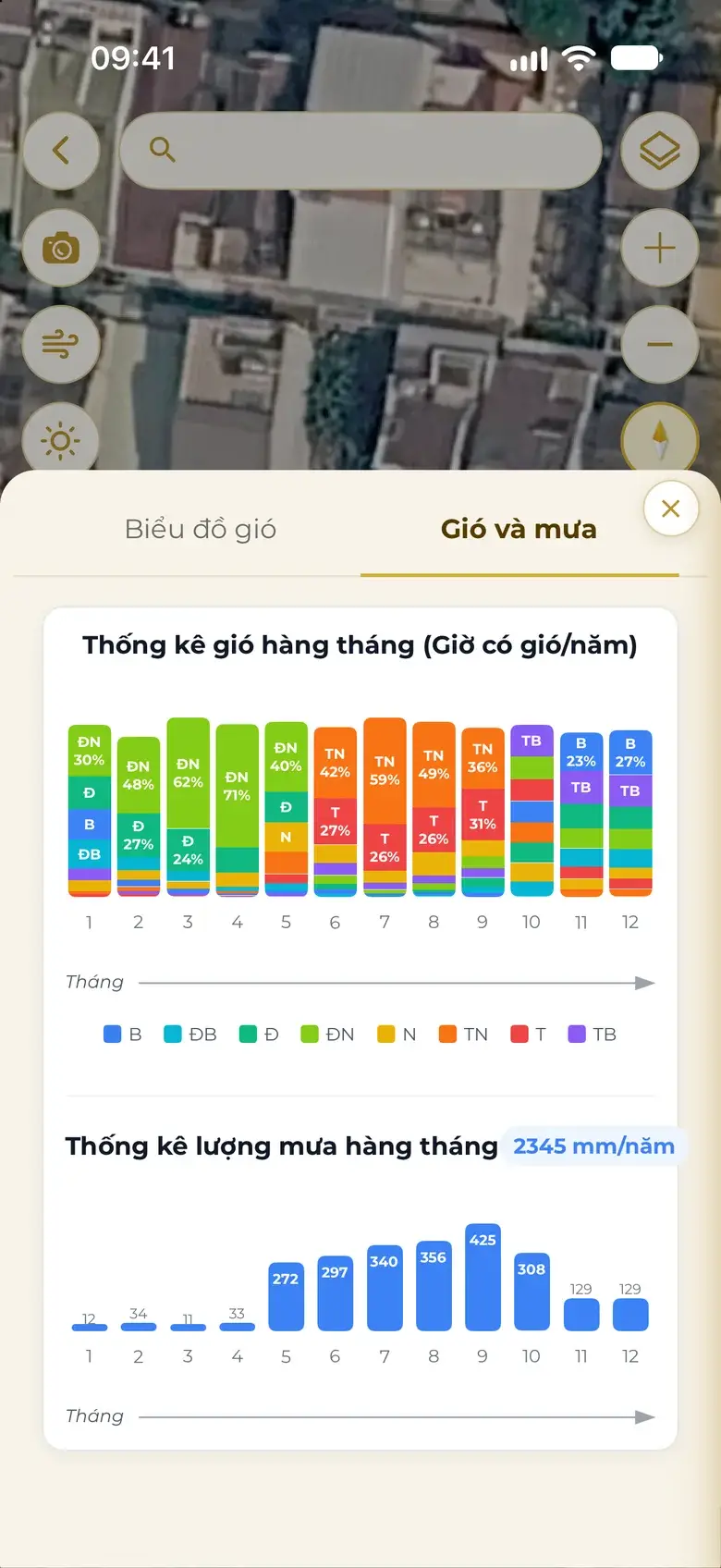
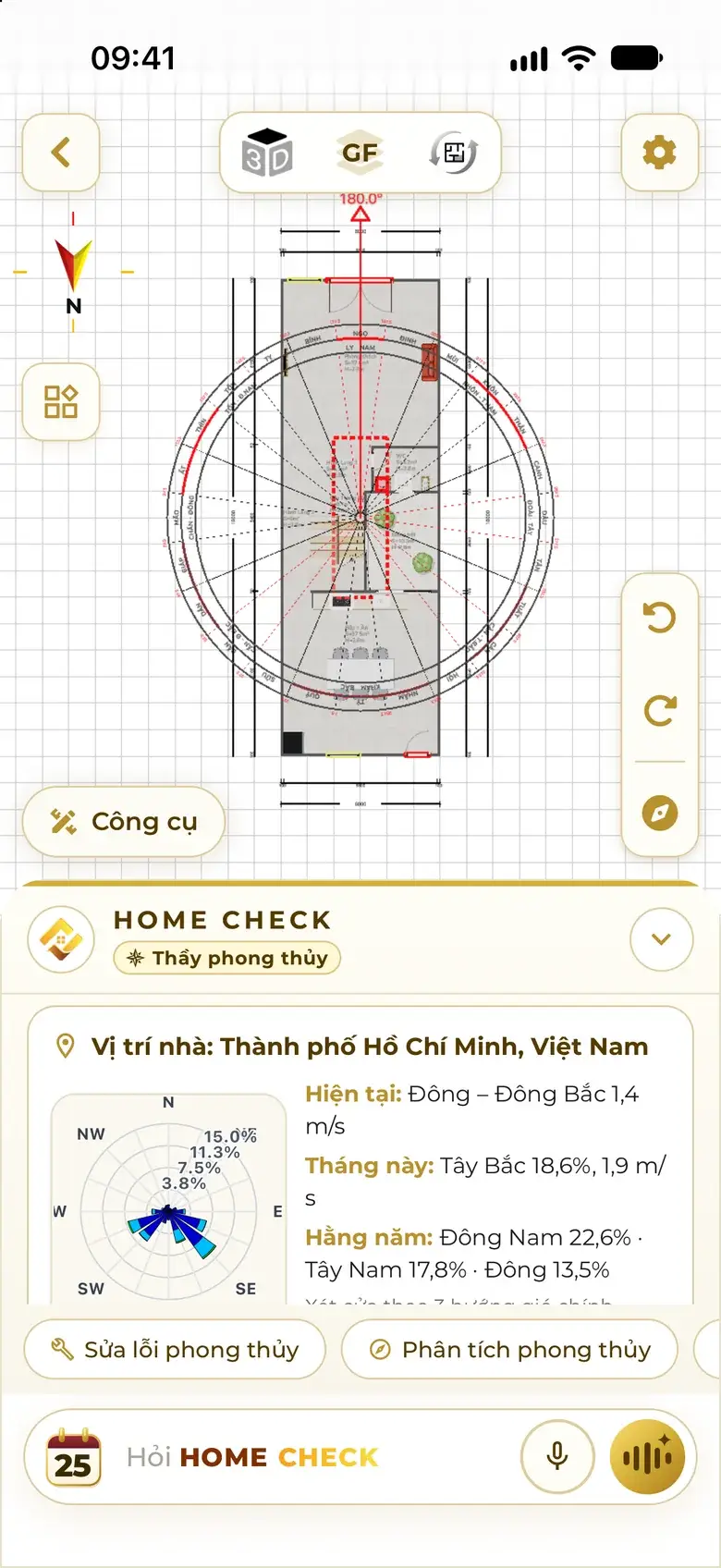
Wind now, by month, for the year
At the plot itself: the wind right now, wind and rain month by month, the yearly wind rose by speed — switch it onto the map to see wind reaching the door.
Now
Month
Year
IllustrationIllustration of three wind views: the current wind arrow, twelve monthly wind bars, the yearly wind rose drawn petal by petal.
Real app screen
07
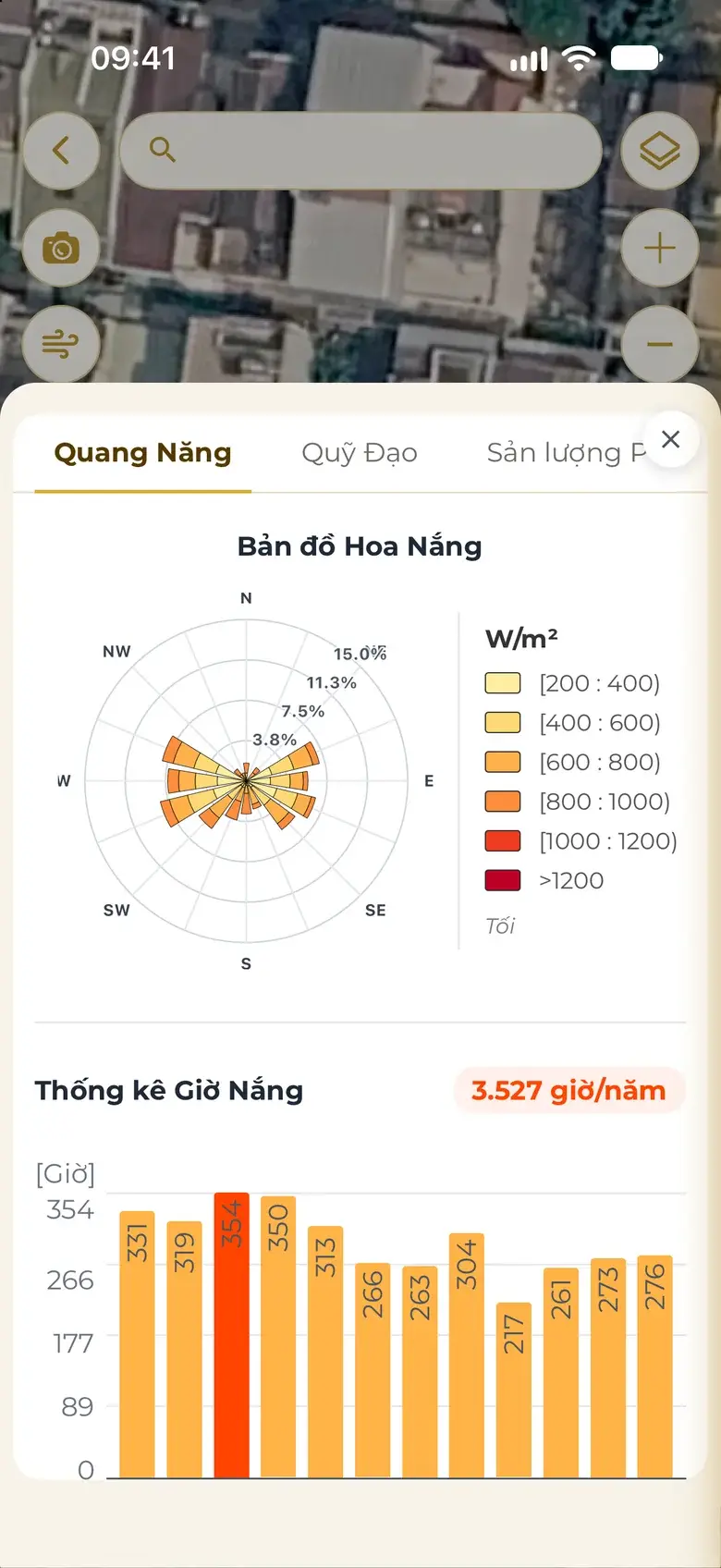
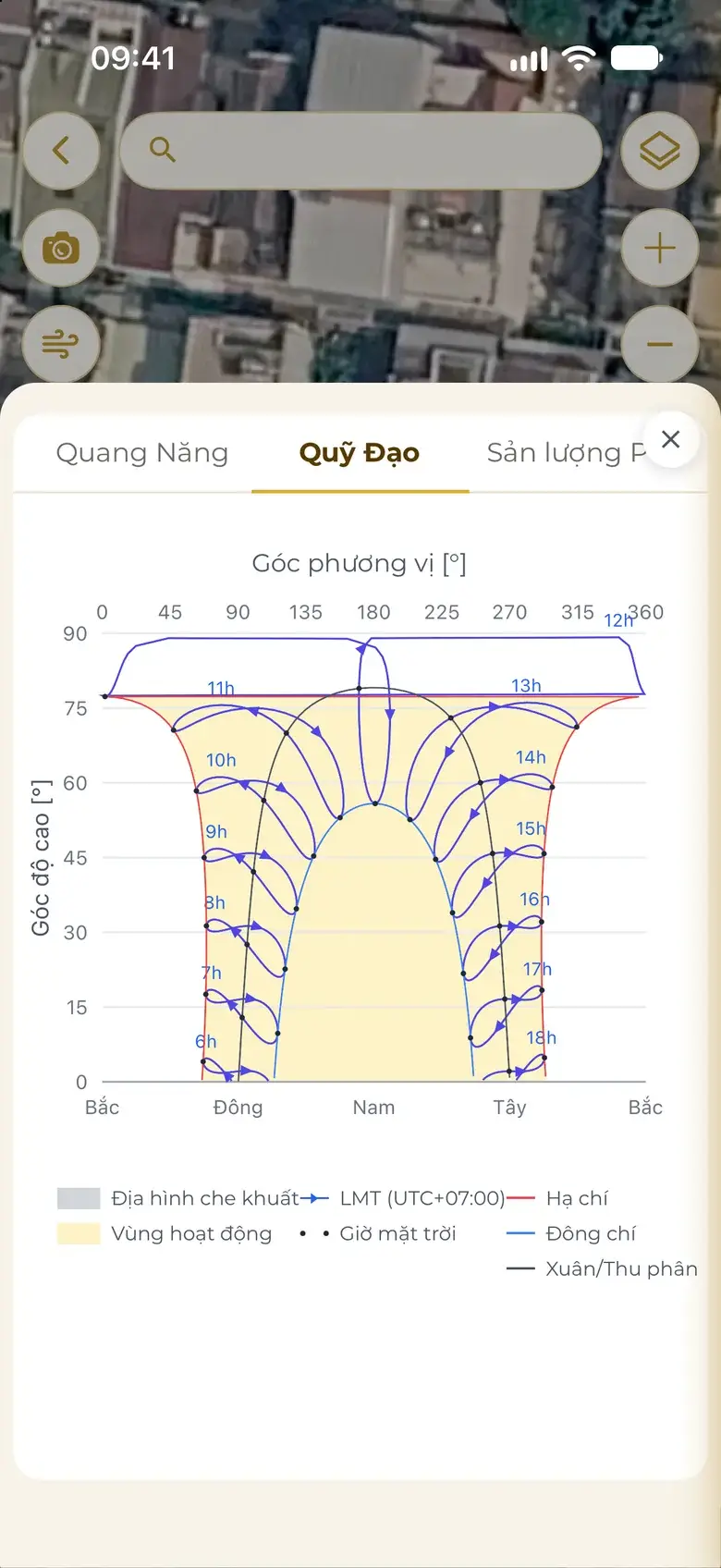
Sunlight & solar power
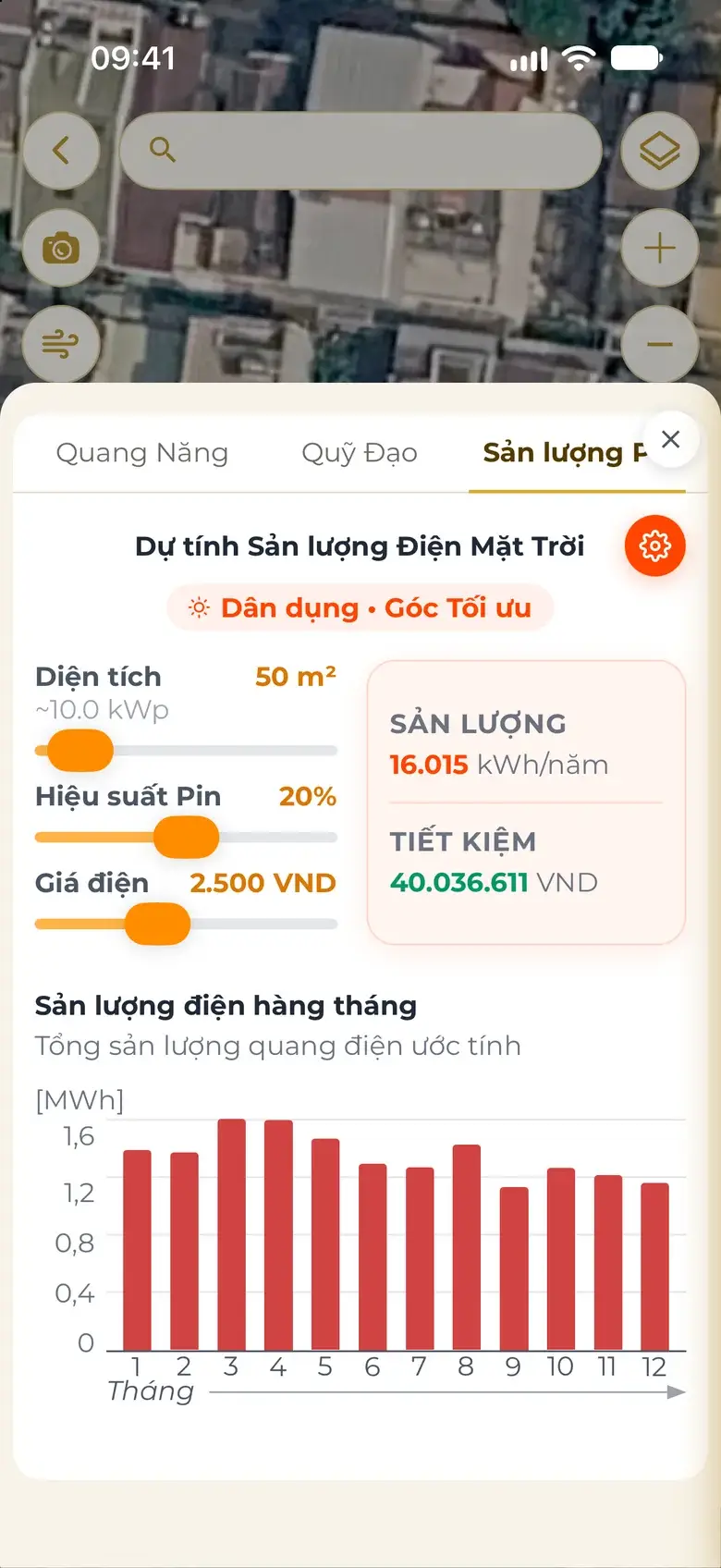
Sun rose, monthly sunshine hours, sun paths for the solstices and equinox. Drag the panel area: monthly output and bill savings appear at once.
Solar energy
Sun path
Power output
Drag the hour: the sun moves and the house shadow follows.
Illustration Sample house 5 × 20 m, about 11 m tall, main door at 135°. Solar time, not clock time.
Solar time of day
Time
09:00
Altitude
41.3°
Azimuth
109.7° · Yi 乙
House shadow
12.5 m long
Sunrise 06:00 · sunset 18:00 (solar time).
Real app screen
08
Contours of the whole area
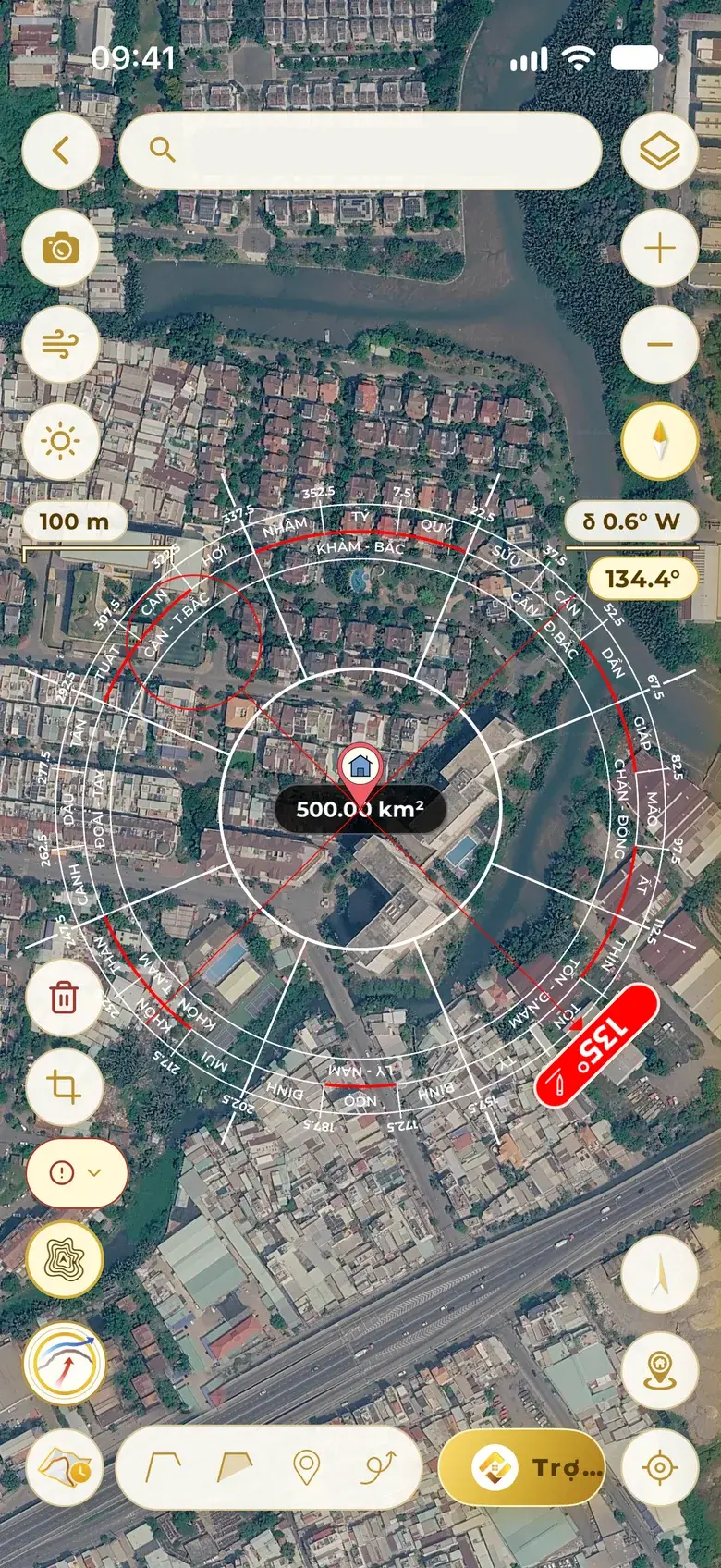
500 km²
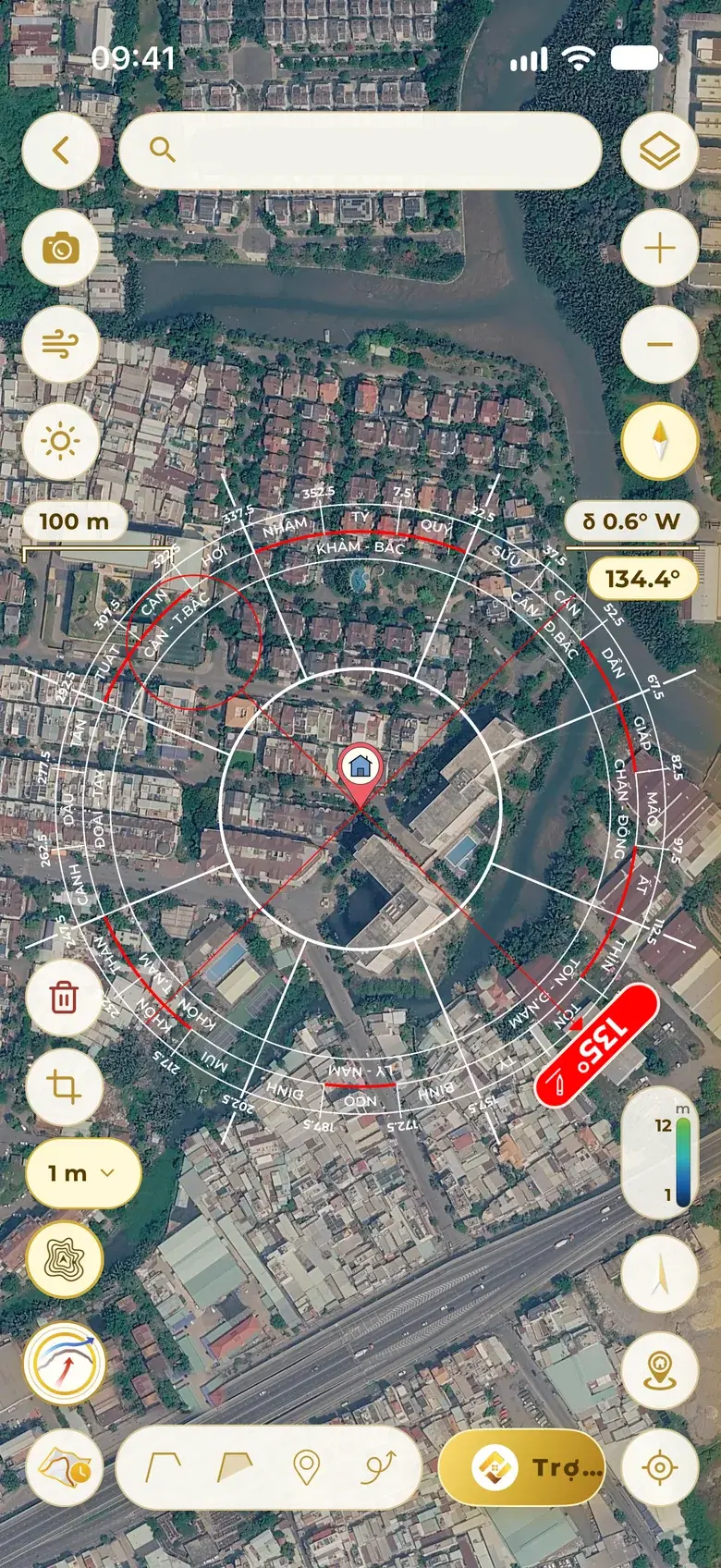
Crisp contour lines for the whole area around the building, up to 500 km²: choose the interval, the datum and the colour scale — see high ground and low ground at a glance.
Automatic interval
Elevation colour scale
Up to 500 km²
Illustration
Real app screen
09
Ta Ao water method
Deeply Vietnamese: the Ta Ao Landform Water Method, the Ta Ao Li Qi Water Method that moves with your position, Xiao Sha and Water Intake — with a full 360° sweep suggesting the good degree ranges.
Landform
Li Qi
Xiao Sha
Water Intake
Illustration
10
Automatic Water Mouth
The system finds the area's Water Mouth on three scales — Grand, Middle and Small — and marks it right on the map, each point with its confidence.
Illustration A diagram of how the three scales are read, not the result for a real site.
1
Grand scale high confidence
The Water Mouth of the large waterways of the whole region.
2
Middle scale medium confidence
The Water Mouth of the lie of the land around the site.
3
Small scale check on site
Street water: the Water Mouth right by the house, from the street and the ditches.
L
Dragon Entry · Sha
Pin the Dragon Entry, Sha and Water Mouth on the map yourself; points you pin are kept as they are.
11
Dragon veins & Dragon Entry
Traces the dragon vein automatically: where the incoming dragon comes from and where it flows — then locates the Dragon Entry point for yin dwellings.
Illustration
1Ancestor mountain
2Incoming dragon
3Dragon Entry
IV
On to Design
The home builds itself facing the direction you just measured.
12
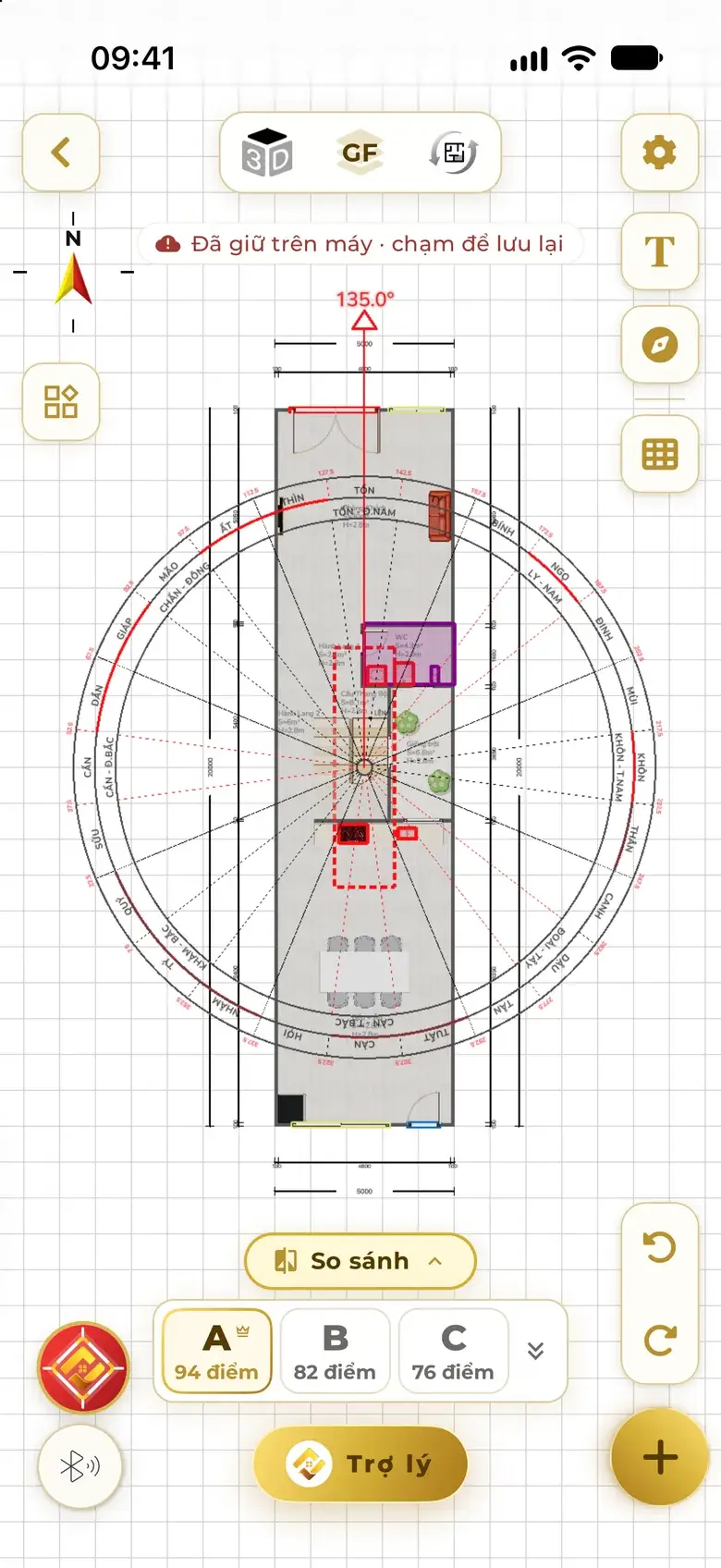
Measured — now Design builds a feng-shui-sound home
Once the area and orientation are measured, tap “Design”: the assistant carries the measurements over and builds a feng-shui-sound home facing exactly that way — nothing to re-enter.
1Outline land · measure
2Tap Design
3Feng-shui-sound home
The assistant carries
Measured degree
Location
Yearly wind
Owners' birth years
Ground level
Real app screen
And more
Automatic magnetic declination
Camera compass + spirit level
Scale-shift and Void warnings
Flying Stars and yearly Five Yellow
Façade photo reading
On-site noise meter
Street-level view
Projects saved in folders
Drawings labelled “Illustration” are there to help you picture it — real measurements appear in the app, at your exact location.
The Measure assistant guides each step: measure, confirm, then read sitting – facing – door sector, wind to the door and the age mountain of each family member.
Drag the needle, type a degree or use the arrow keys — the compass reads the mountain, trigram and Sitting at once. North is always at the top, just as in the app.
Show rings
Direction reading
Facing
135.0°
Mountain
Xun 巽
Trigram
Xun 巽 · Southeast
Sitting
315.0° · Qian 乾
← → turn 1°, hold Shift to turn 15°.
North is up; degrees run clockwise from North. The web compass is for reference; measure precisely in the app, away from metal objects.
Four steps, under a minute. Measure two or three times and compare.
1
Open Measure
In the app, tap “Measure”: the compass appears at once, North at the top.
2
Stand at the main door, look out
Stand at the threshold of the main door with your back to the house, looking straight out to the street. The way you face is the house's facing.
3
Hold it flat, away from metal
Hold the phone flat in front of your chest, away from iron gates, motorbikes and steel columns; wait for the needle to settle.
4
Read the degree, save a project
Note the degree — for example 135.0° in the Xun mountain — and save it as a project to set polarity on the plan.
Quick questions
Questions about the compass
Is a phone compass accurate enough for feng shui?
Yes, when used properly: stand at the main door, hold the phone flat, keep away from metal and wait for the needle to settle. Home Check records and sets polarity by the exact degree you measure; measure two or three times at different spots in front of the door and compare.
Where is a home's facing measured from?
The facing is the direction you look straight out from the main door, in degrees clockwise from North. The opposite side is the Sitting. For example, a 135° facing lies in the Xun mountain, and the Sitting at 315° lies in Qian.
Why does Home Check ask for degrees instead of a direction name?
Each main direction holds three mountains, and each mountain is only 15° wide. Two homes both called “southeast” can sit in different mountains and read differently. So the app always records the degree first, then reads the mountain and trigram.
What is magnetic declination, and does it affect a home's direction?
Magnetic declination is the angle between true north and the magnetic north a compass needle points to. It differs from place to place and changes over the years. Ignore it and a home close to the edge between two mountains can be read as the neighbouring mountain. Home Check works out the declination for the spot and date you measure and shows it beside the compass.
Satellite imagery and my phone give different numbers — which do I trust?
Satellite imagery is referenced to true north and can't be pulled off by metal, so it is the reference reading. The sensor reading already has declination removed; if it is still far off and the needle wobbles, the app flags magnetic noise and suggests stepping 1–2 m away from steel gates and motorbikes or switching to the Map. Every reading states its source.
How does a master enter a reading taken with a hand-held luopan?
Type the degree straight into the compass on the map; the needle lands in place on the satellite imagery. When true and magnetic north for that direction fall in different scales, or touch a Void line, the app warns right on the compass with the magnetic reading so the master can compare.
How does the land certificate lookup work?
On the Measure screen, search by parcel boundary (corner coordinates), by map sheet and parcel number, or scan the QR code on the certificate. The boundary appears on the map so you can measure orientation and area on it. Lookup by sheet and parcel number currently covers Ho Chi Minh City.
Can it build the house right after measuring?
Yes. Once the orientation is measured, tap “Design”: the assistant carries the measured degree, location, yearly wind, the owners' birth years and ground level into Design, then builds a feng-shui-sound home facing exactly that way — nothing to re-enter.
Knowledge base
Know the roots, use them well
Every concept has its own page: a short definition, the Chinese characters, and how Home Check uses it.