Feng shui · the heart of Home Check

No feng shui knowledge needed — a few steps to a scientific assessment and the fix.

Add your home and give its facing in degrees. The Home Check Assistant checks the whole house, points to each fault, analyses 9 topics for your family and fixes the layout right on the plan.

  • No feng shui study
  • 4 steps
  • Pay only for what you use

Scan with your phone to get Home Check.

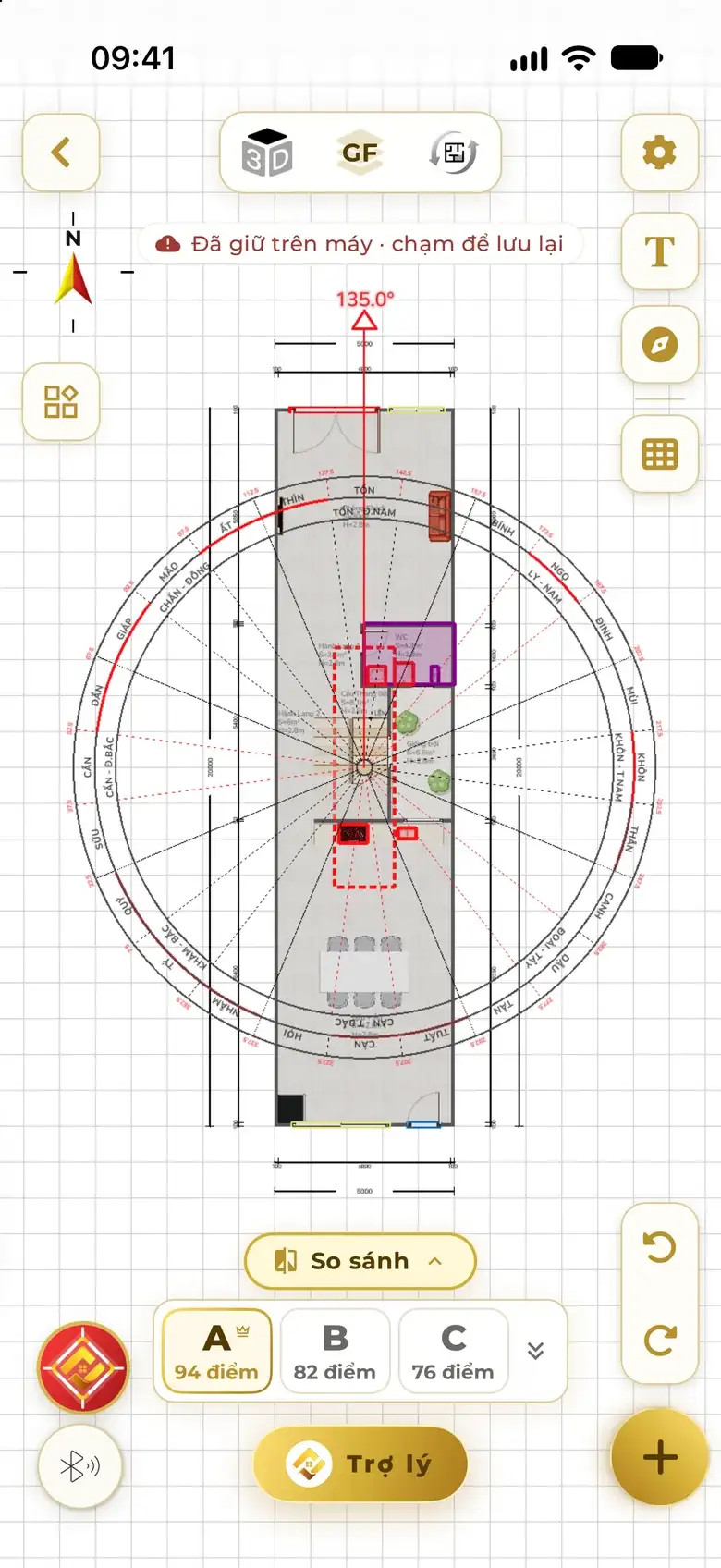
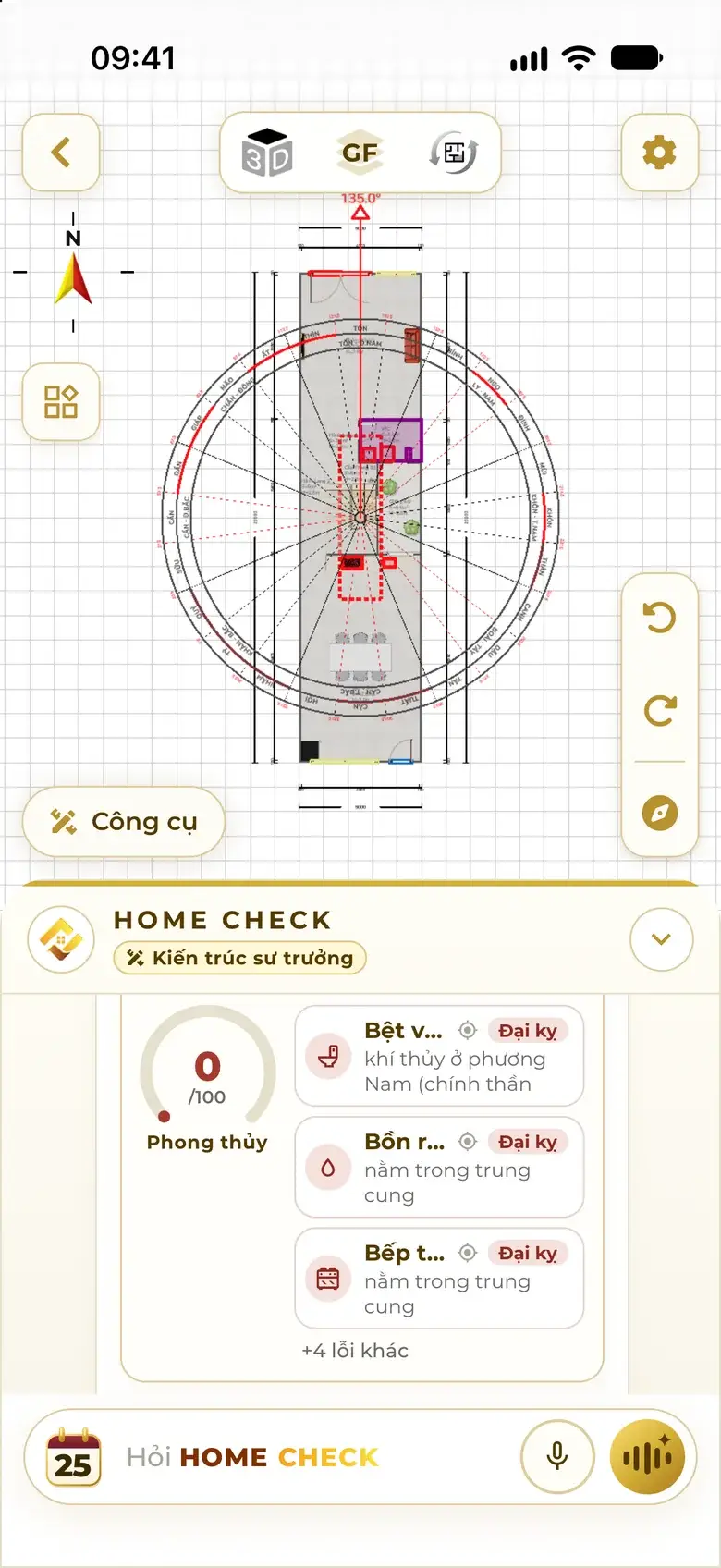
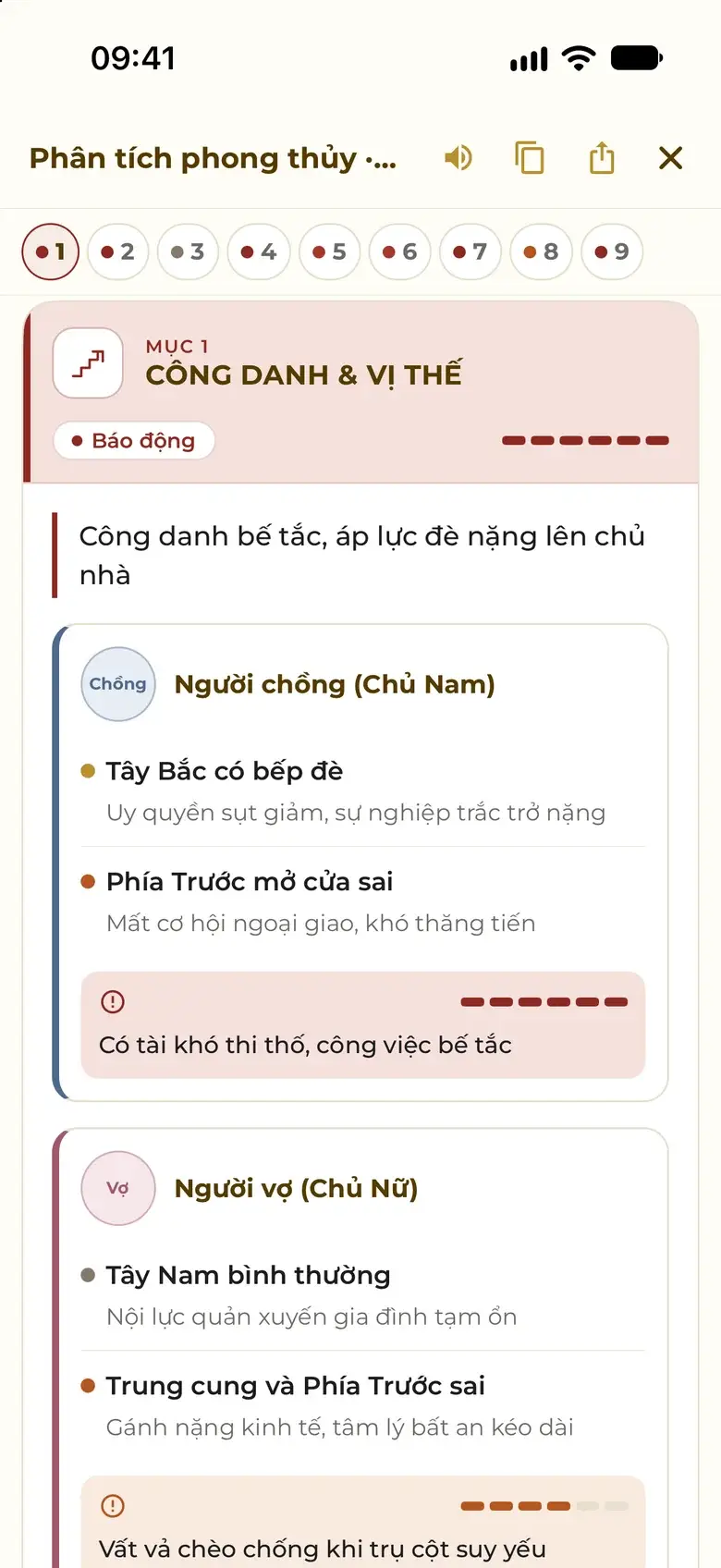
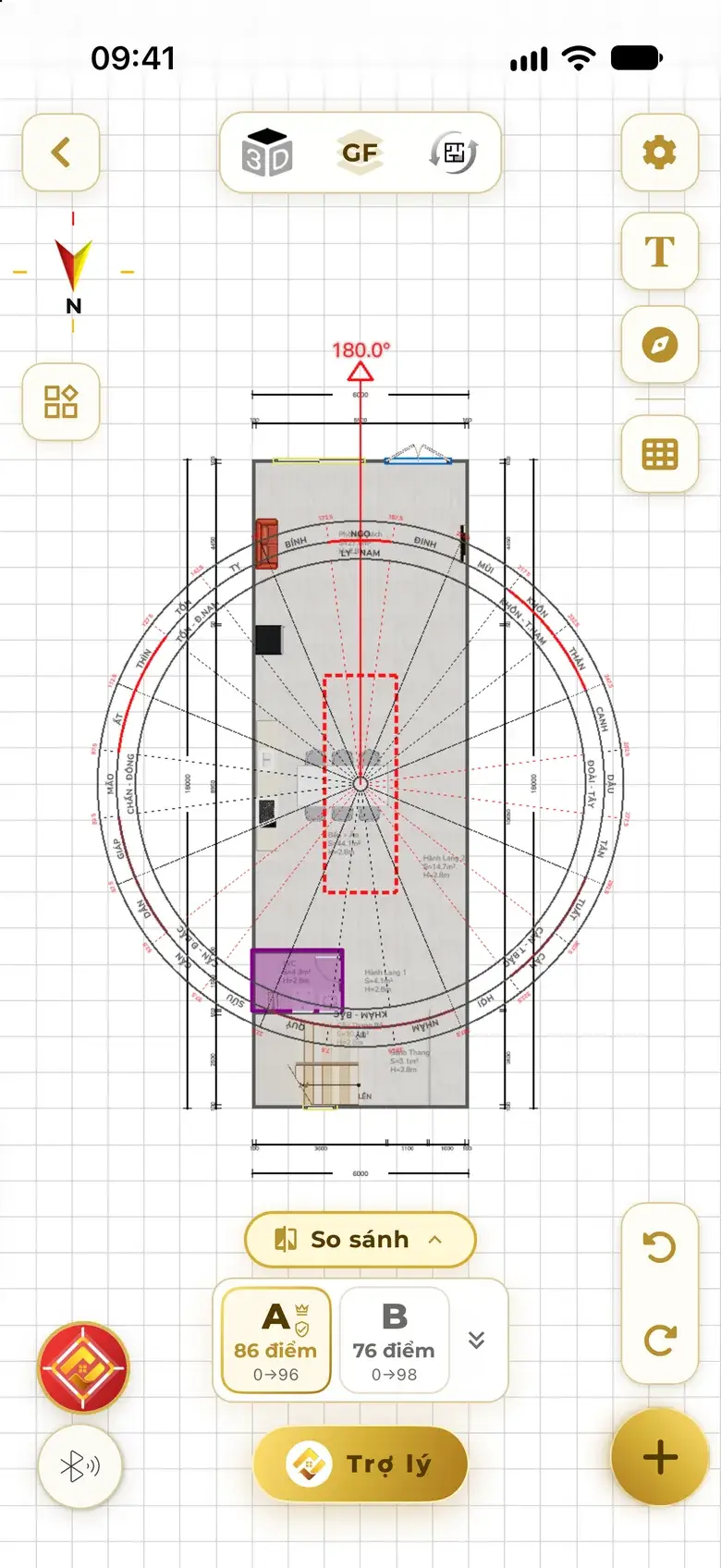
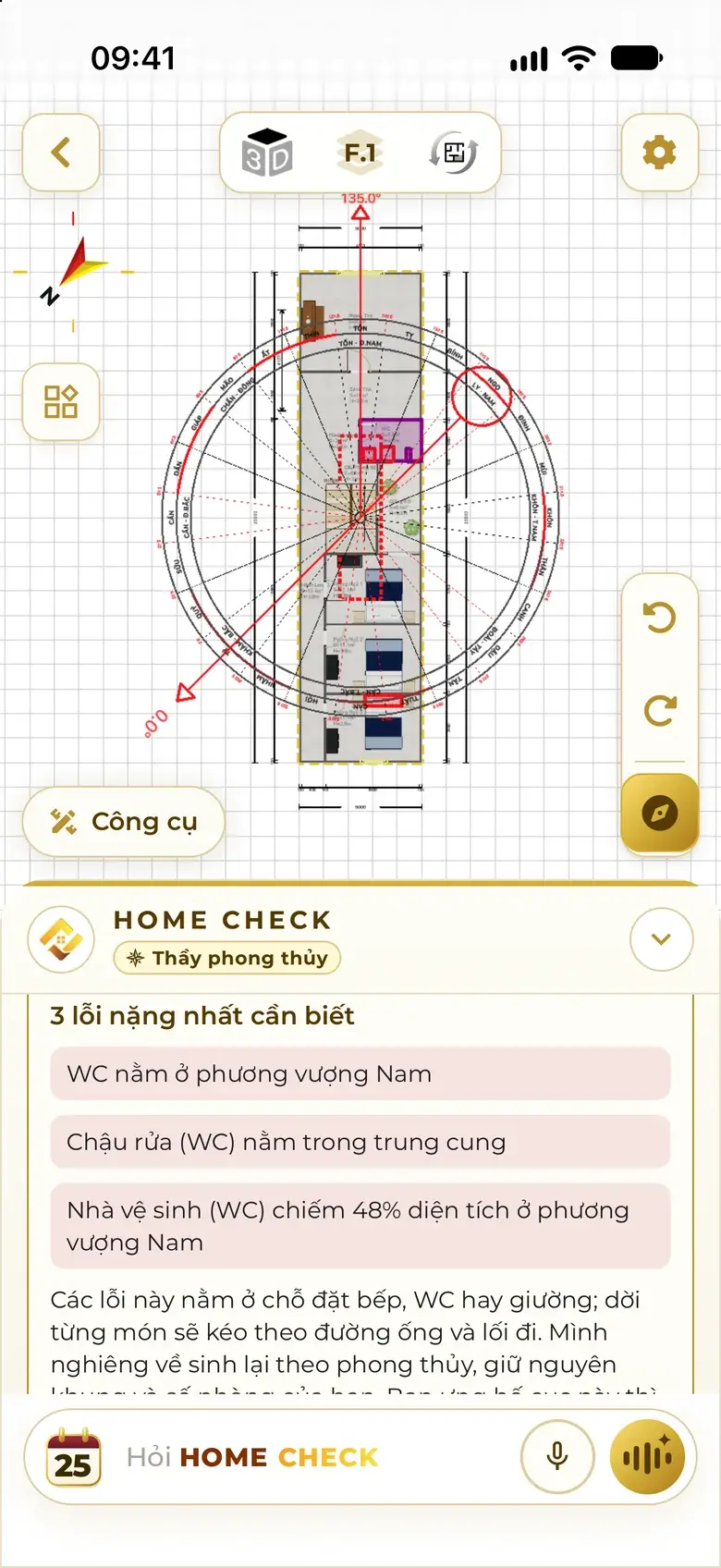
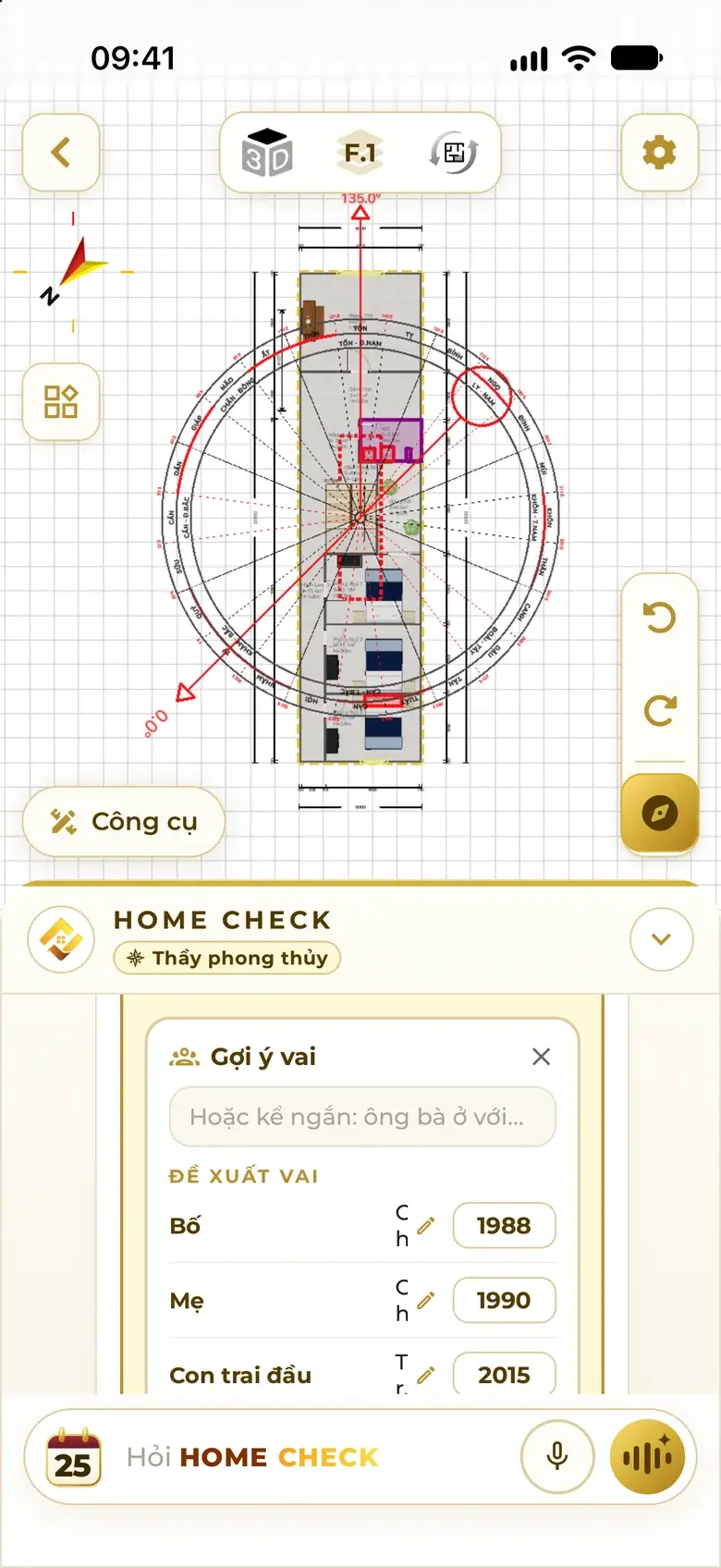
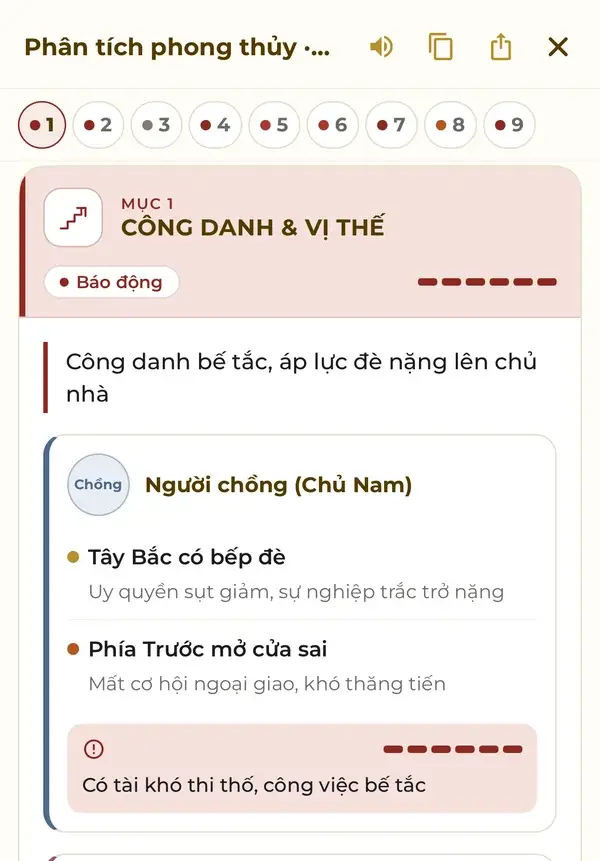
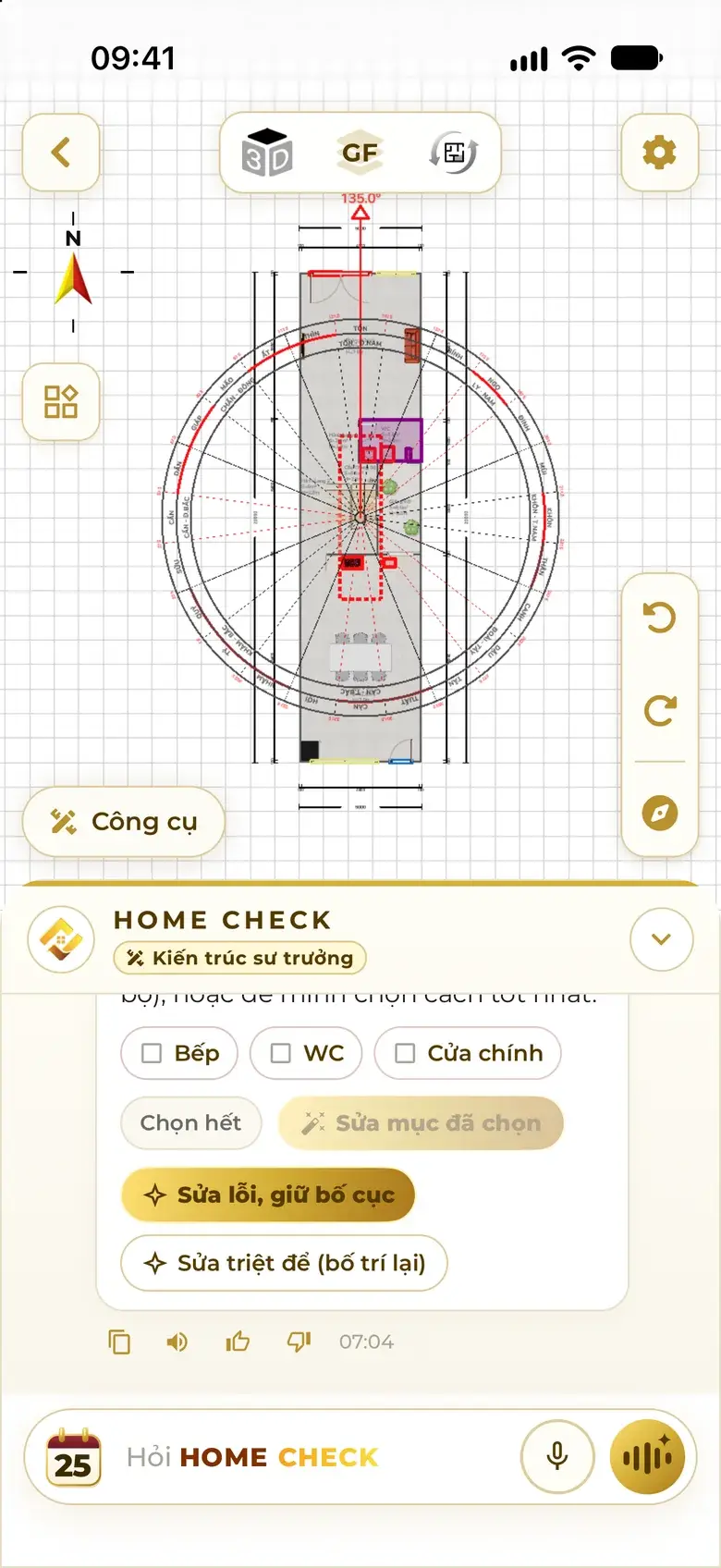
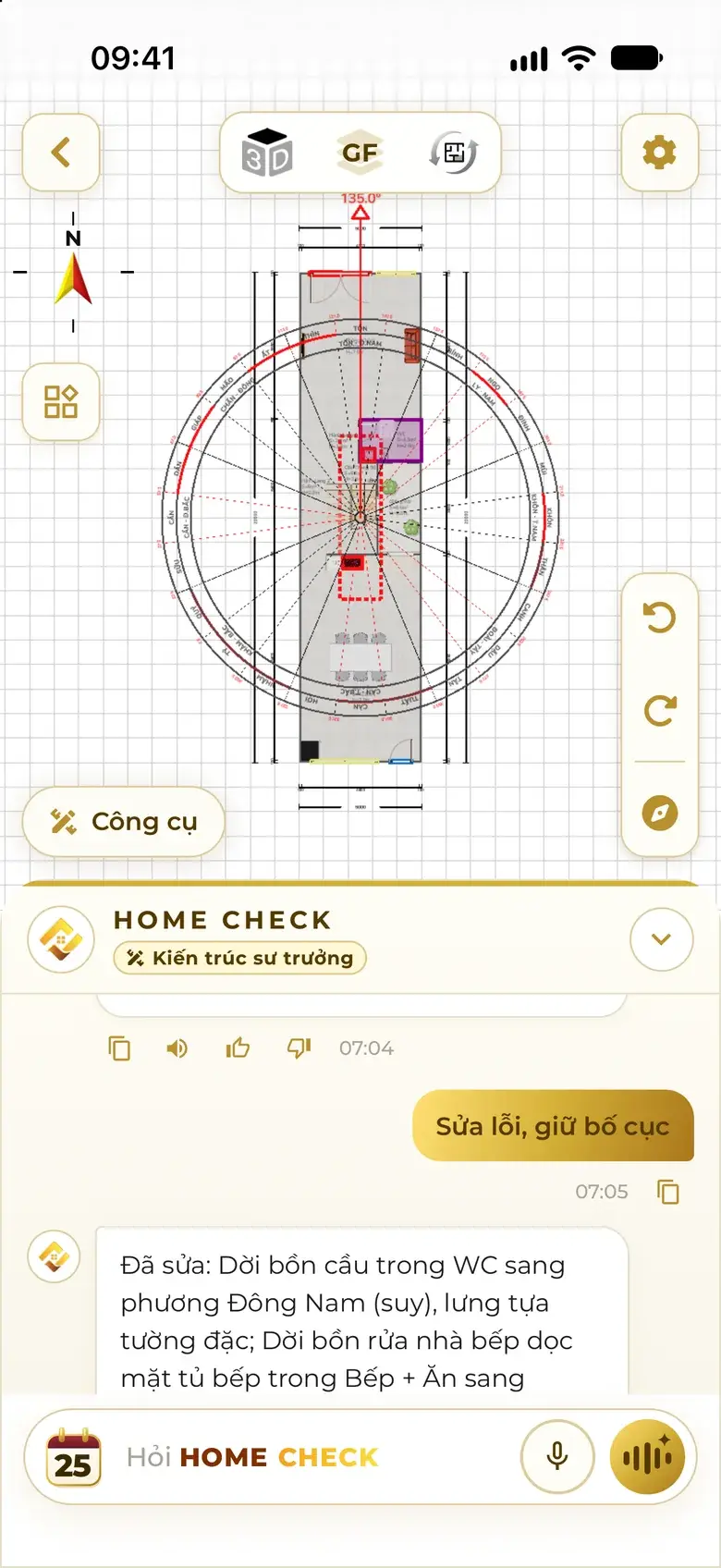
Plan with polarity set at 135°: dashed red frames mark faulty zones, the purple frame marks a room with a serious fault. Floor feng shui card: a 0/100 score and Major taboo faults such as a WC toilet in the South and a basin and stove in the centre palace. Feng Shui Analysis, topic 1 Career & Status: Alarm level, the main conclusion and details for the male head. After a thorough fix: the kitchen and dining area moved out of the centre palace, option A scores 86, feng shui from 0 to 96.
  1. One-tap check
  2. Faults and score
  3. 9-topic analysis
  4. Auto-fix

Real screenshots from the app

In short

  • 24

    compass mountains

  • 4

    steps to a result

  • 9

    analysis topics

  • 0–100

    feng shui score

In · Out

You bring the house. Home Check returns the answers.

The more you give, the closer the result. If something is missing, the assistant asks for exactly that — or you can skip it.

Inputs

  • The house

    • Existing plan
    • Floor plan photo
    • LiDAR scan
    • Laser meter
    • New design
  • Facing

    • Degrees, e.g. 135.0°
    • Measure with the Compass
  • Family

    • Each person's birth year
    • Roles in the home
  • Outside

    • Location
    • Real wind
    • Ground front · back
    • Landform
Home Check Assistant Feng shui master · Architect

Outputs

  1. One-tap check

    Faulty zones coloured on the plan, with a 0–100 score.

  2. 9-topic analysis

    Career, health, wealth, family harmony… for each person.

  3. Auto-fix

    Keep the layout or re-arrange, with before and after scores.

  4. PDF report

    Cover, plans with polarity, every topic — shared in one tap.

  5. Q&A

    Ask in plain words, answered for your own plan.

A few steps, counted

Four steps. No feng shui study.

Each step is a real screen in the app.

  1. Add your home

    Send a floor plan photo, scan with LiDAR, open an existing plan — or describe the house in one sentence for the assistant to design.

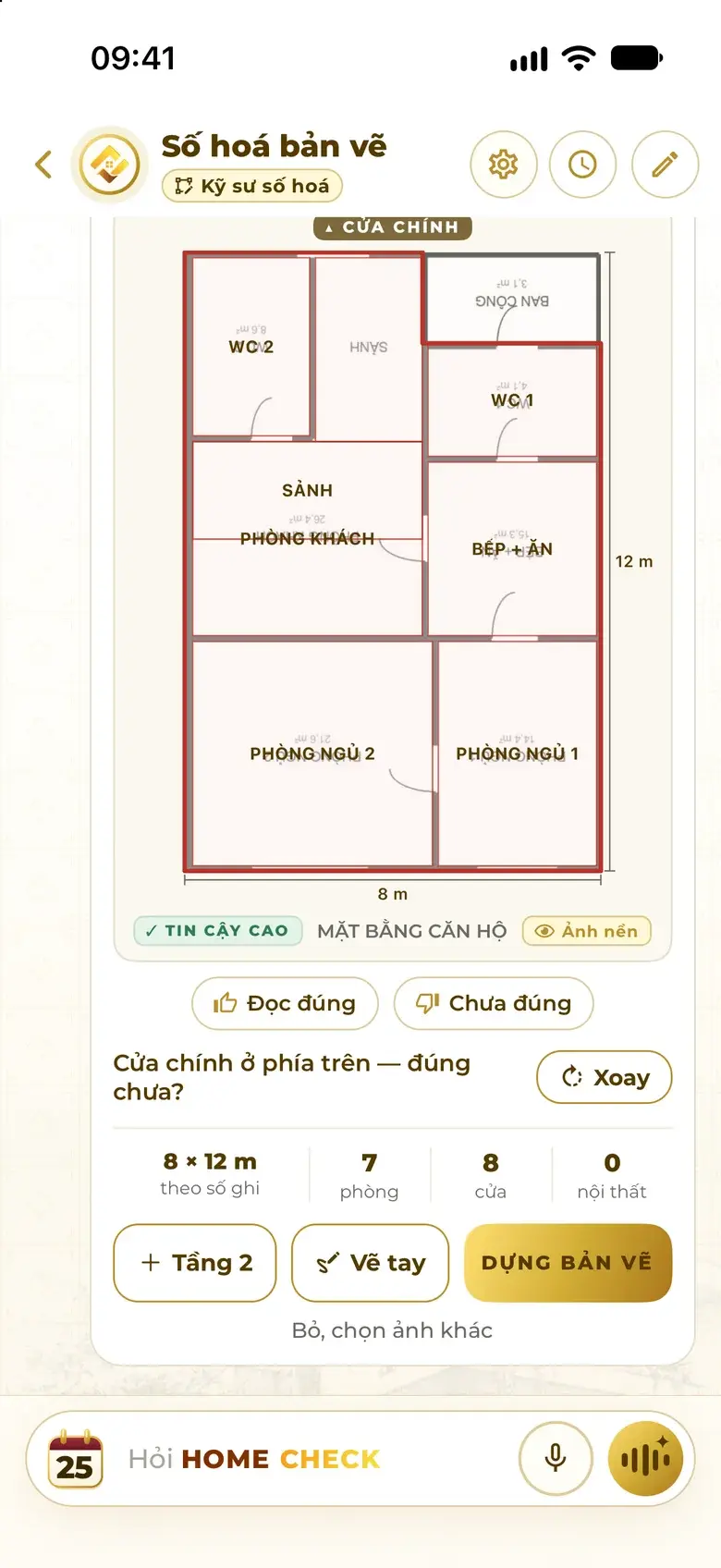
    The assistant has read a floor plan photo: an 8 × 12 m frame, 7 rooms, 8 doors, a High confidence label and a Build plan button.
  2. Enter the facing

    Type the facing in degrees, or measure it with the Compass at the house.

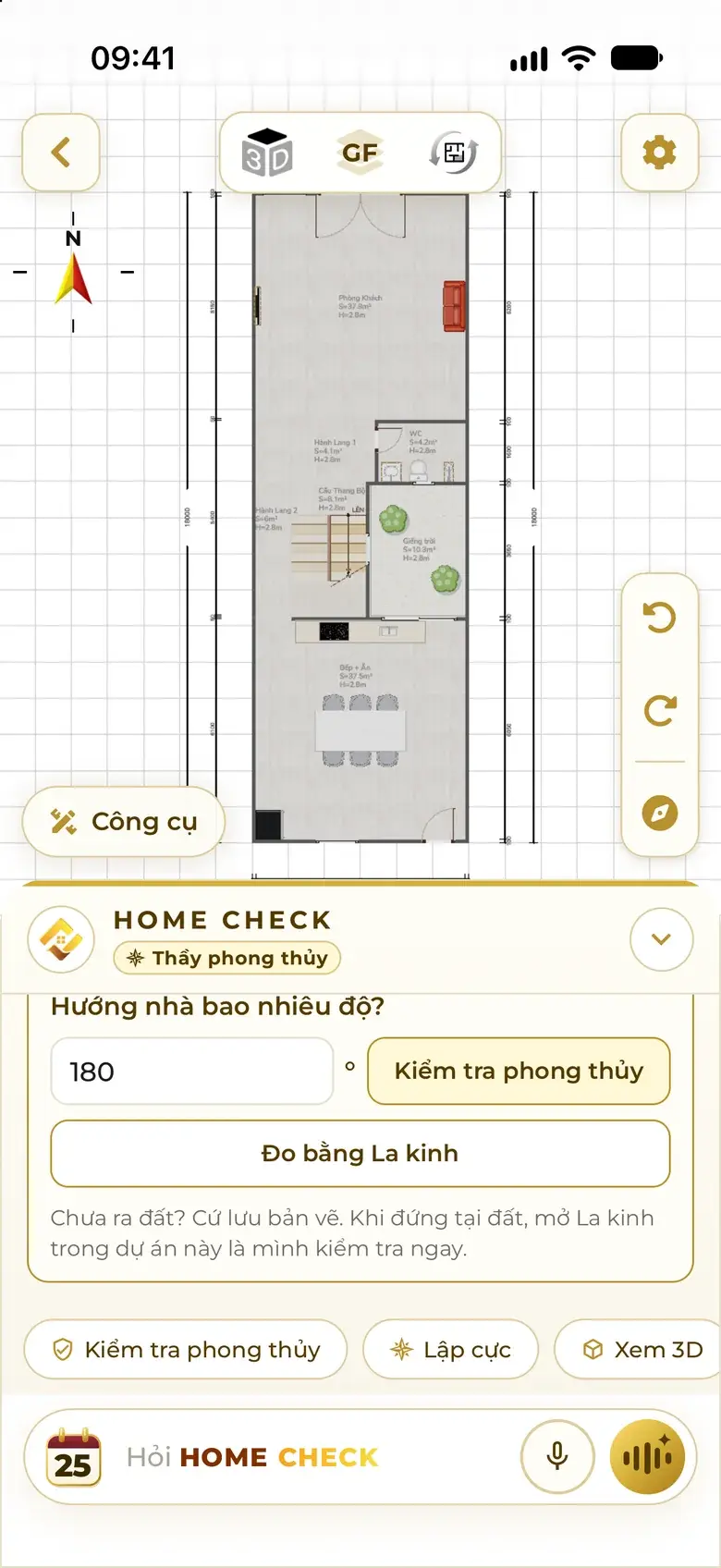
    The assistant asks for the facing in degrees: 180 entered, with Check feng shui and Measure with Compass buttons.
  3. Tap Check

    One tap: the compass sits on the centre of the house, faulty zones turn red, faulty items are framed.

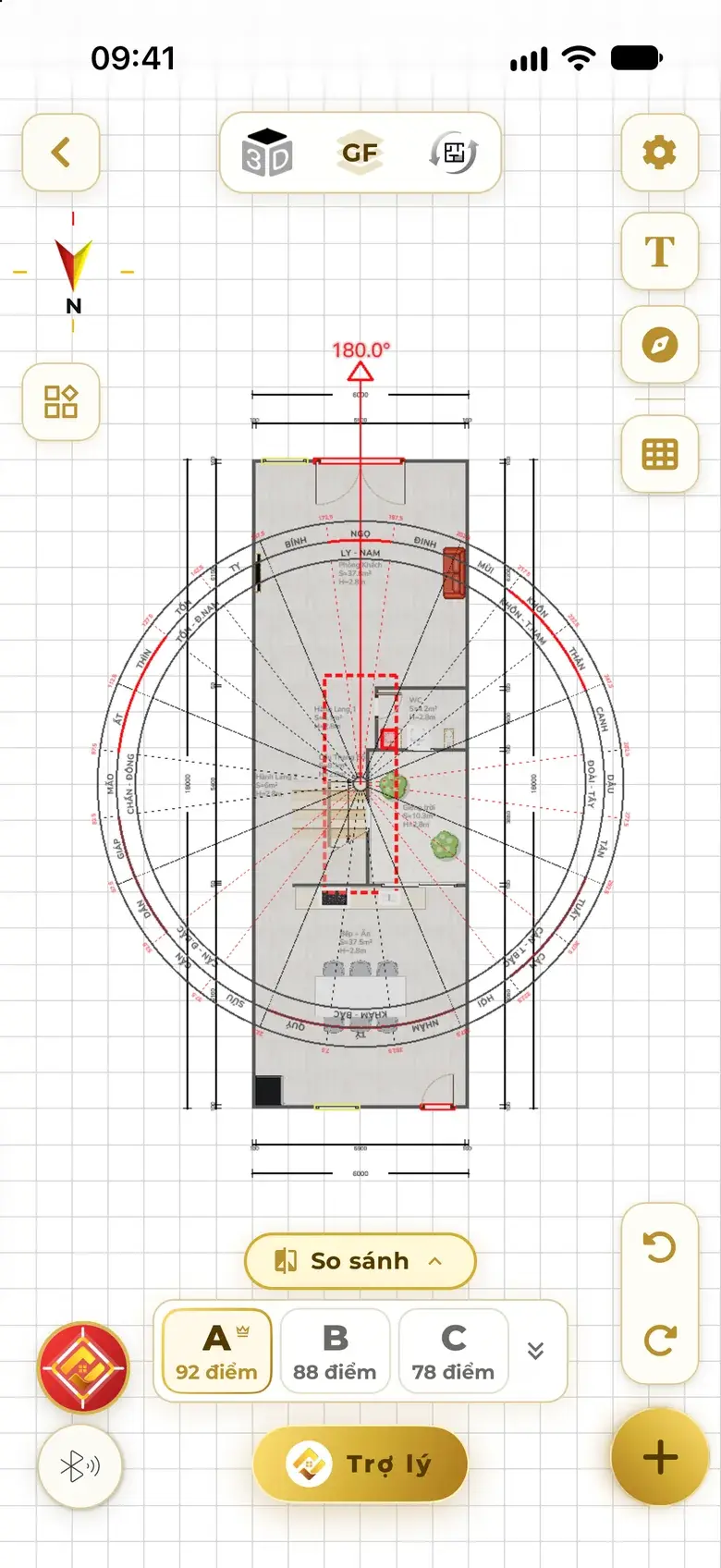
    Plan after tapping Check at 180°: the compass covers the house and the faulty centre palace zone is dashed in red.
  4. Choose Fix or Analyse

    Fix the faults right on the plan, or open the 9-topic analysis for your family.

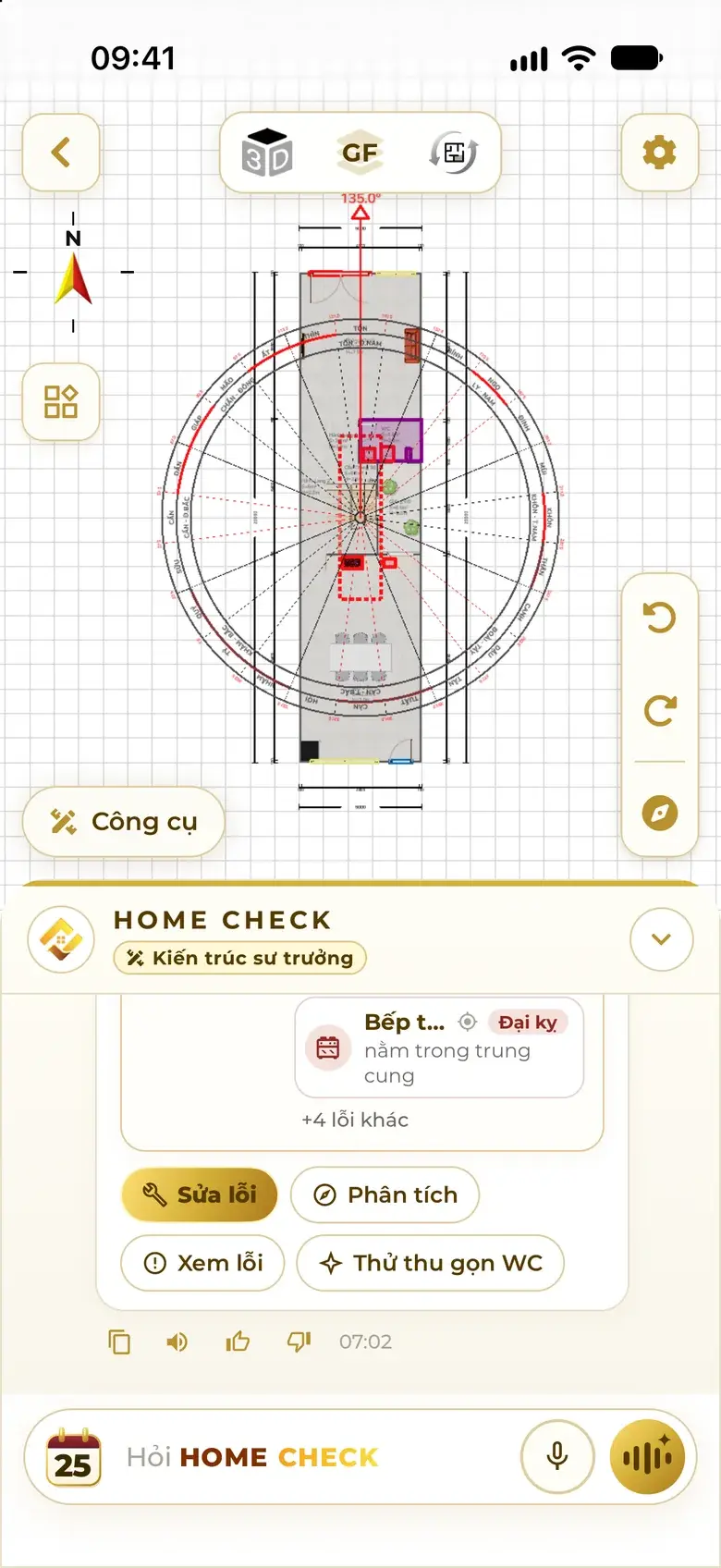
    Under the feng shui fault card: Fix, Analyse, View faults and Try a compact WC buttons.

One-tap check

Wherever the fault is, it shows right there.

Colours on the plan match the app exactly and always come with words and a reason — no guessing.

Check result: faulty zones in red on the plan; the assistant lists 3 serious faults such as a WC in the prosperous South and a basin in the centre palace.
  • Correct Spot is fine. Keep it.
  • Not ideal Adjust when you can.
  • Wrong A fault to fix.
  • Pending Not enough data to decide yet.

Faults, from light to heavy

  1. Not ideal
  2. Wrong
  3. Major taboo

What the assistant looks at

  • Main door, kitchen, WC, bed head, altar
  • Centre palace, missing corners
  • Prosperous · declining sectors on the 24 mountains
  • Each member's birth-year mountain
  • Door – stove – WC alignments
  • Real wind reaching the main door
  • Vertical alignment between floors

Personal to your family

Where the fault is, who it affects — named person by person.

Each sector stands for a role in the home. The assistant suggests roles from the birth years, then also weighs the ground level and real wind at the site.

  • Southeast Eldest daughter
  • South Middle daughter
  • Southwest Female head
  • East Eldest son
  • West Youngest daughter
  • Northeast Youngest son
  • North Middle son
  • Northwest Male head

Example

The main door falls on the Zi birth-year mountain — Male head

Every spot on a birth-year mountain is listed with the person it affects, then the fix.

Businesses have their own role table. The assistant asks first: a home or a business?

  • Entering each person's birth year by suggested role: father, mother, son, daughter.
    Family birth years
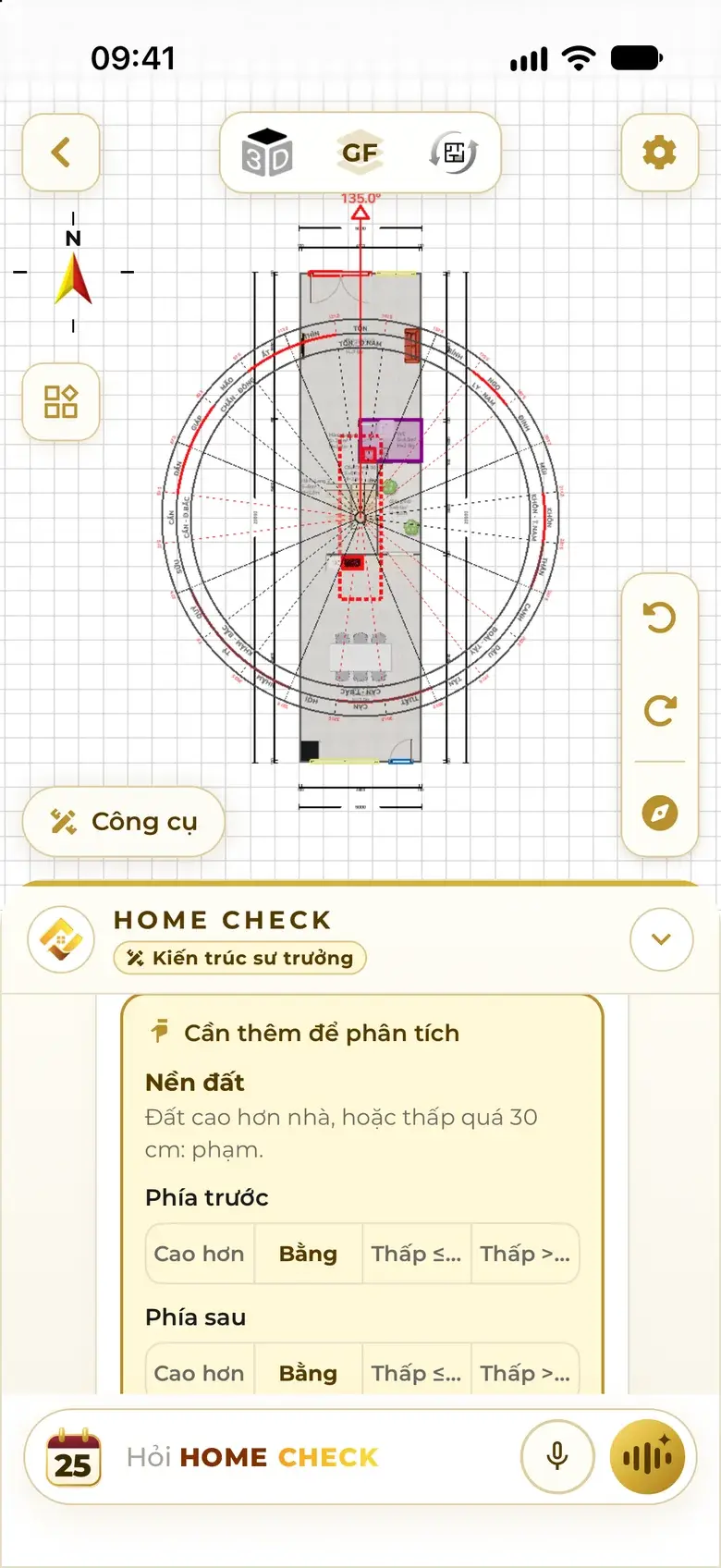
  • The assistant asks how the ground in front and behind compares with the house: higher, level, lower by up to or more than 30 cm.
    Ground front · back
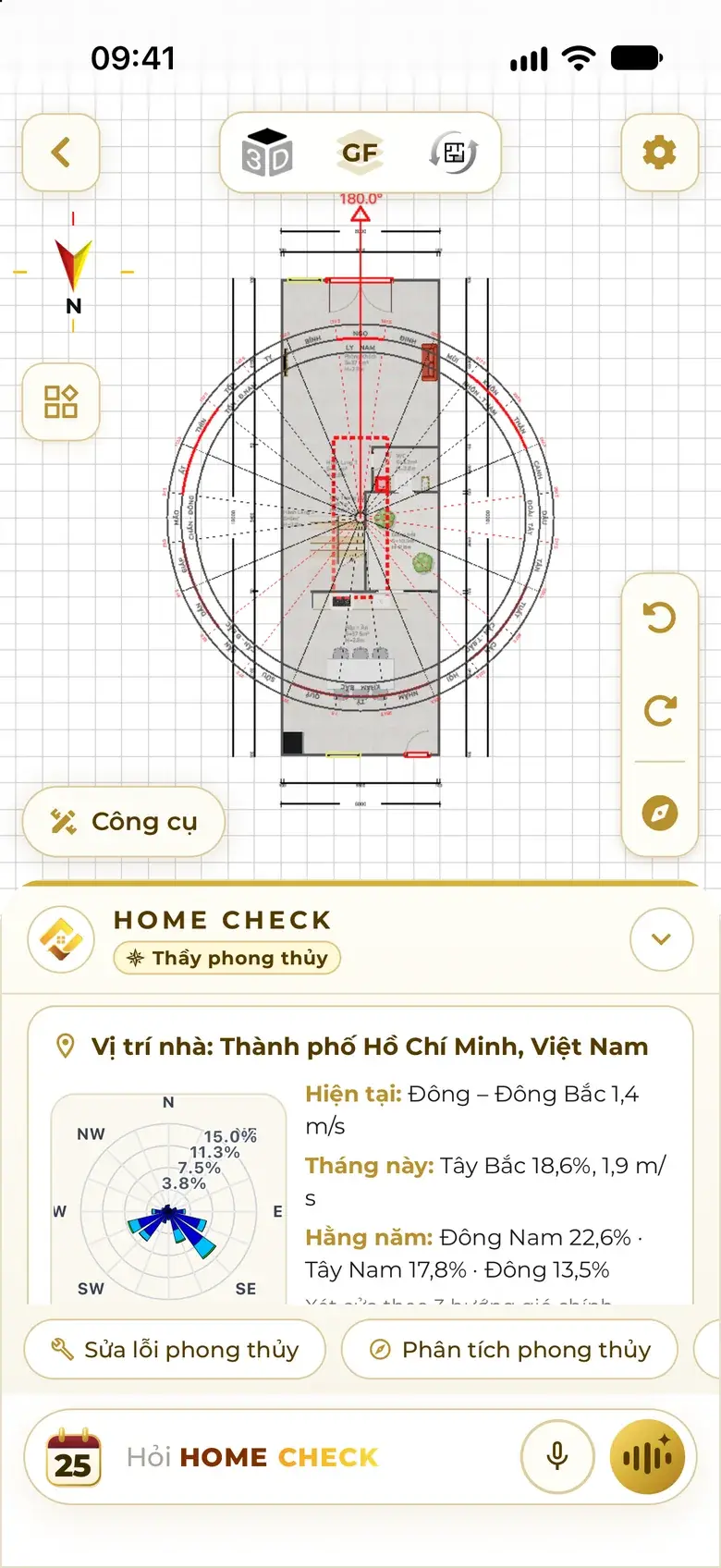
  • Real wind at the home's location: current wind, this month, the whole year and a wind rose.
    Wind at the site

Deep analysis · 9 topics

One analysis, nine topics for the whole family.

Automatic, usually 1–2 minutes. Each topic has an alert level, the main conclusion, details by sector and by person, and what to do.

  1. Topic 1

    Career & Status

    The owner's career and standing — which sectors lift, which hold back.

    Topic 1 Career & Status: Alarm level, details for the husband (male head) by the Northwest sector and the front.
  2. Topic 2

    Health & Vitality

    Health areas to watch on the body, with the sector behind each.

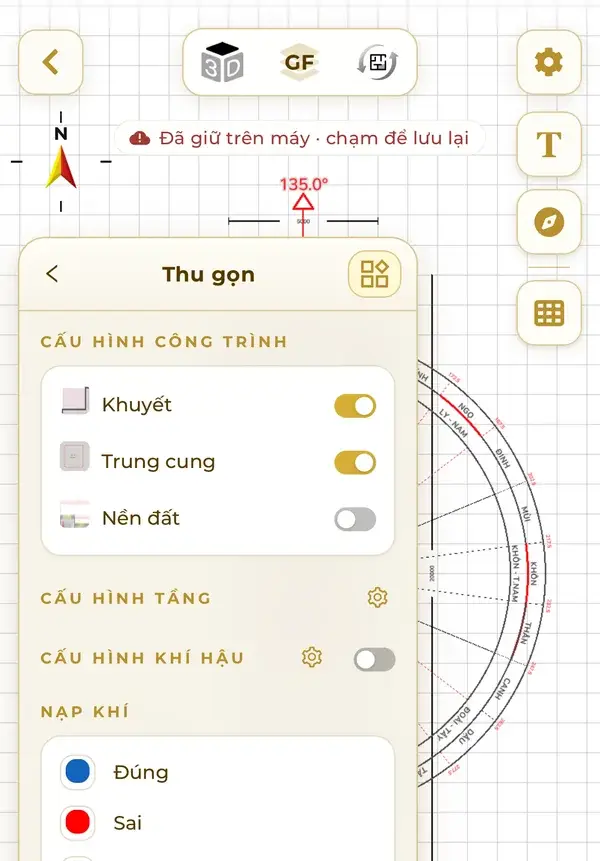
    Feng shui settings on an oriented plan: Missing corners, Centre palace and Ground level toggles, with a Correct / Wrong legend for each sector.
  3. Topic 3

    Education & Exams

    The study corner and the children's learning.

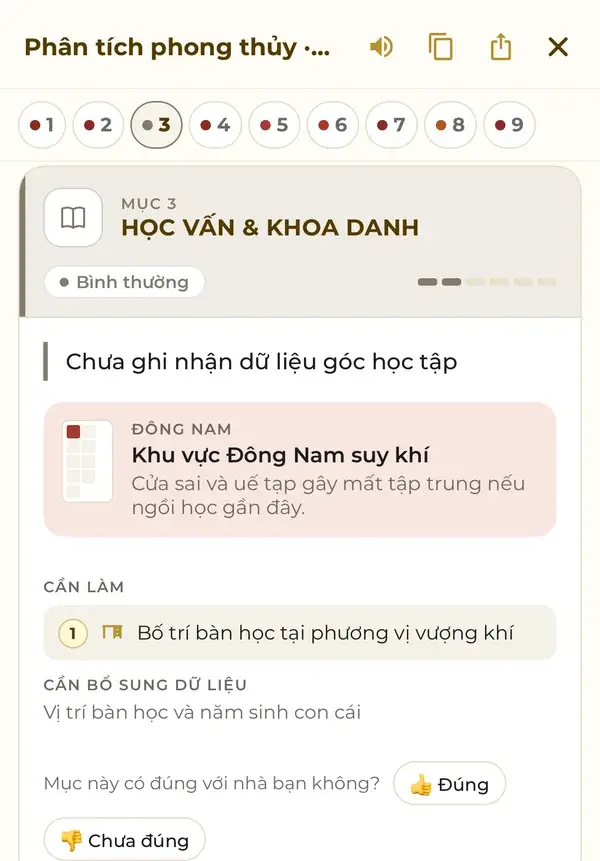
    Topic 3 Education & Exams: Normal level, the Southeast area and what to do for the study desk.
  4. Topic 4

    Wealth & Savings

    Where money comes in, where it is kept.

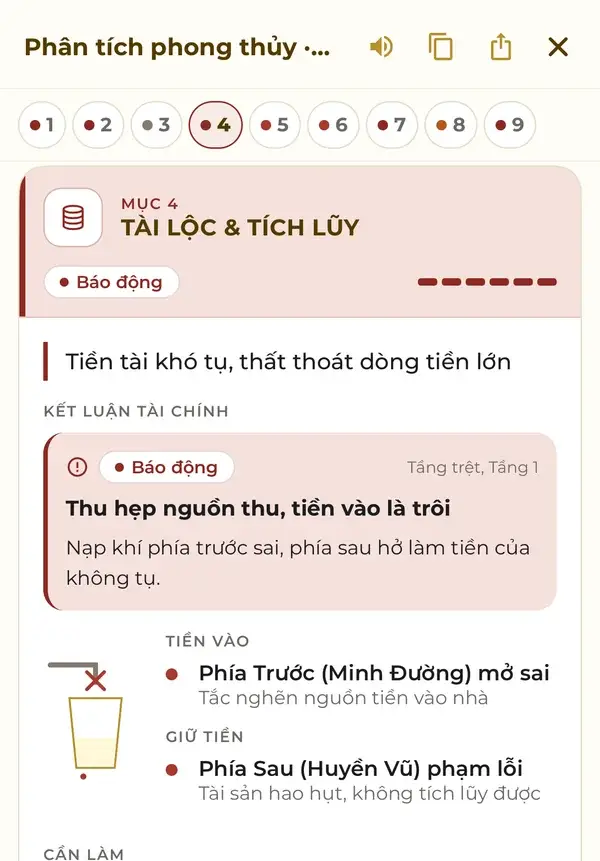
    Topic 4 Wealth & Savings: the financial conclusion, money coming in at the front and money kept at the back.
  5. Topic 5

    Family Harmony

    Harmony at home, including the state of the kitchen.

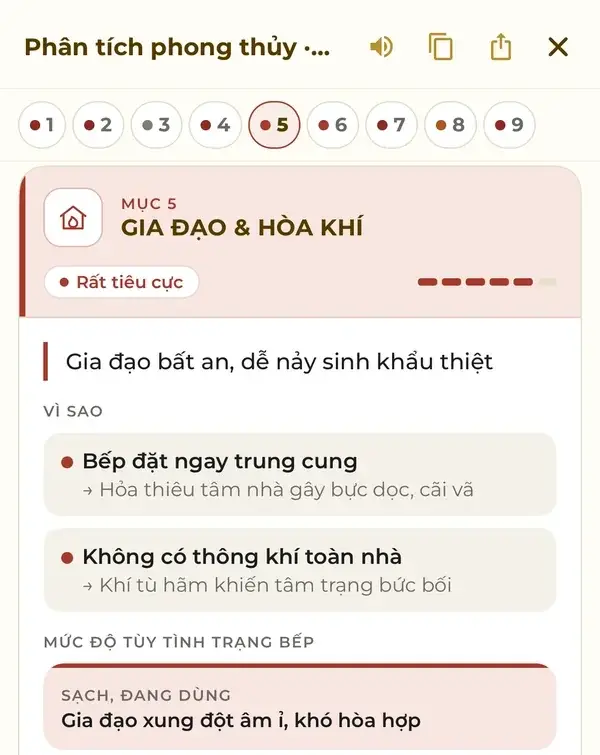
    Topic 5 Family Harmony: reasons such as a stove right in the centre palace, levels by kitchen condition.
  6. Topic 6

    Spiritual & Mental Wellbeing

    The altar, the worship space and peace of mind.

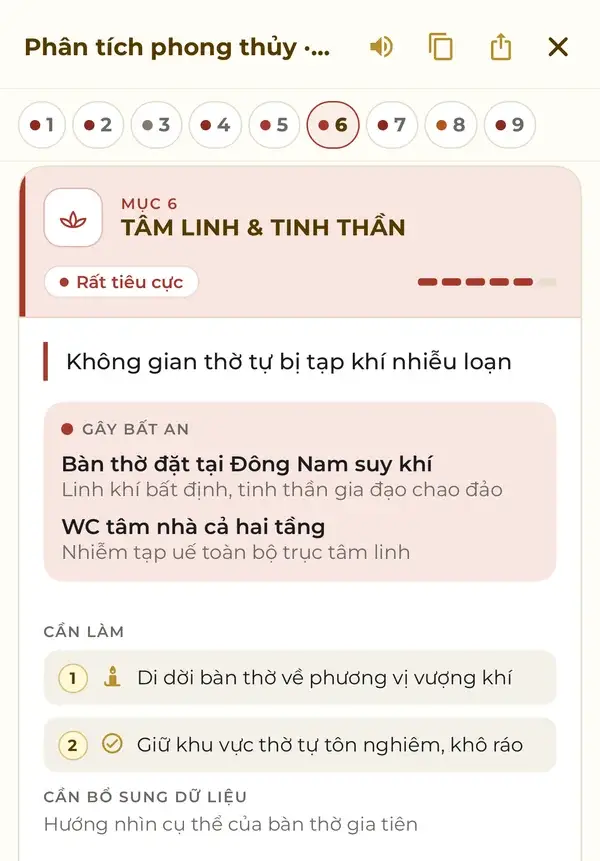
    Topic 6 Spiritual & Mental Wellbeing: altar in the Southeast, WC in the centre, what to do.
  7. Topic 7

    Family Members

    Each person by role: who needs care, who is at ease.

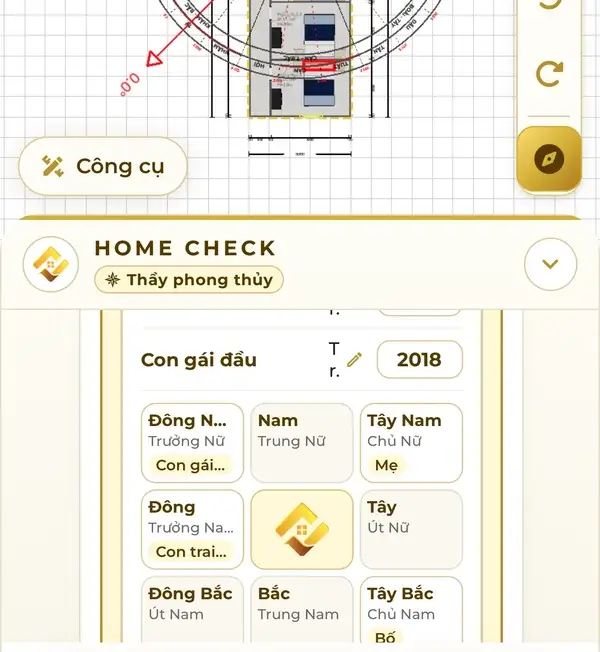
    Roles and sectors: each person in the household maps to a sector — Northwest for the male head, Southwest for the female head, East for the eldest son, Southeast for the eldest daughter.
  8. Topic 8

    Timing Forecast

    Years and months to watch, sector by sector.

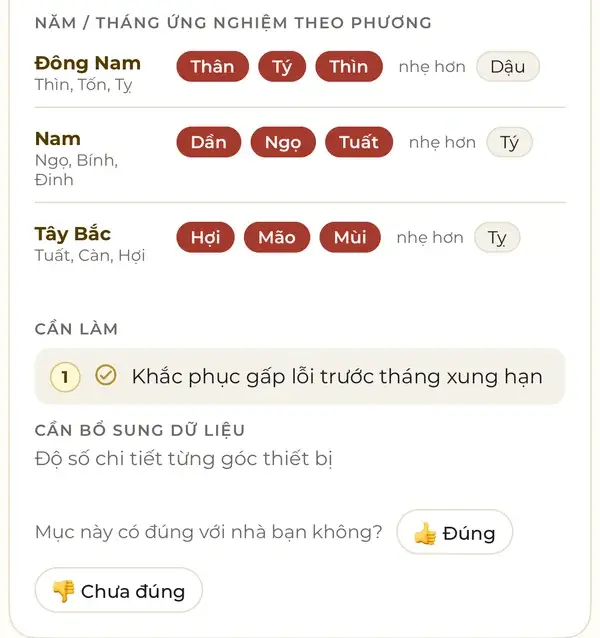
    Topic 8: a table of years and months by sector — Southeast, South, Northwest, each with the years to watch and milder years, plus what to do.
  9. Topic 9

    Initial Remedies

    What to do in three levels: act now, act soon, improve over time.

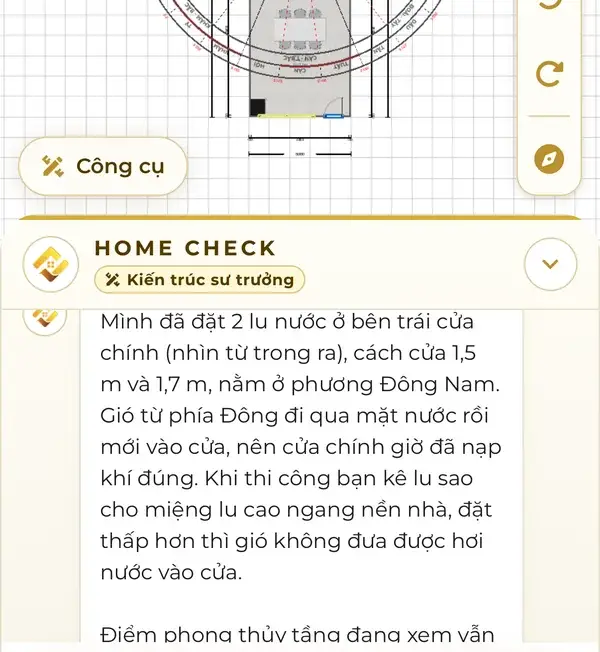
    The assistant places two water jars to the left of the main door in the Southeast, with the distances and how to set them during construction.

Every topic has Correct · Not correct buttons for your feedback.

Businesses: 9 topics of their own

  1. Brand & Business Opportunities
  2. Leadership
  3. Finance & Investment
  4. People & Company Culture
  5. Operational Efficiency
  6. Products, Inventory & Receivables
  7. Staff Health
  8. Timing Forecast
  9. Proposed Remedy Plan

Automatic feng shui fix

Tap Fix. The assistant works straight on the plan.

The assistant always asks how you want it fixed first. Every change can be undone.

Before · After

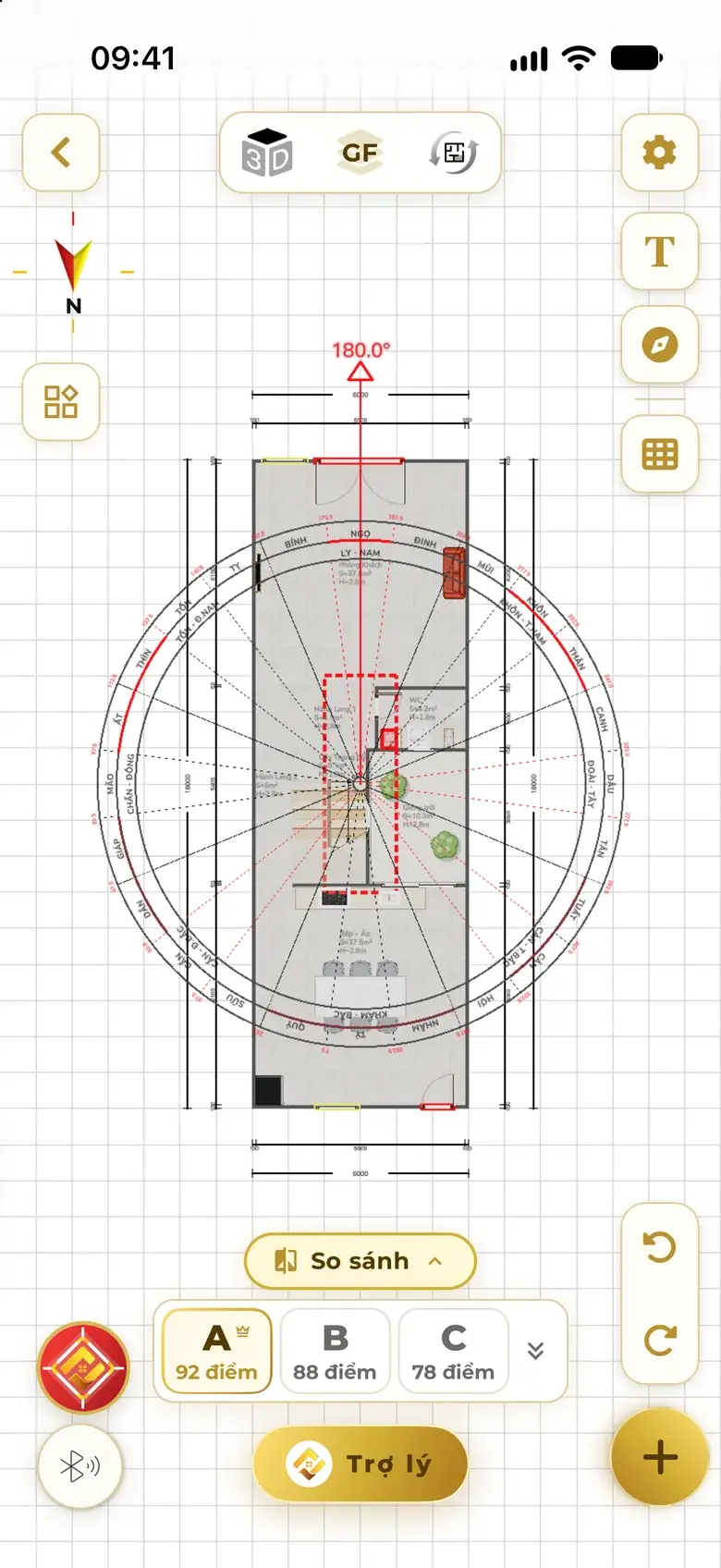
Before the fix: polarity at 180°, the centre palace zone with the WC and stairs dashed in red.
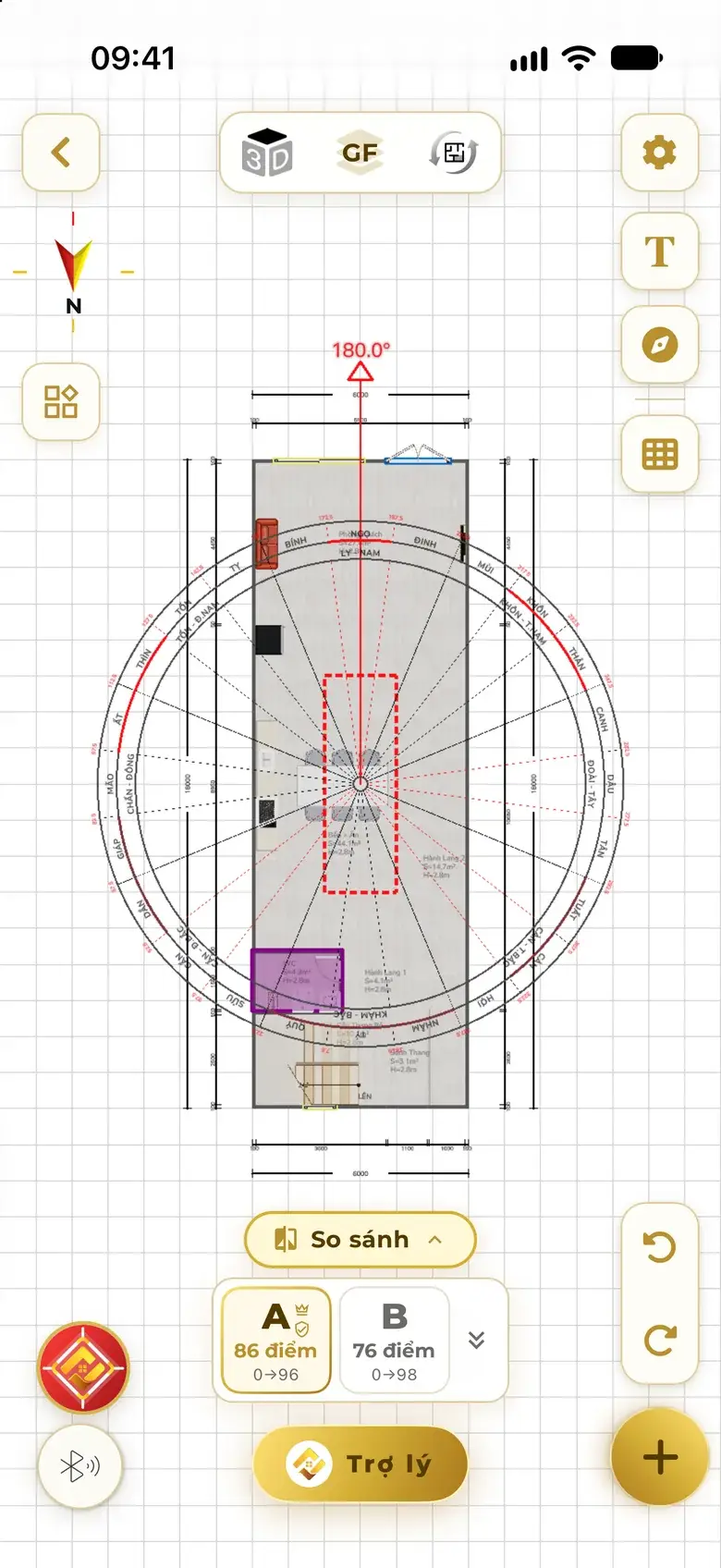
After a thorough fix: kitchen and dining moved out of the centre palace, WC moved to a corner, option A scores 86, feng shui 0 to 96.
Before the fix After a thorough fix
Feng shui score 096

A real example in the app: after a thorough fix, option A's feng shui score rose from 0 to 96.

  1. 1

    Keep layout

    Keeps the stairs, outer walls and main door. Pick what to fix — kitchen, WC, main door or everything — and the assistant moves and turns items until the faults are gone; anything left is named, with the reason.

    • Choosing what to fix: Kitchen, WC, Main door or Select all; buttons Fix and keep layout, and Thorough fix.
      Pick what to fix
    • Keep-layout result: the assistant moved the toilet to the Southeast, moved the kitchen sink and listed each change.
      Fixed by the assistant
  2. 2

    Re-arrange · thorough fix

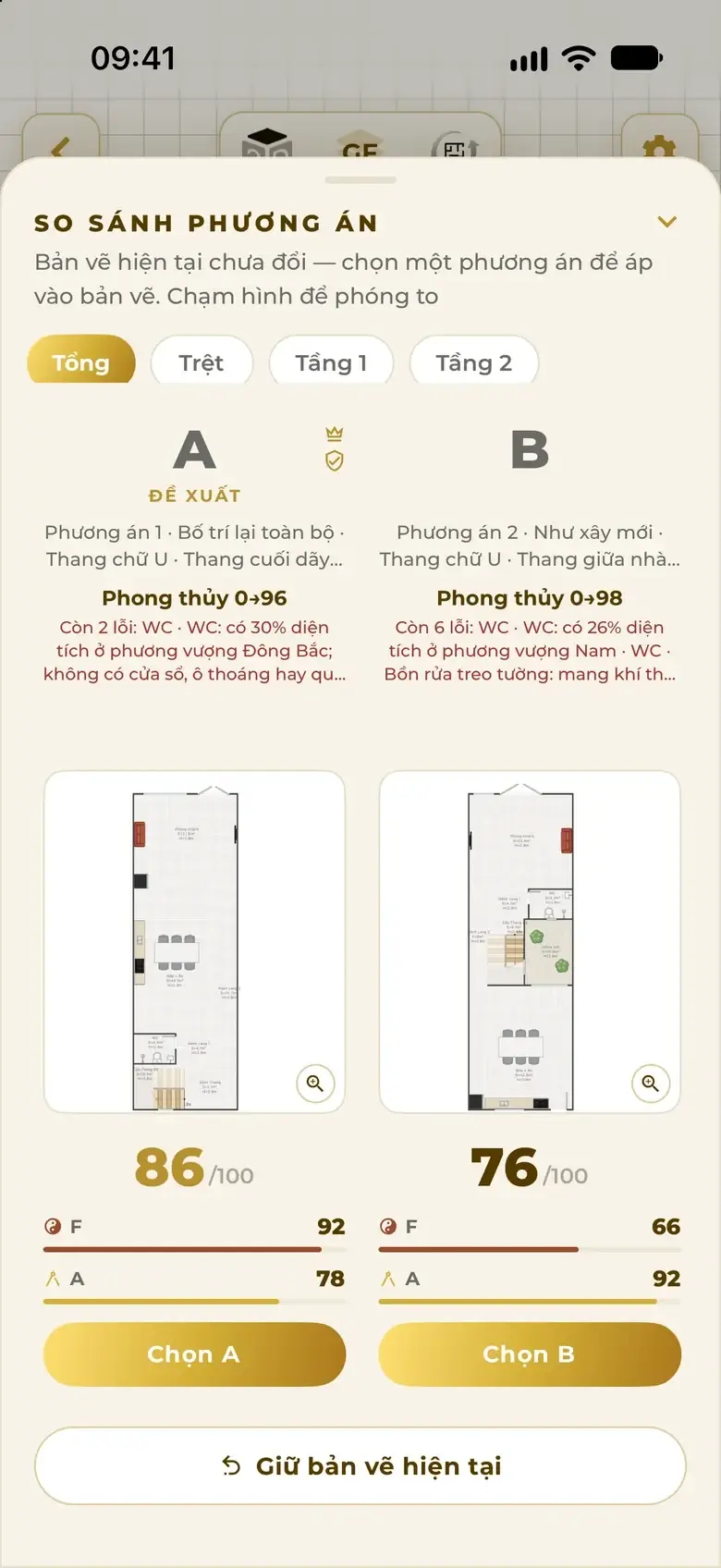
    Keeps the plot, number of floors, rooms and facing. Lays everything out again — up to 3 options with before → after scores; nothing changes until you choose.

    • Thorough fix options: A Recommended 86/100 feng shui 0→96, B 76/100 feng shui 0→98, buttons Choose A, Choose B.
      Scored options

Remedies outside the house too Illustration

  • A water jar in front of the door, marked on the plan.
  • Door leaves, fences and hedges count when checking the wind.
  • Low, sunken ground is noted so the owner can raise the floor.

Moving a WC means moving the whole room — walls, door and fixtures. If there is no valid spot, the assistant does not move it and suggests another way.

PDF report

One tap to a professional report.

A cover with the project name and the plan with polarity, the drawing pages and every analysis topic — ready to send to family or clients.

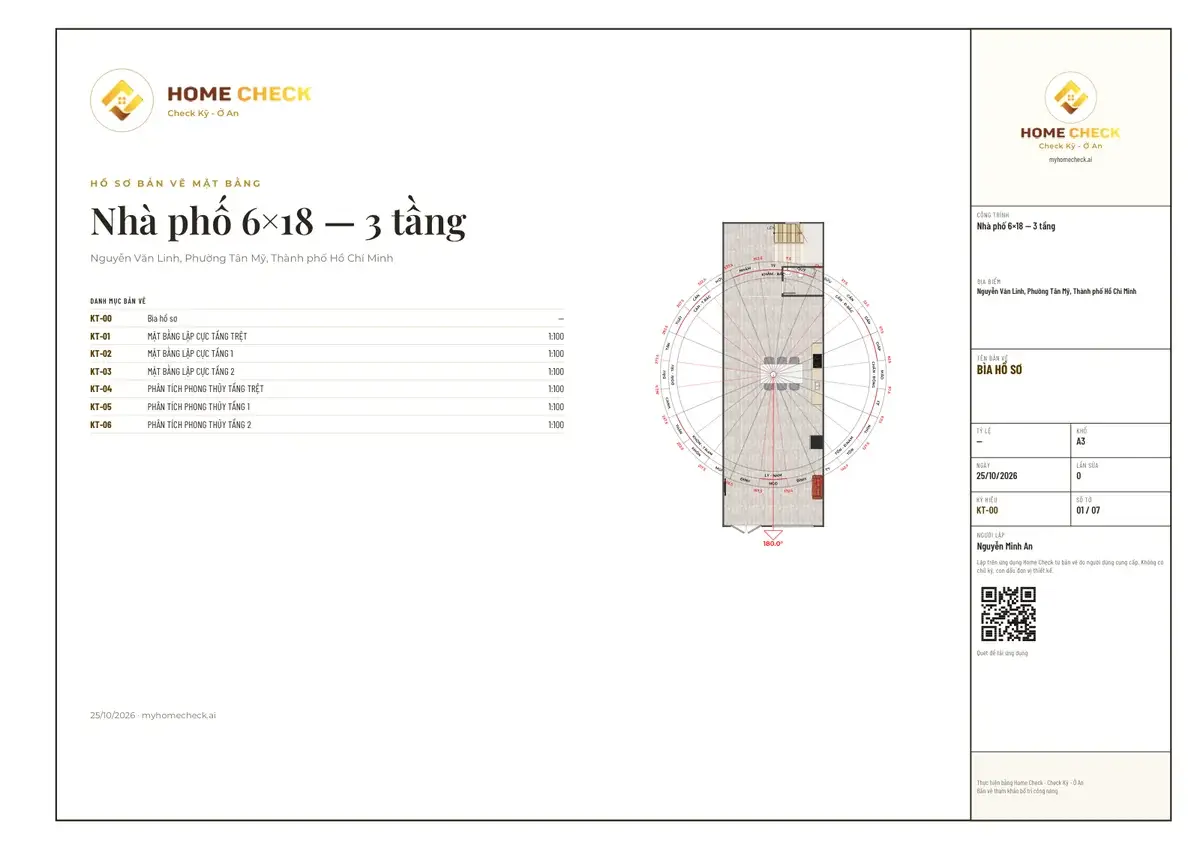
A3 drawing page in the PDF: floor plans of a 6×18 m townhouse with compass and dimensions.
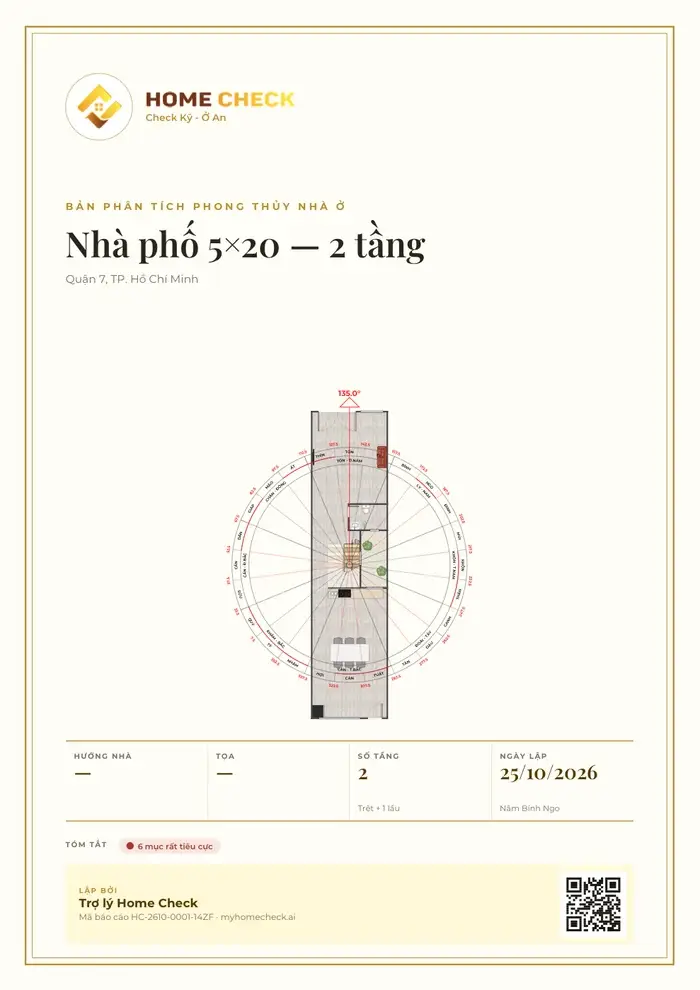
Cover of the feng shui analysis PDF: Home Check logo, 5×20 townhouse — 2 floors, plan with the compass, date and QR code.
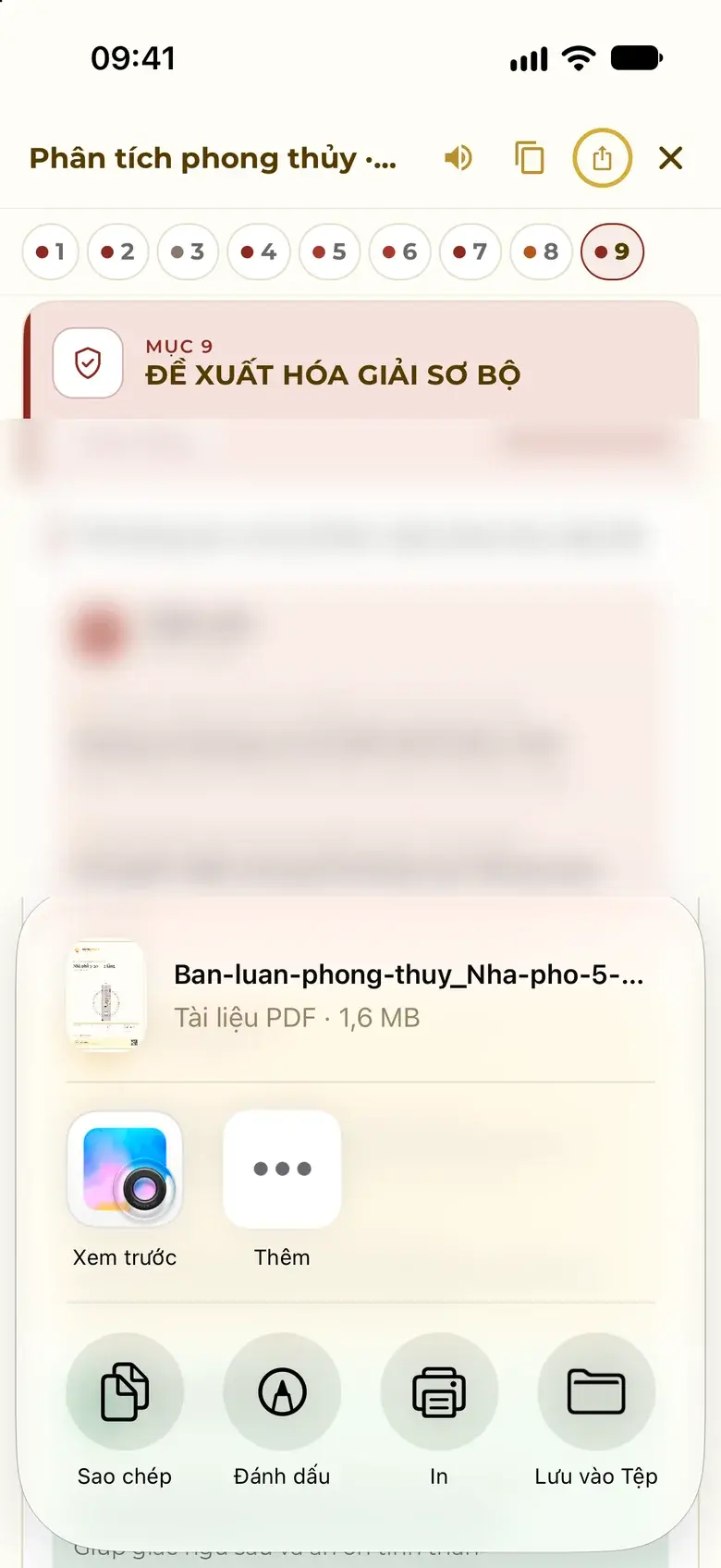
The Share button creates the feng shui analysis PDF and opens the share sheet: Preview, Copy, Print, Save to Files.

A page from a real PDF file

  • Cover: project name, address, date, summary, QR code
  • A3 drawings with compass, dimensions and every floor
  • Send via messaging apps or email, print or save to Files
See a sample analysis

For feng shui masters

Practise on Home Check, with your own signature.

Clients receive an analysis under your name, measured with your own compass ring, written from your own knowledge.

Your brand

PRO

One switch, and the documents carry your name.

Illustration
  • PDF cover and footer Analysis reports and A3 plans print your logo, name, representative and phone.
  • Images shared with clients The images you send carry your brand too.
  • Signature, seal, licence Sign by hand on screen; your seal and practising licence number print exactly as you enter them.
  • Your own compass ring Name it, set the degree ranges, static or dynamic by year — your school's mark on the map and the plan.

Your brand colour styles titles and rules; every export keeps a small line “Analyzed with Home Check”.
Your knowledge

PRO

Flip a switch, and the assistant follows your school.

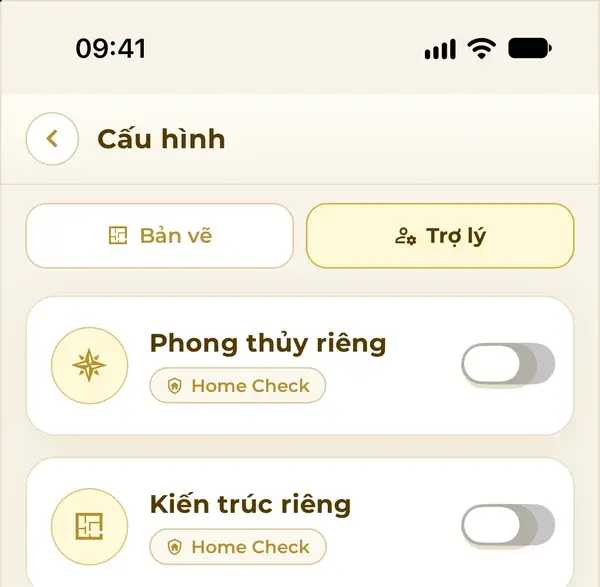
Assistant settings in the app: Custom feng shui and Custom architecture switches, with the line All projects · Building safety standards always kept.
Real app screens

Same house

  • North · Kitchen Correct
  • South · WC Wrong
  • West · Altar Correct
  • East · Bed Not settled

Feng shui · Home Check default

Correct / Wrong marked sector by sector on the plan, 9-section analysis.

Feng shui · by the set “Flying Stars — Master Minh An”

“Look at the main door first, then the stove and the bed; lay it out under the headings the master set.”

Home Check supplies the facts for each sector and marks nothing Correct / Wrong.

Architecture · Home Check default

Layouts follow the building codes and design practice of Home Check.

Architecture · by your rules

  • RequiredBedrooms at least 12 m²
  • PreferredKitchen open to the dining room
  • SuggestedAvoid long corridors

Minimum safety — structure, escape routes, local building codes — is always kept.

Illustrative example
  • Answer instructions Your school, your priorities, how you want things presented.
  • Knowledge base Notes and a few docx, pdf, txt or md files — each under 10 MB.
  • Residence or Business Each set is for one type of building.
  • Test before you switch on See your set analyze a sample house; architecture rules are read back for you to confirm.

Your knowledge stays yours

Your set is tied to your account and used by your assistant alone. Other users cannot see or use it. Switch it off to return to the Home Check default — the set is kept.

Real app screens

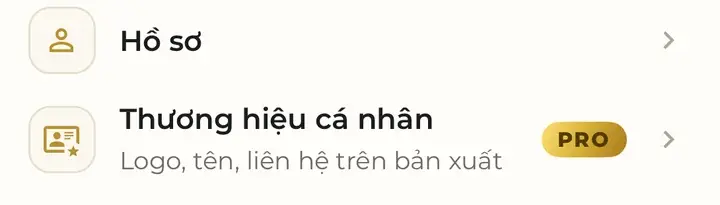
  • Account menu in the app: the Personal brand item with a PRO badge and the line logo, name, contact on exports.
    Personal brand
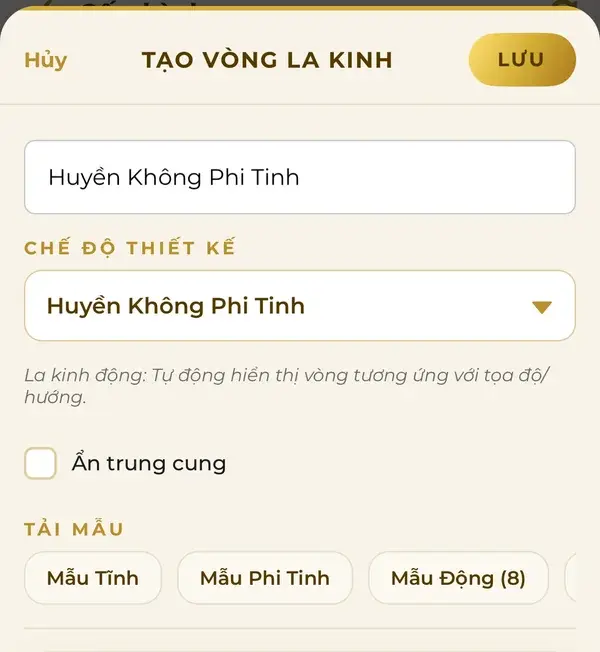
  • Create your own compass ring: name it, choose the design mode, load the Static, Flying Star or Dynamic template.
    Create a compass ring
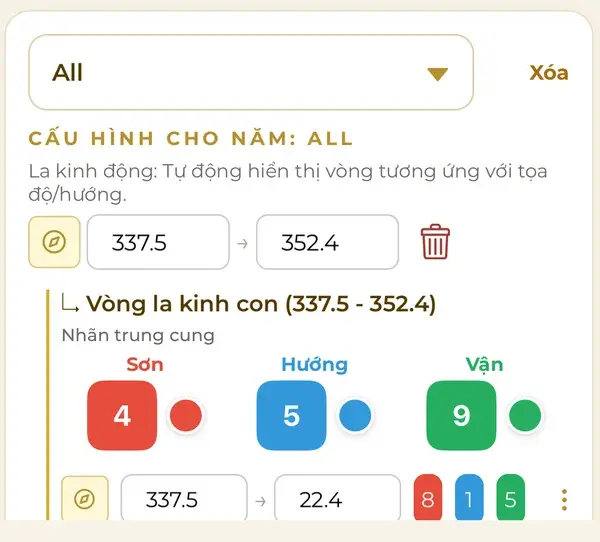
  • Setting a dynamic compass ring by year: range 337.5–352.4°, a sub-ring with Mountain, Facing and Period numbers and a colour for each cell.
    Dynamic ring by year

Feng shui Q&A

Ask in plain words. Answers for your own home.

The assistant knows the facing, the layout and the faults — answers go straight to your house: the conclusion, where to place things, what to avoid, the next step.

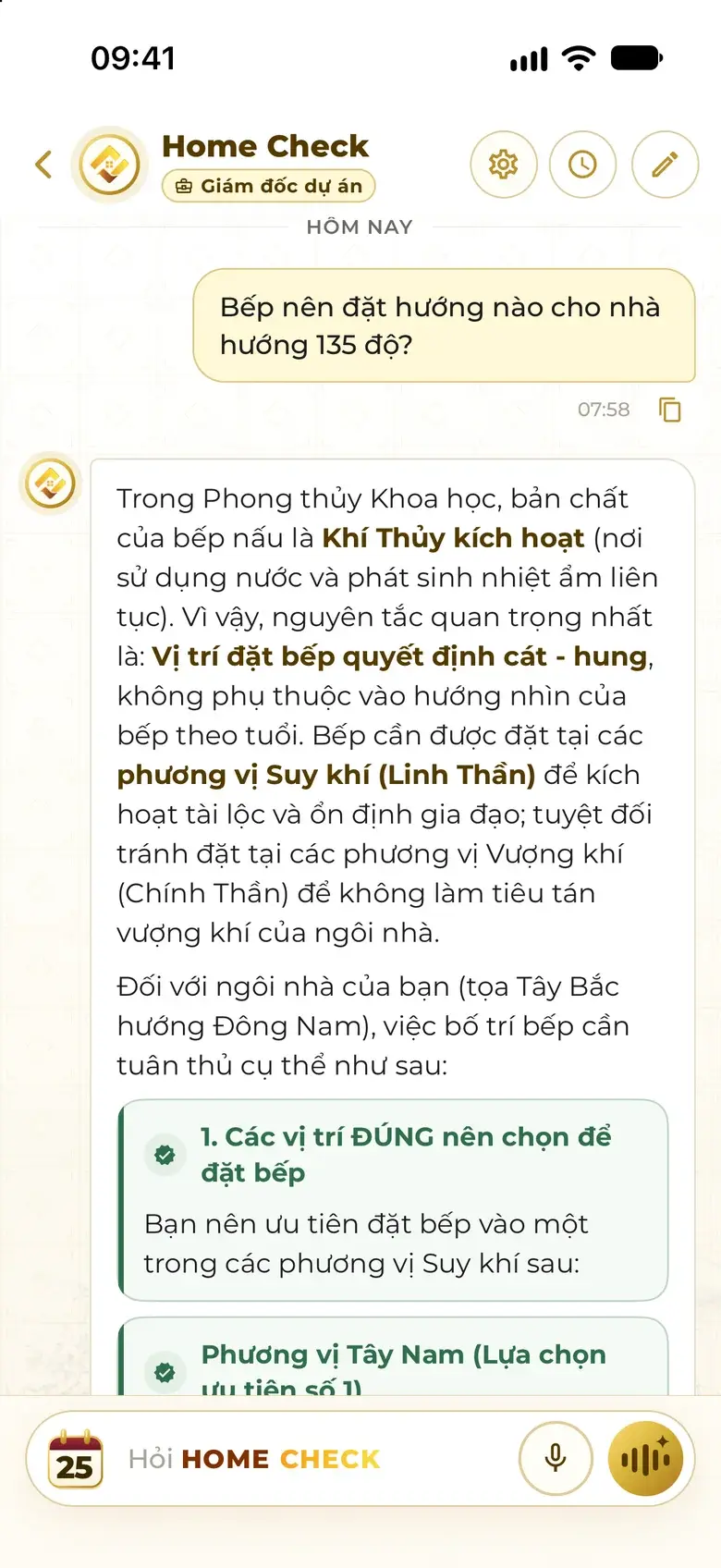
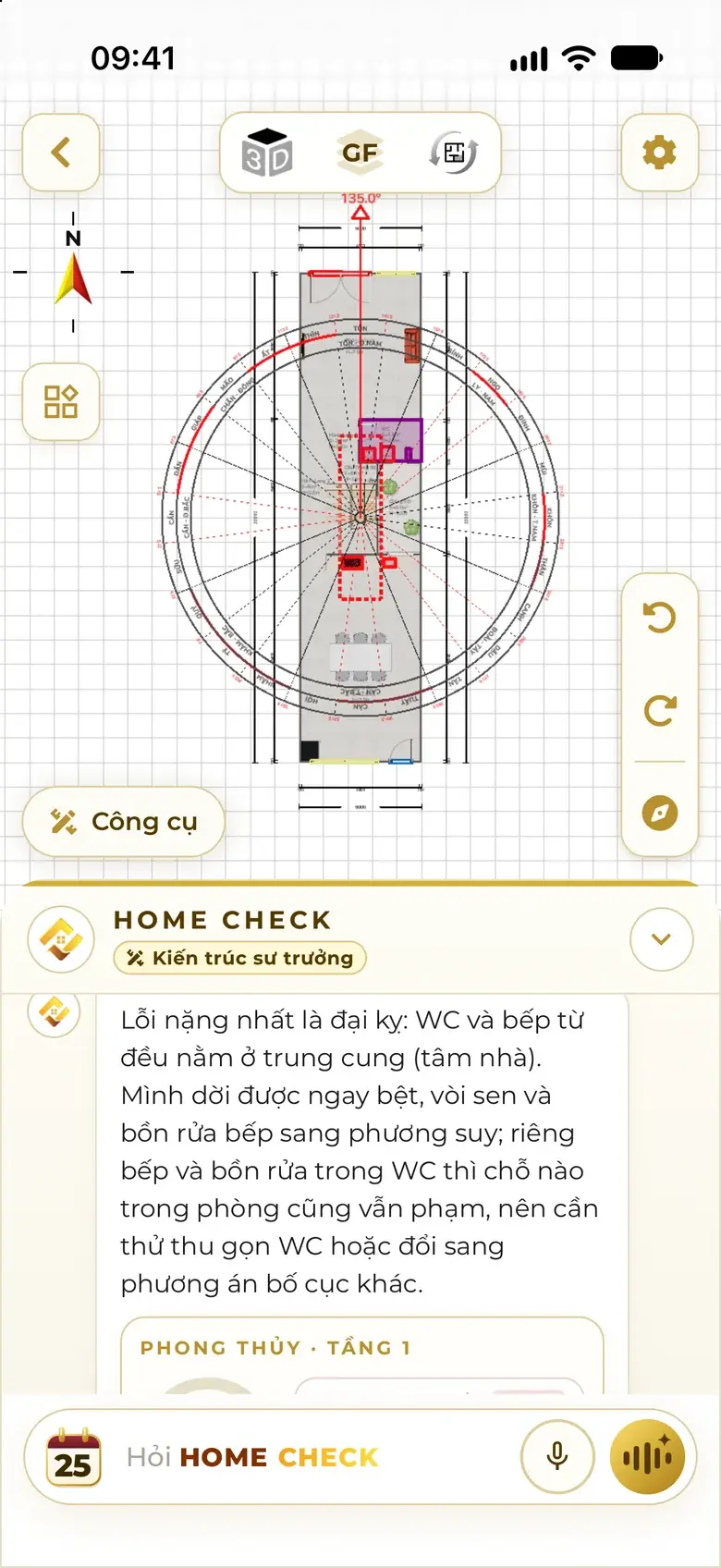
From a real conversation in the app (translated)

Which direction should the stove face in a home facing 135 degrees?

The stove should be placed in the declining-qi sectors (Ling Shen) to activate wealth and steady family harmony…

  • Conclusion
  • Where to place
  • What to avoid
  • Next step

Show feng shui faults

…the WC and the kitchen both sit in the centre palace (the heart of the house). I can move the toilet, shower and kitchen sink to declining sectors right away…

  • A user asks which direction the stove should face in a home facing 135 degrees; the assistant answers in a structured way: conclusion, recommended sectors.
  • Asking about faults inside the plan: the assistant briefly names the serious fault — WC and kitchen in the centre palace — and how to handle it.

Cost

Light on cost: pay only for what you use.

No booking, no waiting. Each task uses tokens only once there is a result.

  1. Check, analyse, fix — each task uses tokens only when you use it
  2. Plan unchanged: reopen the saved result without paying again
  3. No result because of an error: tokens are refunded

Quick questions

Quick questions on feng shui checks and analysis

Can I use it without knowing any feng shui?

Yes. Just add your home and give its facing in degrees — or measure it with the Compass in the app. The Home Check Assistant checks, colours the faults and explains in plain words; every colour comes with a label and a reason.

What do I need to prepare?

A floor plan or a photo of one (or a LiDAR scan, or let the assistant design it), the facing in degrees and everyone's year of birth. Ground level and the home's location for wind are optional — the assistant asks for whatever is missing.

How long does it take?

The feng shui check shows colours right after you tap. The 9-topic analysis usually takes 1–2 minutes, and you can keep viewing the plan while it runs.

Can an automatic fix break the architecture?

Every suggestion must pass both the feng shui rules and the architectural standards. You choose Keep layout or Re-arrange; moving a WC moves the whole room; if there is no valid spot, the assistant suggests another way. Every change can be undone.

How do I enter the facing of my home?

As a degree, for example 135.0° — not as a direction name. Measure it with the Compass in the app and stand clear of metal while you do.

How do feng shui masters use Home Check?

A PRO account can put its own brand on the cover and footer of the PDF. Masters can create their own compass ring and turn on Personal feng shui so the analysis is written from their own knowledge.

How is the cost worked out?

You pay only for what you use, in tokens, and only when there is a result. If the plan is unchanged, the saved result reopens; if an error means no result, the tokens are refunded.

Does this replace an on-site visit?

Results are advisory. For projects that need formal appraisal, combine them with a site survey and a licensed architect.

Check well, live well

Check your home today.

Get Home Check, add your home, enter the degree — a few steps to the faults and the fix.

Scan with your phone to get Home Check.

Get Home Check

Scan with your phone to get Home Check.

The code opens the right store for your phone.

or

Download on the App Store Get it on Google Play

More