

Guide
How to read the 9-section feng shui analysis
Understand quickly where the home is strong or weak, who in the family is affected and what to do first — instead of reading one long text from start to finish.
What you need
- A plan with polarity set to the measured facing degree (see What setting polarity is and how to do it right).
- Birth years of the family — male head, female head, children — so the analysis can name each person's role.
- A completed feng shui check; if you have just changed the plan, check again before analysing.
Steps
- Open the analysis
Tap “Feng Shui” on the home screen, or on the plan tell the assistant “Feng shui analysis”. The analysis opens in nine sections, with a 1–9 bar at the top to jump between them.
- Scan the level of all nine sections
Each section carries one level: Alarm, Very negative, Clearly negative, Slightly negative, Normal, Positive, or Not enough data. The coloured dots on the number bar show which sections to read first.
- Read the serious sections first
Open the sections with serious levels. Each point has a “Why” that names the exact place on the plan — which room, which item, which sector — and the affected person by role: male head, female head, eldest son…
- Check each member and the timing
Section 7 shows how each person in the home is affected, by their role in the family. Section 8 lists the years and months to watch.
- Go to section 9 — remedies
Actions are sorted into three tiers: Urgent (do now), Important (handle soon) and Improve. Work in that order; every action comes with its reason.
- Add data when asked
Where a section says “More data needed” — for example the ground level on either side of the house — add it and run the analysis again for a firmer conclusion.
- Listen, give feedback and share
Tap the speaker icon to hear it read aloud; at the end of each section tap “Accurate” or “Not quite” to give feedback; tap the share button to export a PDF report.
Common mistakes
- Reading from section 1 to 9 like a story and missing a serious section near the end.
- Setting polarity wrongly — entering the sitting degree instead of the facing — and still trusting the analysis.
- Leaving out birth years, so the members section cannot name the right person.
- Changing the plan but still reading the analysis of the old plan.
- Doing Improve items before dealing with Urgent ones.
Do it in Home Check
- Tap “Feng Shui”, or tell the assistant on the plan “Feng shui analysis”.
- Home Check writes an analysis for your own home from the polarity-set plan and the feng shui check; homes and businesses each have their own nine sections.
- Have the assistant read each section aloud, and ask follow-up questions in the chat or by voice in Live.
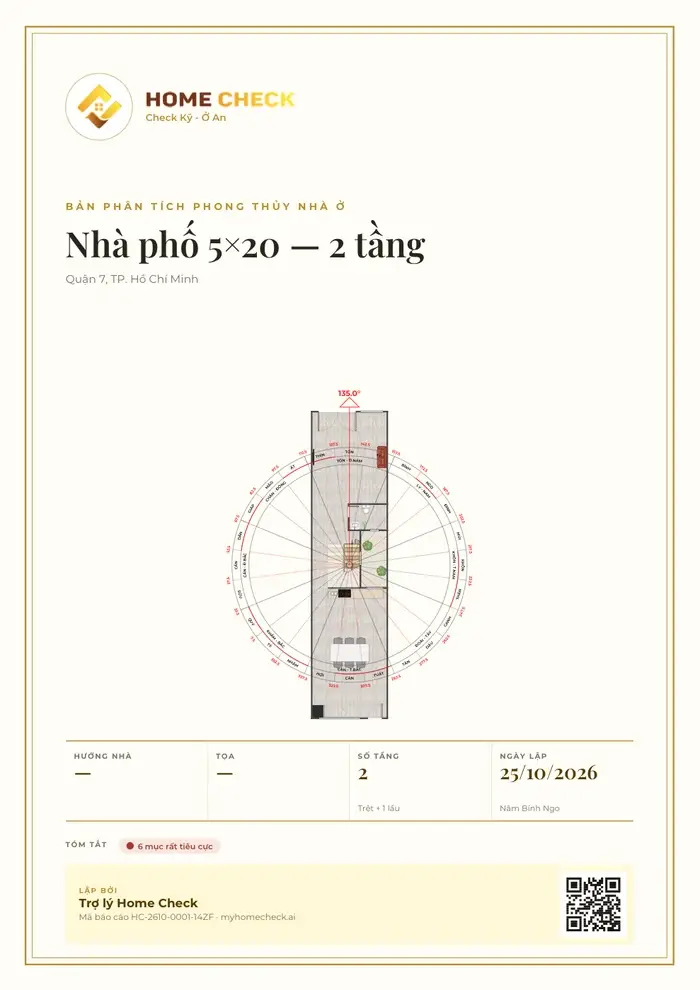
- Export a PDF with a cover, the polarity-set plan and a QR code; PRO accounts can put their own brand on the report.
- When the plan changes, check and analyse again so the conclusions follow the new plan.
Questions
What is the analysis based on?
On the polarity-set plan itself: where each room and item sits, the main door, the wind reaching the door, and birth years to find each person's birth-year mountain. The closer the plan is to reality, the closer the analysis.
Does “Alarm” mean the house is very bad?
It is the priority of one topic, not a verdict on the whole home. Most issues can be fixed by moving furniture, turning the bed or swapping room uses; section 9 tells you what to do first.
Is there a separate analysis for businesses?
Yes. Businesses have their own nine sections: brand and opportunities, leadership, finance, people, operations, products and receivables, staff health, timing and a remedy plan.
What if a section does not match my home?
Tap “Not quite” at the end of the section and say what is off if you like. Also recheck the facing degree, the main door's position and the birth years — an error in any of these shifts the conclusions.
How do I export the analysis as a PDF?
Tap the share button at the top of the analysis to create a PDF with a cover, the polarity-set plan and every section; then save it to Files, print it or send it.
Do this for your own home in the app
Scan with your phone to get Home Check.
You are viewing this page inside another app. Tap ⋯ and choose “Open in browser” to get the app.
Markdown version of this page Index for machine readers (llms.txt)